
Crypto Killer EA V1.31 MT5 targets automated crypto trading on MetaTrader 5, but verified evidence for this exact build is limited. Public records document the base Crypto Killer MT5 robot, while version-specific changes and audited live performance remain unverified. Verify licensing carefully. Always demo test first.
Traders searching for Crypto Killer EA V1.31 MT5 usually want clear answers on how the software trades, what settings it exposes, and what a license actually costs before committing funds. This review separates documented facts from unverified claims using the MyFxBots launch and pricing report, the vendor's MQL5 product listing, and independent crypto EA comparison guidance.
While public records confirm the base Crypto Killer MT5 Expert Advisor, version-specific changelogs for v1.31, complete input tables, and independently audited live results remain unverified in the available sources. Readers looking for broader context on automated tools can explore ForexFactory.cc editorial guides or review our review methodology before evaluating any commercial robot.
What Is Crypto Killer EA V1.31 MT5?
Public records identify the underlying product as Crypto Killer, an automated MetaTrader 5 Expert Advisor built by Valeriia Mishchenko for Bitcoin and Ethereum trading, though release-specific documentation for build v1.31 is not verified in the supplied sources. Announced via vendor launch email on November 18, 2026, the system operates exclusively on MT5 rather than MT4 and trades BTCUSD and ETHUSD on the M1 timeframe from a single chart, as documented in the MyFxBots launch review.
The developer classifies the trading style as trend following and breakout while stating that it uses neither grid nor martingale recovery. It ships with four risk sets and handles multiple pairs simultaneously, though the MyFxBots product breakdown notes inconsistent purchase messaging between a $499 standalone MQL5 license and a broader portfolio priced at $1,497 per year or $4,997 one-time.
How Does Crypto Killer EA V1.31 MT5 Work?
The software operates as a single-chart automated engine that monitors supported cryptocurrency pairs and executes trades based on vendor-programmed filters and money-management toggles. According to MyFxBots product coverage, the robot runs from one chart while managing multiple pairs through four built-in risk presets.
On the execution side, the MQL5 product listing explains that the Expert Advisor checks for duplicate UID instances and disables trading if another active instance shares the same identifier. It also provides an input toggle to pause new entries without disturbing open trades and lets operators pick fixed lots or predefined risk presets while running continuously on a VPS with an ECN broker.
Exact entry indicator formulas, stop-loss distances, and exit triggers remain undisclosed publicly. Independent analysis from FxRobotEasy crypto EA comparisons emphasizes that crypto-focused bots depend heavily on broker spreads, liquidity, trading hours, and low-latency execution.
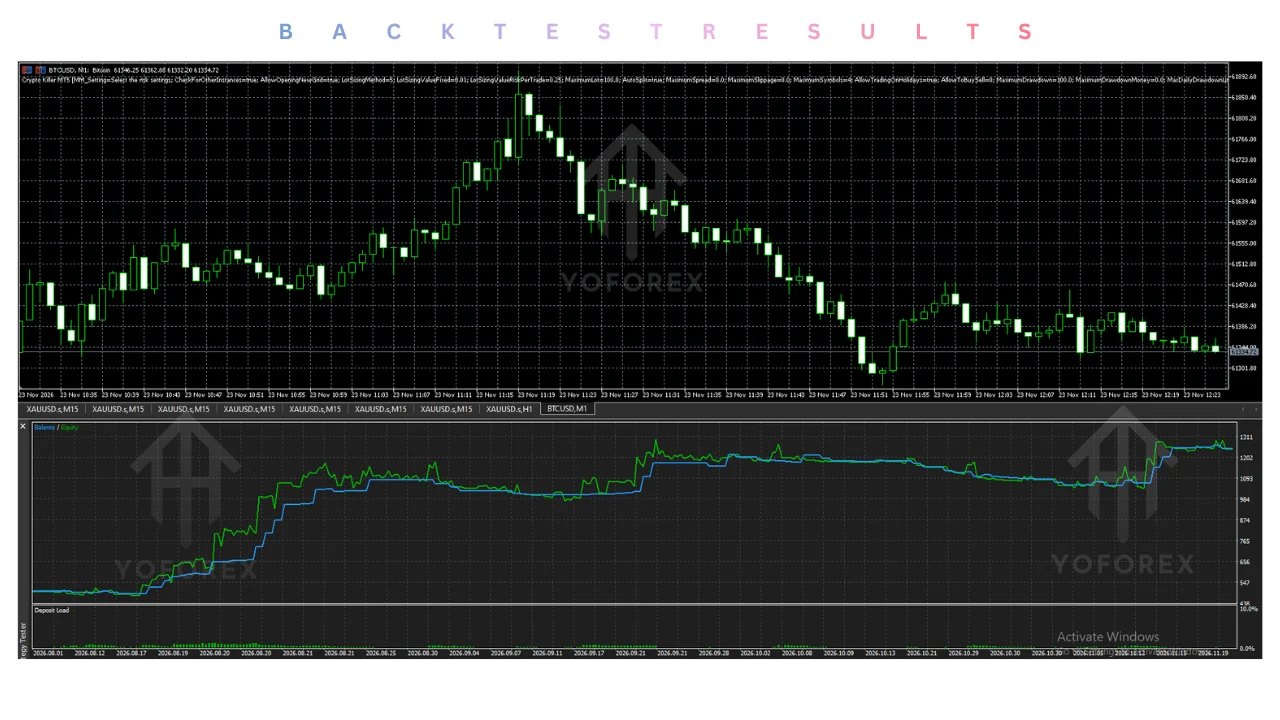
Crypto Killer EA V1.31 MT5 Strategy Explained
Detailed signal logic, exact indicator calculations, and stop-placement thresholds for this Expert Advisor are not documented in independently verified public sources. When reviewing any momentum or breakout concept on cryptocurrency pairs, traders should recognize that breakout models depend on sustained directional follow-through after volatility expands.
During sideways consolidation or sudden liquidity gaps, short-timeframe breakout entries can experience repeated small losses or uneven fills. Because exact internal rules are proprietary, buyers must treat general trend-following descriptions as broad category context rather than verified proof of how the code behaves during sharp market reversals or weekend volatility shifts.
Key Features
Documented capabilities come from the vendor's MQL5 product description and represent seller-stated functionality rather than independently audited testing:
- Single-chart multi-pair setup: Attaches to one M1 chart, with BTCUSD recommended, to manage both BTCUSD and ETHUSD (MQL5 setup documentation).
- Trend and breakout logic: Seller states the EA combines trend-following, momentum, and volatility breakout algorithms without grid or martingale recovery (vendor feature overview).
- Trade filtering tools: Vendor claims Flat and ER filters screen out low-potential setups alongside a News and Stock Market Crash Filter (MQL5 feature list).
- Time and broker adjustments: Includes automatic GMT detection and manual symbol-suffix mapping for broker naming variations (MQL5 installation guide).
- Risk and instance controls: Includes duplicate-instance UID blocking, an Allow Opening a new Trade toggle, fixed-lot sizing, four risk presets, and a self-diagnostic statistics panel (MQL5 risk settings).
Quick Specifications
The specifications below summarize published product details from the MQL5 marketplace listing, with unestablished items marked Not verified.
| Feature | Details |
|---|---|
| Platform | MetaTrader 5 |
| Strategy | Trend-following, momentum, and volatility breakout |
| Trading Style | Breakout and trend following; no grid or martingale |
| Instruments/Pairs | BTCUSD, ETHUSD |
| Timeframe | M1 |
| Risk Management | Fixed lots or four risk presets; duplicate-instance check |
| Automation | Fully automated single-chart execution |
| VPS | Required for continuous operation |
| Best For | Not verified. |
Main Benefits
Practical advantages are limited to documented operational conveniences rather than unverified profit claims. Managing multiple symbols from a single M1 chart simplifies terminal layout and helps prevent duplicate-instance conflicts through UID checking, as outlined in the MQL5 installation and risk notes.
Separating entry toggling from open-trade management gives operators a straightforward way to pause new exposure ahead of volatile sessions without forcibly closing active positions. Pairing that control with a structured forex news checklist helps maintain disciplined oversight, while avoiding grid or martingale scaling limits exponential lot-size escalation (MyFxBots strategy summary).
Limitations & Risks
Evaluating an automated crypto system requires separating documented product constraints from broader leveraged-trading risks. On the product side, the MQL5 installation requirements mandate continuous VPS uptime, manual symbol-suffix configuration, and whitelisting external news and time-server URLs inside MetaTrader 5, creating operational failure points if connectivity or server permissions break.
Market structure poses additional risk on one-minute crypto charts. Although the seller recommends an ECN broker while stating low spread and slippage sensitivity (vendor requirements notes), independent analysis in FxRobotEasy crypto comparison research stresses that crypto CFD bots remain exposed to broker-specific spreads, liquidity gaps, weekend or session quirks, incorrect risk presets, and divergence between historical backtests and live execution.
Documented Strengths
- Single-chart deployment across BTCUSD and ETHUSD reduces terminal setup complexity (MQL5 setup notes).
- Excludes grid and martingale recovery mechanics, according to seller documentation (vendor product listing).
- Built-in UID instance check helps avoid accidental double trading across charts (MQL5 risk controls).
Documented Limitations
- Requires continuous VPS hosting and external WebRequest URL permissions (MQL5 technical requirements).
- Crypto CFD spreads, liquidity shifts, and margin rules vary sharply across brokers (FxRobotEasy execution analysis).
- Exact v1.31 changes, full parameter ranges, and audited live results remain unverified (independent verification standards).
Who Is Crypto Killer EA V1.31 MT5 For?
Evaluating this robot makes sense primarily for traders already using MetaTrader 5 who specifically want to test an M1 Bitcoin and Ethereum trend-breakout system without grid or martingale scaling, as described in the MyFxBots product overview.
Suitable evaluators should have access to an ECN-style broker offering BTCUSD and ETHUSD CFDs with transparent spreads, the budget for continuous VPS hosting (MQL5 VPS requirements), and the discipline to review margin, drawdown, and forward-test evidence before allocating capital (FxRobotEasy buyer criteria). Buyers should also budget for the $499 introductory standalone price or confirm portfolio licensing terms (MyFxBots pricing report).
Who Should Avoid It?
This Expert Advisor is unsuitable for traders who rely exclusively on MetaTrader 4 or who want a prop-firm challenge bot. According to MyFxBots compatibility reporting, published comparison tables list the software as not FIFO-compliant and not FTMO-compatible, ruling out strict US FIFO accounts and common funded-challenge setups.
Traders unwilling to maintain a continuous VPS or grant MT5 WebRequest access to external servers should also pass (MQL5 setup prerequisites). Most importantly, anyone unable to tolerate leveraged crypto CFD losses or unwilling to verify conflicting standalone versus portfolio pricing terms with the vendor (MyFxBots buyer advisory) should avoid purchasing.
Crypto Killer EA V1.31 MT5 vs Manual Trading
Choosing between automated single-chart software and discretionary execution involves clear operational trade-offs. Documented product notes confirm that the bot automates BTCUSD and ETHUSD entries from one chart with four risk presets (MyFxBots feature summary) and relies on continuous VPS uptime plus UID instance safeguards (MQL5 operational settings), whereas internal trade-exit speed and adaptive overrides remain unverified.
| Factor | crypto killer ea v1.31 mt5 | Manual Trading |
|---|---|---|
| Execution | Automated single-chart execution on MT5 | Trader places and closes orders manually |
| Screen time | Runs continuously on a VPS without active charting | Requires active chart monitoring during sessions |
| Consistency | Follows programmed rules; exact logic not verified | Varies with trader discipline and routine |
| Emotional interference | Rule-based entries without manual hesitation | Subject to fear, impatience, or fatigue |
| Speed | Not verified | Limited by human reaction time |
| Flexibility | New-trade toggle and four risk presets | Full discretion to adapt to market context |
| Monitoring | Requires ongoing VPS, news-filter, and account checks | Direct real-time awareness while trading |
| Risk management | Fixed lots or preset risk tiers; stop logic not verified | Custom stop-loss, sizing, and exposure limits |
What To Check Before Buying
Before paying for any license, work through a structured due-diligence checklist covering technical, operational, and commercial terms:
- Strategy and trading logic: Confirm with the seller whether v1.31 alters entry filters, crash filters, or exit logic beyond the base description.
- Risk controls, drawdown, and performance evidence: Review required margin, expected drawdown, and forward-test proof rather than marketing summaries (FxRobotEasy evaluation framework).
- MT4/MT5 compatibility: Verify that your broker account runs MetaTrader 5, since this EA is MT5-only (MyFxBots platform notes).
- Broker compatibility and execution conditions: Confirm BTCUSD and ETHUSD availability, symbol suffixes, ECN spreads, and swap costs (MQL5 broker guidance; FxRobotEasy crypto spread checklist).
- VPS requirements: Factor continuous low-latency VPS hosting costs into your total budget (MQL5 VPS requirement).
- Settings and documentation: Request full input definitions and verify whether you are comfortable whitelisting external news and time URLs (MQL5 installation instructions).
- Testing evidence: Check whether historical tests use realistic spread assumptions and whether any live track record is independently audited.
- Support and updates: Confirm update delivery channels and response times for version patches.
- License and activation limits: Clarify MQL5 activation limits and whether standalone buyers receive future builds (MyFxBots licensing review).
- Price and refund terms: Reconcile the $499 MQL5 standalone price against portfolio-only FAQ statements and MQL5 refund rules (MyFxBots pricing comparison).
Crypto Killer EA V1.31 MT5 Settings
Only partial money-management and setup parameters appear in the vendor's MQL5 product listing. Documented inputs include the Symbol parameter for broker suffix mapping, Check for Instances of the EA to block duplicate UIDs, Allow Opening a new Trade? to pause new entries, and Lot-sizing Method allowing either Fixed lot entries or four predefined risk presets, alongside WebRequest URL permissions for news and time detection.
Complete product-specific settings—including default stop-loss values, take-profit rules, Flat or ER filter thresholds, risk-preset percentages, and any inputs added in v1.31—are Not verified. Because clear risk settings and realistic sizing are critical to operational safety (FxRobotEasy operational guidance), buyers should request full parameter documentation from the developer before purchasing.
Crypto Killer EA V1.31 MT5 Backtesting & Performance
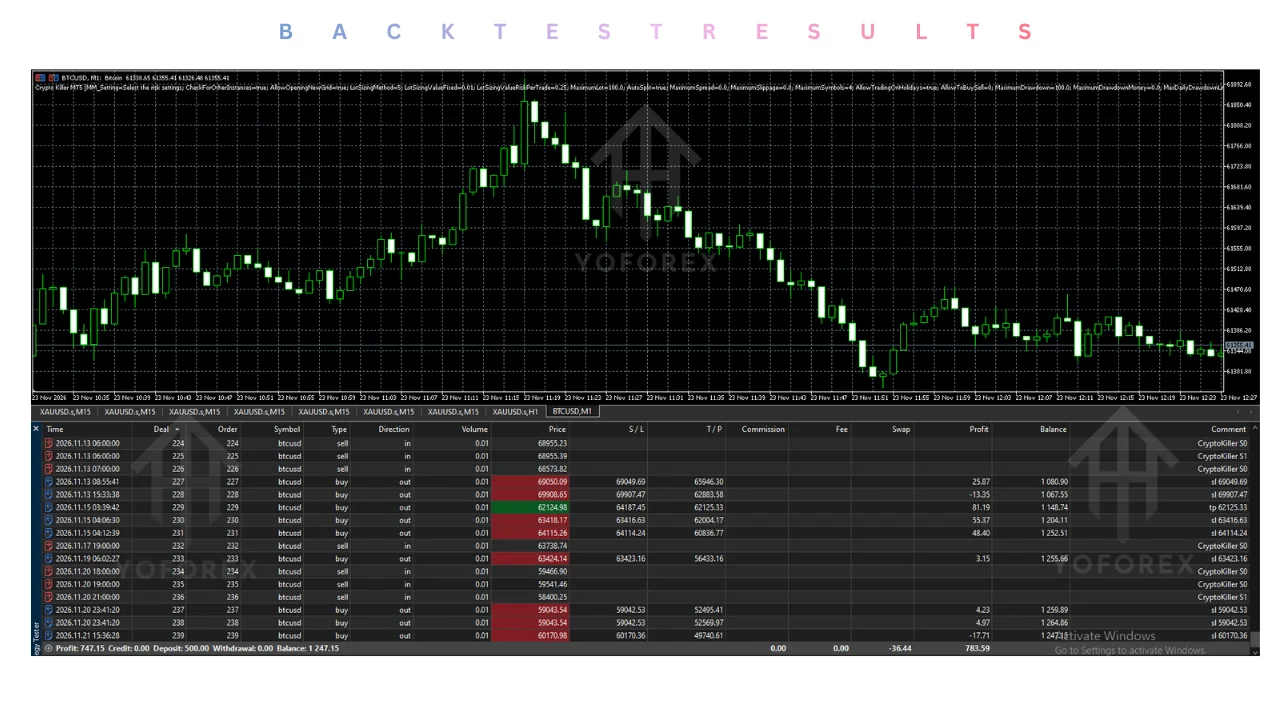
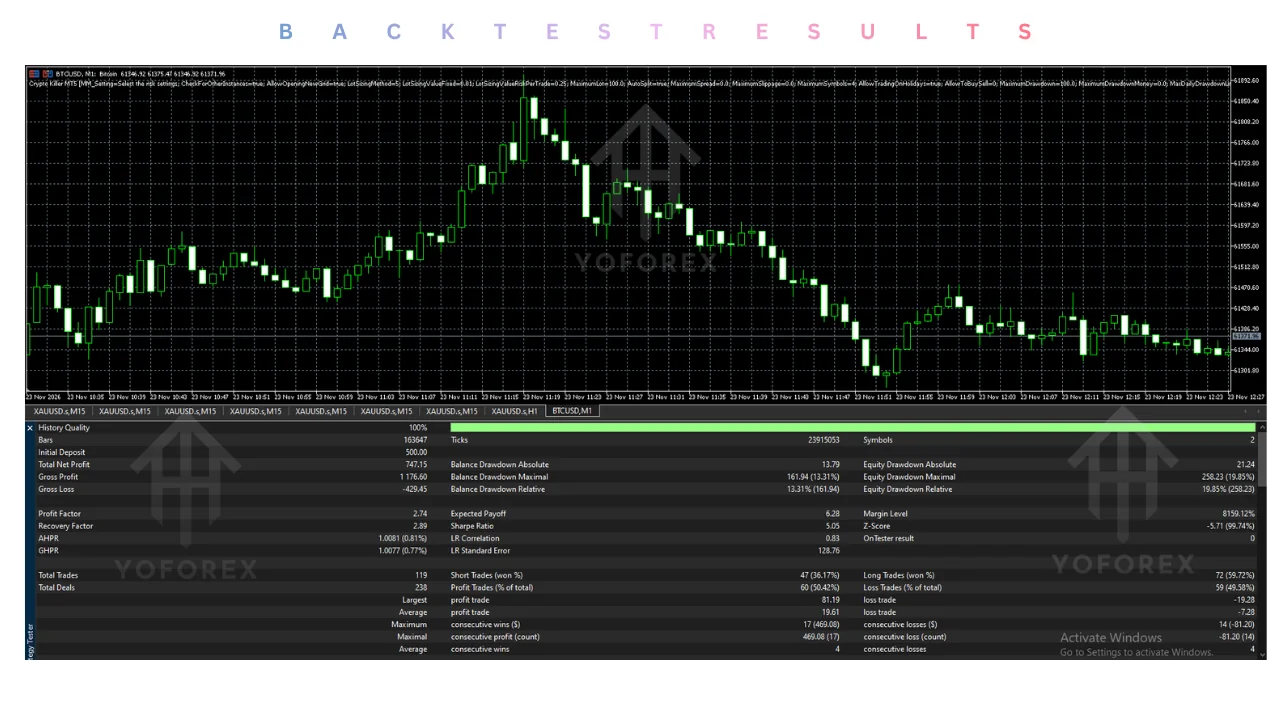
Historical backtest statistics, independent forward-test logs, and audited live-account performance figures for crypto killer ea v1.31 mt5 are unavailable in the supplied independent sources. Without verified figures detailing test dates, spread assumptions, commission costs, required margin, and maximum drawdown, traders cannot confirm how the strategy behaves across different cryptocurrency volatility cycles.
Always separate seller-controlled promotional statements from independently verified live records, as only third-party audited tracking verifies real fills and slippage. Independent comparison guidance from FxRobotEasy testing standards emphasizes evaluating drawdown control, spread tolerance, and forward-test evidence first, and remembering that past results never guarantee future performance.
How To Get Started
If you decide to evaluate the software further, follow a disciplined, low-risk verification sequence before committing live capital:
- Check compatibility: Confirm you operate a MetaTrader 5 account with BTCUSD and ETHUSD access and do not require FIFO or FTMO prop-firm rules (MyFxBots compatibility notes).
- Review settings and documentation: Obtain full parameter definitions from the seller and map any broker symbol suffixes (MQL5 setup documentation).
- Follow verified installation instructions: Attach the EA to a single M1 chart, whitelist required news and time servers, and run it on a continuous VPS (MQL5 installation steps).
- Demo test: Run the EA on a demo account using realistic crypto spreads and margin levels (FxRobotEasy testing guidance).
- Monitor execution and risk: Track actual fills, slippage, drawdown, and instance checks over an extended sample (FxRobotEasy operational review).
- Assess suitability before considering live use: Only consider small live sizing if verified demo behavior aligns with your risk tolerance, recognizing demo fills do not establish live profitability.
Is Crypto Killer EA V1.31 MT5 Worth Buying?
A balanced evaluation highlights clear design intentions alongside significant verification gaps. Documented strengths include MT5 single-chart management, exclusion of grid and martingale recovery, four risk presets, and duplicate-instance protection (MyFxBots feature summary; MQL5 risk settings).
At the same time, unresolved questions carry material weight: conflicting standalone ($499) versus portfolio-only pricing statements (MyFxBots pricing report), missing input-parameter documentation, unverified v1.31 build details, and the absence of independently audited live performance. Because key evidence required to judge risk-adjusted value is missing, a buying recommendation is withheld until buyers obtain complete documentation and verify licensing terms directly.
Conclusion
Crypto Killer MT5 presents a non-grid, non-martingale automated approach for BTCUSD and ETHUSD on MetaTrader 5, paired with practical operational safeguards like UID instance checks and single-chart deployment. However, exact v1.31 release details, full risk-preset definitions, and independently audited live performance remain unverified, and purchase terms between standalone and portfolio options require clarification.
Traders who already trade crypto CFDs on MT5, use a continuous VPS, and want to evaluate a rule-based breakout tool should request complete documentation and demo-test under realistic spread conditions before spending money. For ongoing checklists and EA evaluation guides, visit the ForexFactory.cc blog or review our news-event preparation guide.
Support & Disclaimer
Support:
If you need help installing or configuring your EA, or face any kind of bug, feel free to reach out on:
Telegram Group: Join our community
Disclaimer:
Forex and gold trading involve risk. Past performance doesn’t guarantee future results. Always test robots on demo before live trading and use proper risk management.
REFERRAL
Join the VIP Signals Telegram Channel for real-time expert trading signals and stay ahead in the forex market. Get personalized strategies by becoming a part of our Real Account Management Telegram Channel and optimize your trading experience. If you’re aiming to Pass PropFirm Challenges , join our dedicated channel for tips and proven methods. Start managing your capital effectively with expert advice from our Funded Account Management Telegram Channel. For advanced traders, our HFT EA / Passing Telegram Channel offers high-frequency trading insights and strategies to boost your performance.
Sources
- Crypto Killer EA V1.31 MT5 / FREE DOWNLOAD — Yoforexorg
- Crypto Killer EA V1.31 MT5 — Yoforex.net
- Crypto Killer EA V1.31 MT5 — Yoforexea