Introduction
Many EURUSD traders want consistent execution without sitting in front of charts all day. Manual trading on the 15-minute chart demands constant attention, emotional discipline, and quick decisions. EuroStorm EA V1.0 MT4 is positioned as an automated solution for that exact problem — an Expert Advisor built for MetaTrader 4 that handles entries and exits on EURUSD while the trader focuses on risk and oversight.
This guide covers what is known about the bot, how it is described, practical considerations, risks, and what you should verify before deciding to use it.
What Is EuroStorm EA V1.0?
EuroStorm EA V1.0 is an automated trading robot (Expert Advisor) developed for the MetaTrader 4 platform. It is specifically tailored to the EURUSD currency pair and runs on the M15 timeframe. The EA uses technical analysis and predefined algorithms to generate and execute trades automatically, removing the need for continuous manual intervention.
According to the product information, it is designed for traders of varying experience levels, with a stated minimum deposit of $200. A higher starting balance (around $1,000 or more) is suggested for more effective risk handling. The goal is systematic execution on a highly liquid pair rather than discretionary decision-making.
How Does EuroStorm EA Work?
Public product descriptions outline a straightforward automated flow:
- The EA analyzes market conditions using technical indicators and predefined rules.
- It identifies potential entry points on the EURUSD M15 chart.
- Trades are opened automatically according to those signals.
- Built-in stop-loss and take-profit levels manage each position.
- The system continues operating as long as the terminal (or VPS) stays online and AutoTrading is enabled.
Exact indicator combinations, entry filters, or position-sizing logic are not fully disclosed in the available product materials. Users should treat the internal signal generation as a black-box process until they test it themselves on a demo account.
EuroStorm EA Strategy Explained
The strategy is described only at a high level: technical analysis and algorithmic rules applied to EURUSD on M15. No detailed breakdown of indicators, entry conditions, grid/martingale elements, or exit rules is provided on the primary product pages. Because the precise logic is not published, any performance expectations must come from your own testing rather than marketing claims.
Key Features
- Fully automated trading on MetaTrader 4
- Optimized for the EURUSD pair
- Operates on the M15 timeframe
- Built-in stop-loss and take-profit risk controls
- Low stated minimum deposit ($200)
- User-friendly installation and setup process
- Designed to reduce emotional decision-making
Quick Specifications
| Feature | Details |
|---|---|
| Platform | MetaTrader 4 (MT4) |
| Strategy | Technical analysis / algorithmic (details not fully disclosed) |
| Trading Style | Automated |
| Instruments/Pairs | EURUSD (primary) |
| Timeframe | M15 |
| Risk Management | Stop-loss and take-profit levels |
| Automation | Full |
| VPS | Recommended for continuous operation |
| Best For | Traders seeking automated EURUSD M15 execution with modest capital |
Main Benefits
The practical advantages are automation and consistency. Once installed and configured, the EA can scan the market and place trades without the trader watching every candle. This reduces screen time and removes emotional interference from individual decisions. Systematic rules also help maintain the same approach across different market sessions. For traders who already understand the risks of automated systems and can monitor results, these benefits can free time for other activities while keeping execution disciplined.
Limitations & Risks
No Expert Advisor eliminates trading risk. Key considerations include:
- Drawdown risk — Any automated system can experience losing periods, especially during strong trends or unusual volatility.
- Market conditions — Performance can change when volatility, spreads, or correlations shift.
- Broker execution — Spreads, slippage, and order filling quality directly affect results. Tight-spread ECN/STP conditions are generally preferable for M15 trading.
- Settings sensitivity — Incorrect lot size or risk parameters can amplify losses.
- Connectivity — The EA needs a stable connection; a VPS is advisable for 24/5 operation.
- Undisclosed strategy details — Without full transparency on entry logic, it is harder to anticipate behavior in all market regimes.
- Backtest limitations — Historical results (if any are later published) do not guarantee future performance. Always distinguish backtests, forward tests, and live results.
Forex trading involves the risk of loss. Only capital you can afford to lose should be used.
Who Is EuroStorm EA For?
This EA suits traders who:
- Prefer automated execution on EURUSD
- Are comfortable with the MT4 platform
- Want to reduce manual chart-watching on the M15 timeframe
- Can start with at least the stated minimum deposit and preferably more
- Are willing to demo-test thoroughly and monitor results
- Understand that automation does not remove the need for risk oversight
It may appeal to part-time traders or those managing multiple systems who value systematic rules over discretionary entries.
Who Should Avoid It?
Avoid or approach with extreme caution if you:
- Need full transparency on every indicator and filter before using an EA
- Cannot tolerate any drawdown or prefer fully manual control
- Trade only on MT5 or other platforms
- Lack a reliable VPS or stable internet for continuous operation
- Are looking for guaranteed results or “set-and-forget” income
- Have very limited capital and cannot properly size risk
Beginners should treat it as a learning tool only after extensive demo testing and education on EA risk management.
EuroStorm EA vs Manual Trading
| Aspect | EuroStorm EA V1.0 MT4 | Manual Trading |
|---|---|---|
| Execution | Automated | Manual |
| Screen time | Low (after setup) | High |
| Consistency | Rule-based | Depends on trader discipline |
| Emotional interference | Reduced | Present |
| Speed | Fast algorithmic | Limited by human reaction |
| Flexibility | Limited to programmed rules | High (can adapt instantly) |
| Monitoring | Periodic checks + oversight | Continuous |
| Risk management | Pre-set SL/TP | Fully under trader control |
What To Check Before Buying / Using
- Confirm MT4 compatibility and that you can load .ex4/.mq4 files
- Verify the strategy approach matches your risk tolerance (test on demo)
- Check broker spreads, execution quality, and whether EURUSD conditions are suitable
- Ensure you have (or can set up) a reliable VPS if running 24/5
- Review all available settings and start with conservative risk
- Run thorough demo testing and, if possible, forward testing
- Understand support channels and any license/update terms
- Confirm current access method (download source, any cost, activation)
- Never risk more than you can afford to lose
EuroStorm EA Settings
Specific input parameters are not detailed in the available product descriptions. After installation, the EA settings window allows adjustment of lot size, risk levels, stop-loss, and take-profit. Default or conservative settings are recommended for initial testing. Always document changes and re-test after any modification.
EuroStorm EA Backtesting & Performance
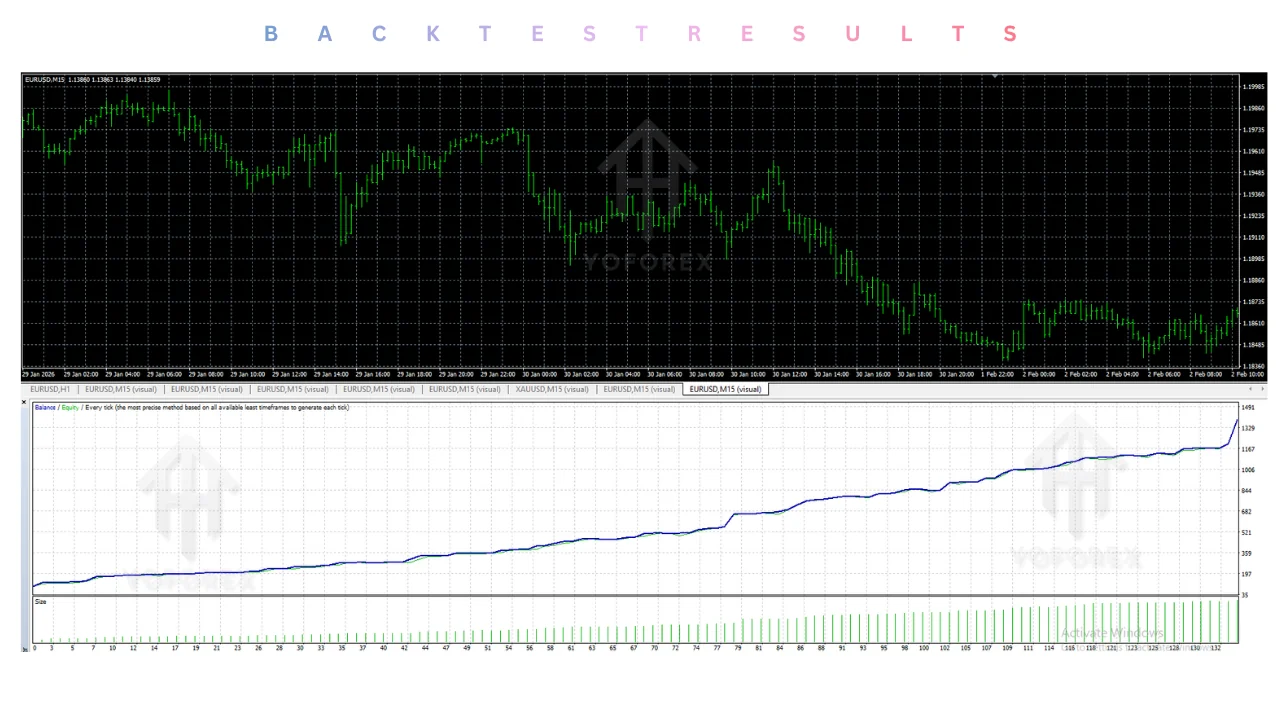
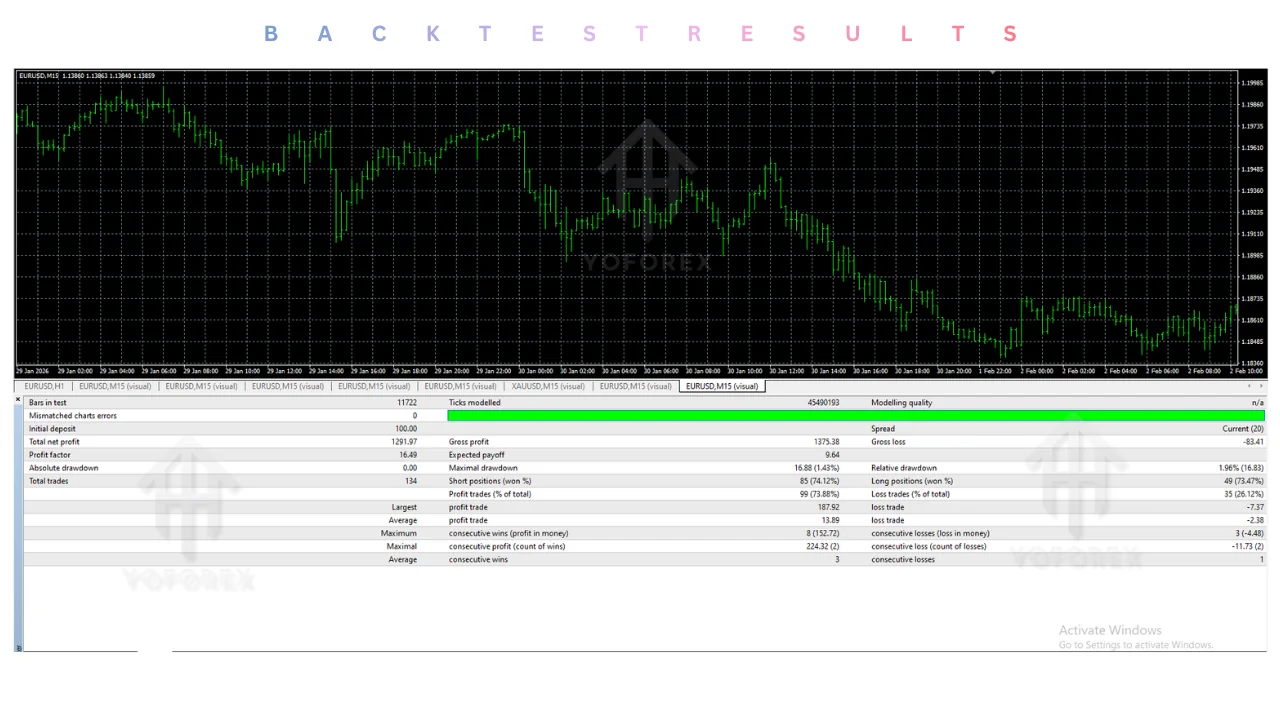
No verified backtest statistics, equity curves, or live performance data are provided in the primary product materials at the time of writing. Treat any third-party claims of high win rates or large historical profits with skepticism until you can reproduce results yourself under realistic conditions (variable spreads, slippage, and proper modeling quality). Distinguish clearly between backtests, demo forward tests, and live results. Past performance is never a guarantee of future results.
How To Get Started
- Confirm your broker offers MT4 and acceptable EURUSD conditions.
- Obtain the official EuroStorm EA V1.0 file from a trusted source linked by the provider.
- Install MetaTrader 4 and copy the EA into the MQL4/Experts folder.
- Attach the EA to an EURUSD M15 chart and review the input settings.
- Enable AutoTrading and run on a demo account first.
- Monitor results, adjust risk conservatively if needed, and only consider live capital after satisfactory demo performance.
- Use a VPS for continuous operation if desired.
Start small and keep close oversight.
Is EuroStorm EA Worth Buying?
Whether it is worth using depends on your goals and risk tolerance. The confirmed strengths are automation on a liquid pair (EURUSD), M15 timeframe focus, built-in stop-loss/take-profit, low entry capital barrier, and straightforward MT4 setup. These address real pain points for traders who want systematic execution without constant monitoring.
The main limitations are the limited public disclosure of exact strategy logic and the absence of independently verified performance data. Without those, the decision rests on your own testing. If you value automation, can demo-test rigorously, and accept the standard risks of algorithmic trading, it may be a practical tool. If you require complete transparency or cannot tolerate drawdowns, other approaches (manual trading or more fully documented systems) may suit you better.
Conclusion
EuroStorm EA V1.0 MT4 is a focused automated tool for EURUSD on the M15 chart. Its main strengths are simplicity of setup, automation that reduces emotional trading, and accessibility with a relatively low stated minimum deposit. Important considerations remain the limited public strategy disclosure and the universal risks of forex automation — drawdown, broker conditions, and the need for ongoing monitoring.
It is most suitable for traders who want hands-off execution on a major pair, are prepared to test carefully, and treat the EA as one component of a broader risk-managed approach. It is less suitable for those who need complete transparency or cannot accept the possibility of losses.
Next step: Review the current product details and access options on Yoforexorg, download or obtain the official file, install it on a demo account, and evaluate the results yourself before committing live capital. Always prioritize capital preservation.
Support & Disclaimer
Support:
If you need help installing or configuring your EA, or face any kind of bug, feel free to reach out on:
Telegram Group: Join our community
Disclaimer:
Forex and gold trading involve risk. Past performance doesn’t guarantee future results. Always test robots on demo before live trading and use proper risk management.
REFERRAL
Join the VIP Signals Telegram Channel for real-time expert trading signals and stay ahead in the forex market. Get personalized strategies by becoming a part of our Real Account Management Telegram Channel and optimize your trading experience. If you’re aiming to Pass PropFirm Challenges , join our dedicated channel for tips and proven methods. Start managing your capital effectively with expert advice from our Funded Account Management Telegram Channel. For advanced traders, our HFT EA / Passing Telegram Channel offers high-frequency trading insights and strategies to boost your performance.
Sources
- EuroStorm EA V1.0 MT4 / YOFOREXORG — Yoforexorg
- EuroStorm EA V1.0 MT4 / PRODUCT PAGE — Yofoprex.net
- EuroStorm EA V1.0 MT4 / YOFOREXEA — Yoforexea