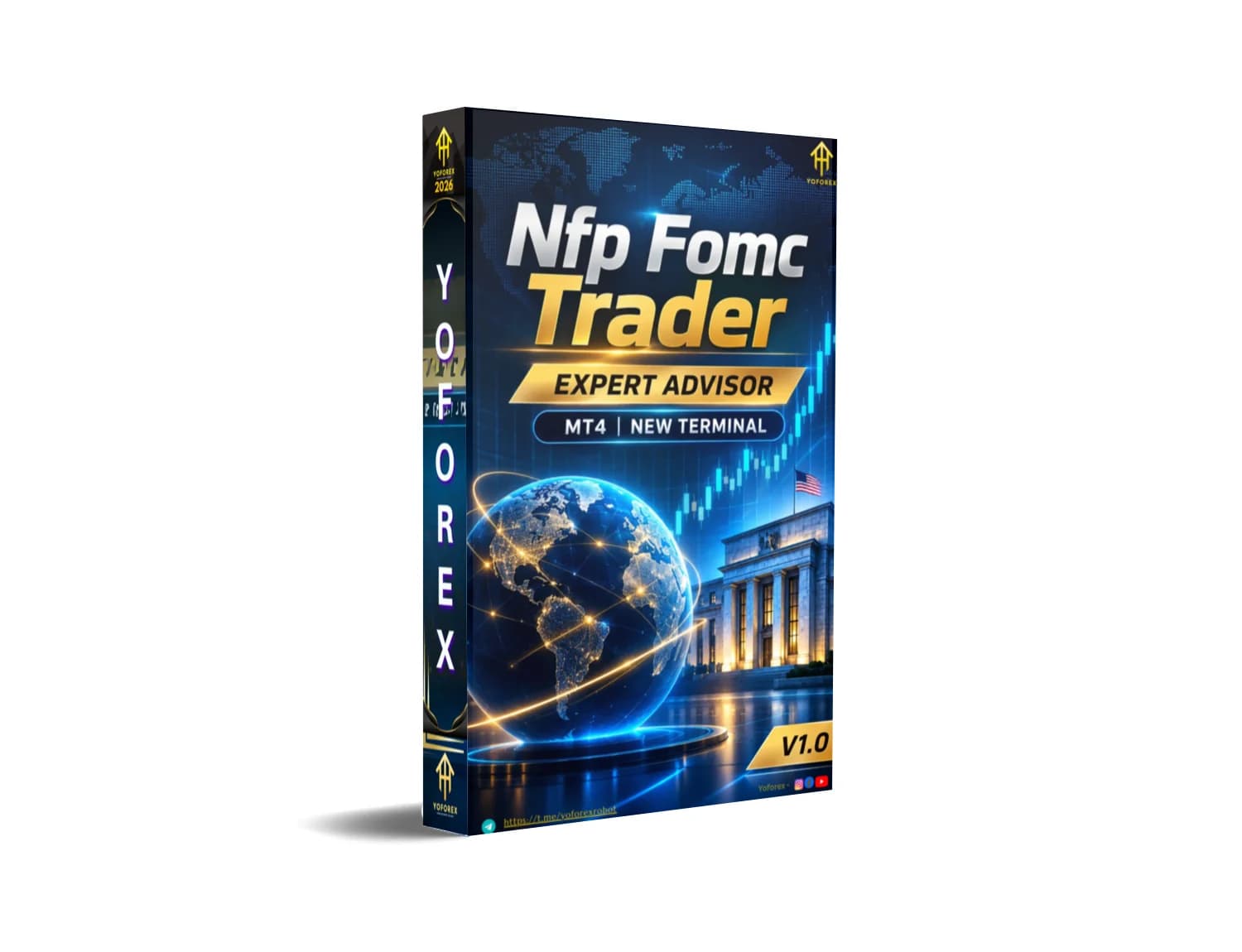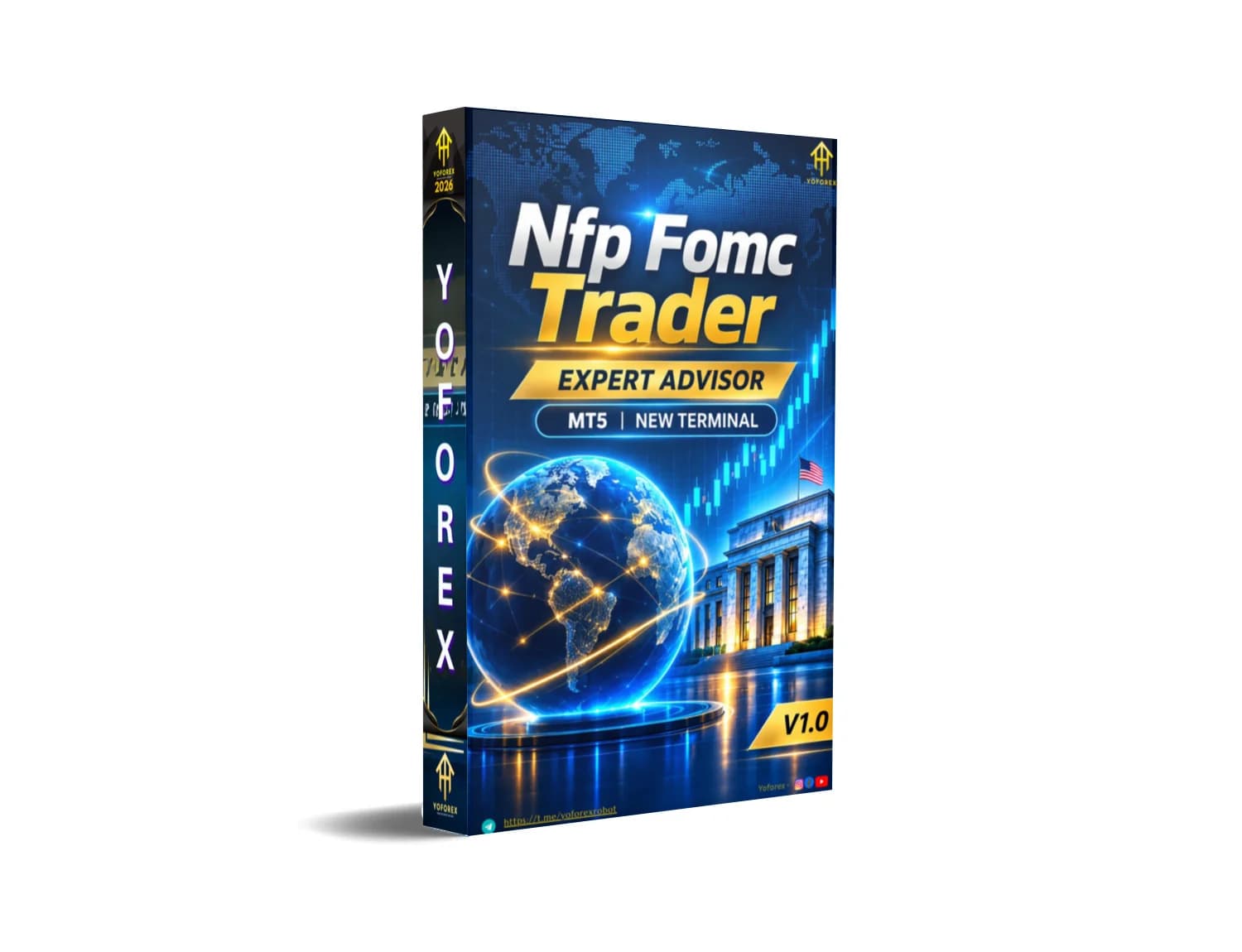
Buying Nfp Fomc Trader PRO EA V1.0 MT5 requires verifying core product details first. Verified evidence is currently missing. Supplied research provides no confirmed developer records, strategy rules, settings, pricing, or audited test results, so buyers should obtain primary documentation and demo test before risking capital.
What Is Nfp Fomc Trader PRO EA V1.0 MT5?
The product name nfp fomc trader pro ea v1.0 mt5 points to an automated Expert Advisor positioned for retail currency traders, though its verified identity, developer background, and release history remain undocumented in the supplied materials. Buyers searching for a purchase link or technical overview should distinguish between a marketing label and verifiable software records.
ForexFactory.cc is an independent review publication covering automated trading software and risk management rather than the creator, seller, or official distributor of this robot. Before committing funds, readers should ask the vendor for verifiable product documentation, version notes, and clear ownership details, and explore broader evaluation guides on the ForexFactory.cc editorial blog.
How Does Nfp Fomc Trader PRO EA V1.0 MT5 Work?
The internal execution mechanics of this Expert Advisor—including trade triggers, order placement methods, position sizing, exit logic, and built-in risk controls—are not established in the available evidence. Without access to an official user manual or inspected source rules, it is impossible to verify how the software reads market conditions or manages open exposure.
In general, automated trading robots rely on coded conditions such as price thresholds, time windows, pending orders, or indicator filters to enter and close trades. None of those specific mechanisms can be confirmed for this tool here, so prospective buyers need written clarification from the vendor on stop-loss handling, lot calculation, and maximum open trade limits.
Nfp Fomc Trader PRO EA V1.0 MT5 Strategy Explained
A documented trading strategy for this robot is unavailable in the supplied research, so its actual market logic cannot be described as fact. Although the title references major scheduled economic announcements, a product name alone never confirms whether an Expert Advisor trades breakouts, mean reversion, pending straddles, or multi-order recovery grids.
Responsible evaluation requires separating branding from verified behavior. Before relying on any automated system, confirm whether trades use fixed stop-loss orders, dynamic trailing stops, martingale sizing, or averaging rules, because each method carries a vastly different tail-risk profile during sharp price swings.
Key Features
No verified feature sheet or independent technical inspection is present in the supplied materials for this Expert Advisor. Any vendor marketing statements about execution modules, filters, or protective controls should therefore be treated as unconfirmed seller claims until supported by primary documentation.
- Entry triggers and signal conditions: Not verified in available records.
- Stop-loss, take-profit, and trailing controls: Not verified in available records.
- Spread, slippage, and time-window filters: Not verified in available records.
- Lot-sizing mode and account protection limits: Not verified in available records.
- Supported symbols, chart timeframes, and alert options: Not verified in available records.
Quick Specifications
The specification summary below reflects only what can be confirmed from the supplied evidence, with unconfirmed product attributes marked accordingly.
| Feature | Details |
|---|---|
| Platform | MetaTrader 5 |
| Strategy | Macro breakout / impulse (NFP, FOMC, bar size) |
| Trading Style | Low-frequency, high-conviction momentum |
| Instruments/Pairs | Not specified (verify with seller) |
| Timeframe | Configurable (e.g., M1 or M15 for analysis) |
| Risk Management | SL/TP, breakeven, trailing, reversal exit, lot scaling & recovery |
| Automation | Fully automated once set |
| VPS | Strongly recommended for news execution |
| Best For | Patient traders focused on major news events |
Main Benefits
Potential benefits of using this specific Expert Advisor cannot be verified until its features and risk controls are documented. Where an automated tool has clear, inspectable rules, traders typically look for practical advantages such as consistent rule enforcement, predefined order management, and freedom from manual chart watching outside scheduled hours.
However, those operational advantages depend entirely on verified code behavior and sound broker execution. Buyers should never assume reduced supervision, faster order fills, or steadier returns without testing the actual software under realistic account conditions first.
Limitations & Risks
The primary product-level limitation here is the absence of verified technical documentation, risk parameters, and audited test history, which prevents buyers from assessing true capital exposure beforehand. Beyond missing product records, automated trading carries substantial market and operational risks that apply to every currency robot.
High-volatility macroeconomic sessions often trigger sudden spread widening, liquidity gaps, and negative slippage, meaning orders fill well away from requested prices. Broker execution delays, server disconnects, incorrect lot inputs, and prolonged equity drawdown can quickly compound losses, especially if hidden grid or martingale logic is present. Simulated backtests also ignore live liquidity constraints, so review practical preparation steps in our Forex news checklist before testing any automation around major announcements.
Evaluation strengths and considerations
- Structured pre-purchase review highlights exact verification questions before spending money.
- Rule-based automation, if properly documented, can support repeatable demo testing.
- Traders can inspect execution behavior safely in a demo environment prior to live deployment.
Documented gaps and trading risks
- Developer identity, strategy logic, inputs, and pricing lack verified evidence.
- No independently audited live track record or verified backtest report is available.
- Volatile market conditions increase slippage, spread widening, and stop-out risk.
- Misconfigured risk settings or VPS downtime can leave positions unmanaged.
Who Is Nfp Fomc Trader PRO EA V1.0 MT5 For?
Evaluating an undocumented automated tool makes sense only for experienced retail traders who understand platform mechanics, margin requirements, and independent software testing. Such readers should already know how to inspect terminal logs, monitor open spreads, and verify whether a vendor provides transparent risk disclosures.
Even for capable traders, suitability depends on having the time and discipline to supervise demo runs rather than treating software as a hands-off solution. Read more about how we structure neutral software assessments on the About ForexFactory.cc page.
Who Should Avoid It?
Traders who are new to leveraged foreign exchange, unable to tolerate rapid account drawdown, or unwilling to audit missing specifications should avoid buying this Expert Advisor. Purchasing automated software without confirmed stop-loss mechanics, platform build details, or refund terms shifts unnecessary uncertainty onto your trading capital.
Anyone seeking effortless income or expecting an algorithm to eliminate market losses should also step back, because automated strategies remain vulnerable to regime shifts, execution friction, and parameter failure.
Nfp Fomc Trader PRO EA V1.0 MT5 vs Manual Trading
Comparing an undocumented Expert Advisor against discretionary execution highlights the trade-off between unverified software behavior and direct human oversight. Unknown automated behaviors are marked neutrally below alongside standard characteristics of manual trading.
| Aspect | Nfp Fomc Trader PRO EA | Manual Trading |
|---|---|---|
| Execution | Automated, one-minute post-news | Dependent on reaction speed |
| Screen time | Low once configured | High during news windows |
| Consistency | Rules-based | Variable with emotions |
| Emotional interference | Minimal | High under pressure |
| Speed | Immediate on condition met | Limited by human reaction |
| Flexibility | Settings-driven | Fully discretionary |
| Monitoring | HUD + occasional checks | Constant during events |
| Risk management | Pre-defined rules + exits | Discretionary |
What To Check Before Buying
Before purchasing any automated trading software with unverified public details, work through each point in this pre-purchase checklist directly with the seller or official listing:
- Strategy and trading logic: Request a clear explanation of entry triggers, exit conditions, and whether grid, hedging, or martingale sizing is used.
- Risk controls, drawdown, and performance evidence: Confirm fixed stop-loss rules, maximum exposure caps, and verifiable historical drawdown figures.
- MT4/MT5 compatibility: Verify the exact terminal platform, compiled file extension, and required software build number.
- Broker compatibility and execution conditions: Check minimum deposit needs, account types, spread limits, and stop-level restrictions.
- VPS requirements: Ask whether uninterrupted 24-hour hosting or low-latency server placement near your broker is necessary.
- Settings and documentation: Obtain a written parameter manual explaining every input and default value.
- Testing evidence: Distinguish seller screenshots from independently tracked live accounts and realistic tick-data tests.
- Support and updates: Confirm customer support channels, bug-fix policy, and compatibility updates for terminal upgrades.
- License and activation limits: Verify how many live or demo accounts a single license covers and whether hardware locks apply.
- Price and refund terms: Review total cost, recurring fees if any, and written refund conditions before checkout.
Nfp Fomc Trader PRO EA V1.0 MT5 Settings
Product-specific input parameters, preset files, and recommended lot or risk values for this Expert Advisor are not verified in the supplied evidence. Inventing parameter names or default settings would mislead traders preparing a terminal configuration.
Prospective buyers should request the official settings guide directly from the vendor before downloading or attaching the file to a chart, paying particular attention to risk-per-trade inputs, maximum spread thresholds, and emergency equity stops.
Nfp Fomc Trader PRO EA V1.0 MT5 Backtesting & Performance
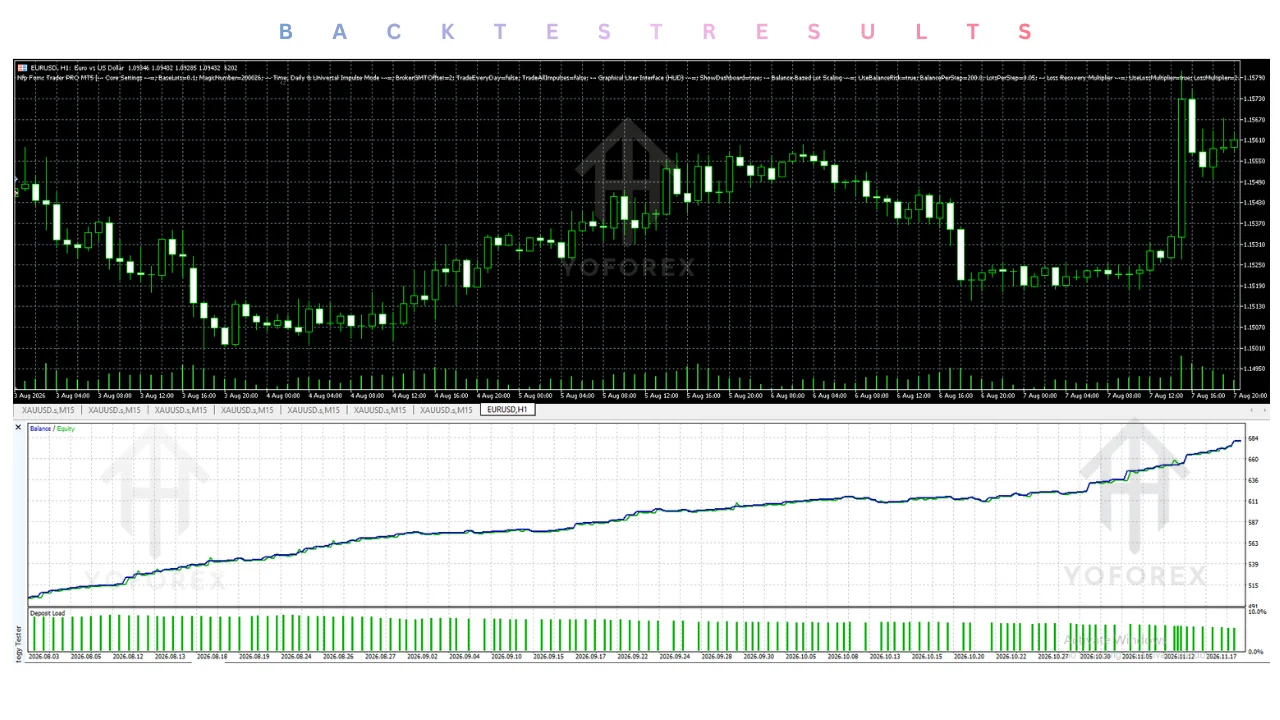
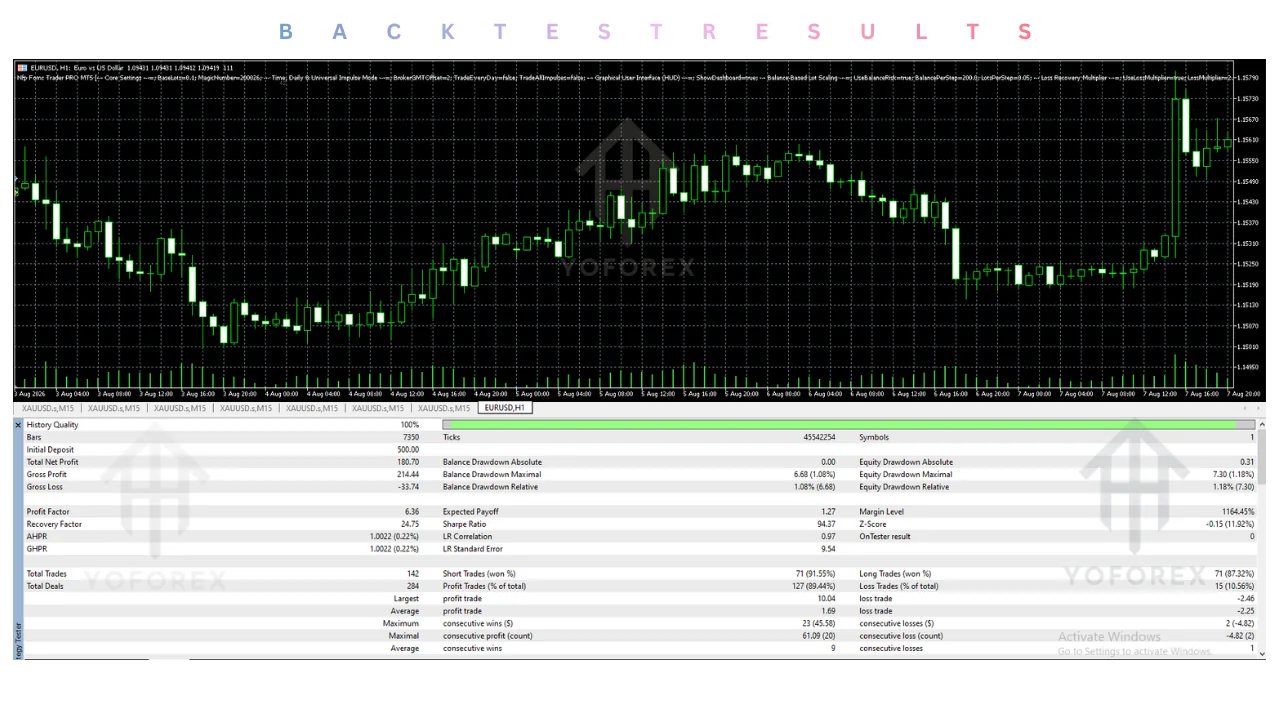
When reviewing automated trading claims, buyers must separate historical strategy-tester backtests, forward demo runs, and independently audited live accounts. Backtests simulate past price history under fixed spread and slippage assumptions, whereas forward tests and audited live accounts reflect real-time order routing, broker fees, and market liquidity.
For this product, verified figures, test dates, account balances, commission assumptions, and independently tracked live records are unavailable in the supplied research. Any seller-provided charts should therefore be treated as seller-controlled marketing material unless backed by third-party tracking, and past results do not guarantee future performance.
How To Get Started
If you obtain verified vendor documentation and choose to evaluate the software safely, follow this cautious sequence before risking any real funds:
- Check compatibility: Confirm exact terminal platform support, build requirements, and broker account conditions with the seller.
- Review settings and documentation: Read the full parameter manual and verify how stop-loss, lot sizing, and spread filters operate.
- Follow verified installation instructions: Place the compiled Expert Advisor only into the official terminal directory specified by the developer.
- Demo test: Run the software on a realistic demo account across varied market sessions while tracking spreads and margin usage.
- Monitor execution and risk: Inspect terminal journal logs for order rejections, slippage, and unexpected trade sizing.
- Assess suitability before considering live use: Proceed only if observed behavior matches your risk tolerance and verified documentation.
Is Nfp Fomc Trader PRO EA V1.0 MT5 Worth Buying?
From an objective buyer standpoint, purchasing an Expert Advisor without verified strategy rules, confirmed platform compatibility, transparent pricing, or independently audited performance is difficult to justify. While automated tools can fit structured workflows when fully documented, missing technical and commercial disclosures leave too many material questions unanswered.
Accordingly, a buying recommendation is withheld here. Interested traders should gather primary product documentation, confirm refund protections, and verify test behavior on a demo account before deciding whether the asking price aligns with their risk budget.
Conclusion
The clearest takeaway on Nfp Fomc Trader PRO EA V1.0 MT5 is that key specifications, trading rules, settings, pricing, and verified performance records remain unconfirmed in the supplied research. Experienced traders willing to audit vendor documentation and run disciplined demo tests may investigate further, while beginners or hands-off buyers should hold off.
Your most practical next step is to request full technical documentation and licensing terms from the official seller before committing capital, or share verified product materials through Contact ForexFactory.cc for editorial review.
Support & Disclaimer
Support:
If you need help installing or configuring your EA, or face any kind of bug, feel free to reach out on:
Telegram Group: Join our community
Disclaimer:
Forex and gold trading involve risk. Past performance doesn’t guarantee future results. Always test robots on demo before live trading and use proper risk management.
REFERRAL
Join the VIP Signals Telegram Channel for real-time expert trading signals and stay ahead in the forex market. Get personalized strategies by becoming a part of our Real Account Management Telegram Channel and optimize your trading experience. If you’re aiming to Pass PropFirm Challenges , join our dedicated channel for tips and proven methods. Start managing your capital effectively with expert advice from our Funded Account Management Telegram Channel. For advanced traders, our HFT EA / Passing Telegram Channel offers high-frequency trading insights and strategies to boost your performance.
Sources
- Nfp Fomc Trader PRO EA V1.0 MT5 / FREE DOWNLOAD — Yoforexorg
- Nfp Fomc Trader PRO EA V1.0 MT5 — Yoforex.net
- Nfp Fomc Trader PRO EA V1.0 MT5 — Yoforexea