ROFIKNUR EA V1.00 MT4: How It Approaches Trading and What Buyers Should Know Before Using It
Manual grid management on EUR/USD can be exhausting. Traders who want consistent spacing, dual-direction coverage, and recovery logic often struggle to watch the M15 chart around the clock, adjust lots at the right levels, and stay disciplined when drawdowns appear. Rule-based execution becomes hard to maintain by hand.
ROFIKNUR EA V1.00 MT4 is an automated Expert Advisor built for MetaTrader 4 that addresses this exact problem. It applies a grid structure with delayed martingale scaling, time filtering, and separate buy/sell operation so the rules run without constant manual intervention. This article focuses on how the bot actually trades, what configuration buyers need to verify, the risks involved, and whether it matches a trader’s risk tolerance and setup before any purchase decision.
What Is ROFIKNUR EA V1.00 MT4?
ROFIKNUR EA V1.00 is a fully automated Expert Advisor for the MetaTrader 4 platform. It was developed by Nur Rofik, an MQL5 programmer. The EA is designed primarily for the EUR/USD pair on the M15 timeframe and uses a hybrid grid + delayed-martingale approach suited to ranging or sideways market conditions.
It supports both buy and sell directions, typically run on two separate charts with dedicated preset files (Buy.set and Sell.set). The package usually includes the .ex4 file and the two presets. It is listed as NoDLL and compatible with recent MT4 builds (1440+ / 1441+ / 1455+ / 1471+ depending on the source version).
Traders who already understand grid and martingale systems, who can monitor equity, and who prefer automation over discretionary entries are the most realistic candidates.
How ROFIKNUR EA V1.00 MT4 Trades
The core logic is price-based grid trading combined with delayed lot scaling. It does not rely on classic indicators such as RSI or MACD for entries. Instead, it places orders at fixed pip intervals and manages recovery through multipliers that activate only after a set number of levels.
Key verified elements:
- Dual-direction operation: Buy and Sell can run concurrently (commonly capped around 20 positions per side, up to ~40 total).
- Grid step: typically 20 pips between entries.
- Initial lot: 0.01 (user-adjustable).
- Multiplier logic: scaling begins from the 3rd level (AtLevelMultiplier = 3); a secondary multiplier is available.
- Take-profit: approximately 20 pips per trade; global TP options in USD or equity percentage may also be present.
- Stop-loss: no fixed pip-based SL by default (set to 0); risk is managed through global equity thresholds or manual oversight.
- Time filter: trades can be restricted to specific hours.
- Magic number: used for trade identification (example value reported as 20170501).
Because the strategy is grid-oriented, it aims to profit from price oscillation within a range rather than strong one-directional trends. Buyers should confirm the exact parameter values in the version they receive, as different sellers may ship slightly different builds or presets.
Trading Workflow
- Market condition / signal — The EA monitors price on the attached chart (recommended M15 EUR/USD). Time-filter settings determine whether the current session is allowed.
- Entry — Orders are opened at the defined grid step (commonly 20 pips). Separate charts handle Buy and Sell logic when using the provided presets.
- Position management — Additional grid levels open as price moves against the initial position. Lot size remains fixed until the multiplier threshold (level 3) is reached.
- Stop-loss / risk controls — No default per-trade stop-loss. Global equity-based limits or manual intervention are the primary safeguards. Maximum open positions act as a soft cap.
- Exit — Individual trades target ~20 pips; global take-profit in money or percentage can close the basket.
- Automation — Once attached and enabled, the EA handles order placement, scaling, and exits according to the loaded settings. A stable connection (VPS recommended for 24/7 operation) is required for uninterrupted execution.
Missing or unclear steps in any specific copy of the EA should be clarified with the seller before going live.
Quick Product Snapshot
| Feature | Details |
|---|---|
| Platform | MetaTrader 4 (MT4) |
| Strategy | Grid + delayed martingale |
| Trading Style | Dual-direction, ranging-market oriented |
| Pairs | PrimarilyEUR/USD |
| Timeframe | M15(recommended; other frames possible) |
| Entry Logic | Fixed grid spacing (typically 20 pips) |
| Exit Logic | ~20-pip TP per trade; optional global TP |
| Risk Management | No default pip SL; equity thresholds / manual |
| Automation | Fully automated; dual-chart presets |
| Best For | Traders comfortable with grid/martingale risk |
Key Features That Matter to Buyers
Dual-direction grid with separate presets What it does: Runs Buy and Sell on two charts using Buy.set and Sell.set. Why buyers care: Allows simultaneous coverage of both sides of a range without rewriting code.
Delayed multiplier (starts at level 3) What it does: Keeps early lots small and increases size only after the third grid level. Why buyers care: Reduces early over-exposure compared with classic martingale that multiplies from the first recovery trade.
Fixed 20-pip step and TP What it does: Spaces entries and targets profit at consistent distances. Why buyers care: Makes behavior predictable and easier to back-test or forward-test.
Time filter What it does: Restricts trading to chosen hours. Why buyers care: Helps avoid low-liquidity periods or high-impact news windows if the trader configures it correctly.
Magic number and NoDLL design What it does: Identifies the EA’s trades and avoids external DLL dependencies. Why buyers care: Simplifies multi-EA accounts and reduces compatibility friction on many brokers.
Starting lot 0.01 with scalable multipliers What it does: Allows micro-account starts and controlled growth of position size. Why buyers care: Gives flexibility across account sizes, provided the trader understands the capital required for deeper grid levels.
What Traders May Like About the Approach
Automation removes the need to watch the M15 chart constantly and place every grid level by hand. Rule consistency means the same spacing, lot progression, and time filters are applied every session. Time savings are real for traders who already accept grid/martingale risk. Configurability of lots, multipliers, time filters, and global profit targets lets users adapt the system to their account size and risk tolerance. Repeatable execution on a stable connection can make forward-testing more straightforward than discretionary grid trading.
None of these points imply guaranteed profits or reduced drawdowns.
What Traders Should Watch Out For
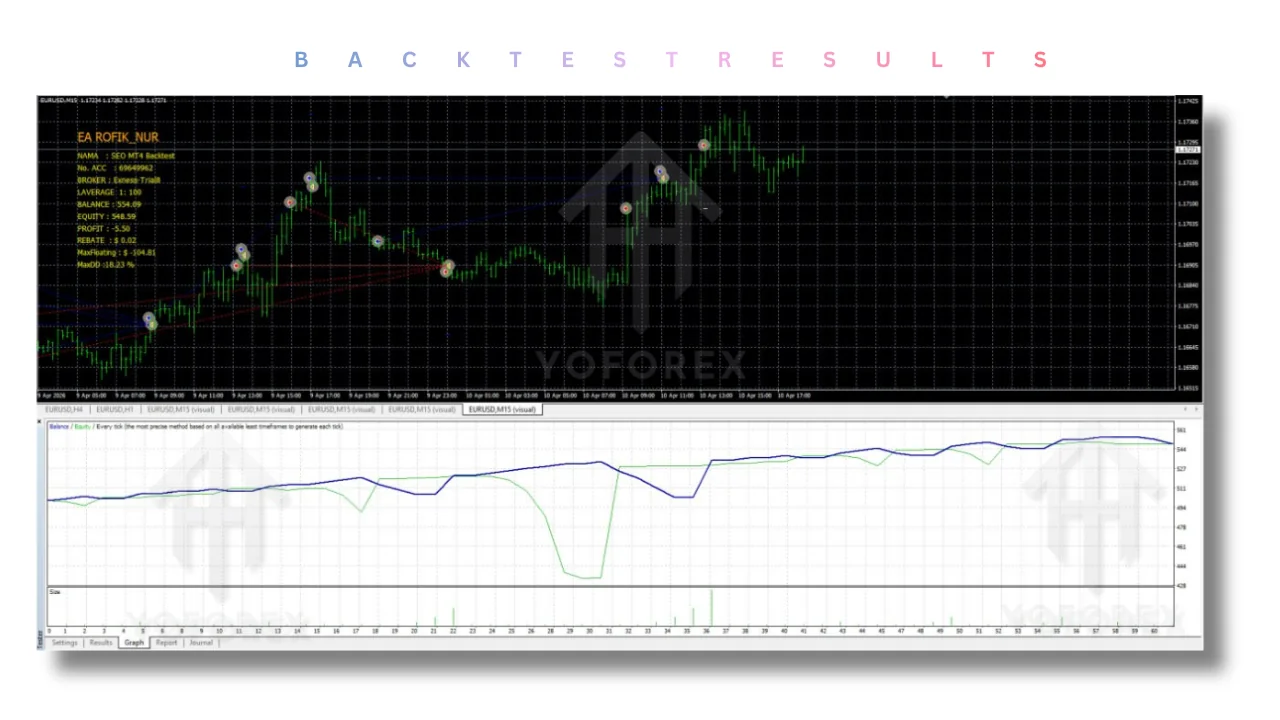
Grid + martingale systems can experience significant equity drawdowns during strong trends or prolonged one-sided moves. Because there is no default per-trade stop-loss, unprotected positions can grow until a global equity limit or manual close is triggered. Broker conditions matter: wide spreads, high commissions, or requotes on USDJPY can erode the 20-pip targets. Slippage during volatile periods affects grid spacing accuracy. A VPS is strongly advisable for continuous operation; interruptions can leave open grids unmanaged. Over-optimization of multipliers or step size on limited historical data can produce unrealistic back-tests. Always treat reported live results (for example, claims of large profits from a few-thousand-dollar starting balance over ~23 weeks) as historical illustrations only—past performance is not indicative of future results.
Who Should Consider ROFIKNUR EA V1.00 MT4?
- Intermediate and experienced traders who already understand grid and martingale mechanics.
- Busy traders who want automated rule execution rather than manual grid management.
- Automation-focused and algorithmic traders comfortable with dual-chart setups.
- Traders who prefer ranging-market strategies on EUR/USD M15 and can allocate sufficient capital for deeper grid levels (commonly suggested minimum around $1,000 on a standard account, lower on cent accounts).
- Users who will test thoroughly on demo and monitor live equity.
Who Should Not Buy It?
- Traders expecting guaranteed or low-risk returns.
- Beginners unwilling to learn grid/martingale risk or to perform proper testing.
- Anyone whose broker or account type is incompatible with MT4 Expert Advisors or who cannot run two charts reliably.
- Traders looking for trend-following, news, or indicator-driven strategies.
- Those who cannot accept the possibility of large drawdowns or who lack capital buffers for recovery levels.
Strategy-Based Buyer Checklist
Before purchasing, verify:
- Exact strategy description and version number (V1.00).
- Entry conditions (grid step, time filter).
- Exit conditions (per-trade TP and any global TP).
- Risk model (multiplier start level, absence of default SL, max positions).
- Expected or historical drawdown behavior.
- Supported platform (MT4) and build compatibility.
- Broker requirements (spread, leverage 1:100–1:500 commonly suggested, execution quality).
- Timeframe and pair (M15 EUR/USD primary).
- VPS needs for continuous running.
- Available settings and preset files.
- Quality of any back-tests or live signal data provided.
- Ability to run extended demo testing.
- Seller support and update policy.
How to Test ROFIKNUR EA V1.00 MT4
- Confirm the exact specifications and files included with the seller.
- Install on a demo account (copy .ex4 to Experts, restart MT4, attach to two M15 EUR/USD charts, load Buy.set and Sell.set).
- Use high-quality historical data if running strategy tester, but prioritize forward demo.
- Test default and adjusted settings (lots, multipliers, time filter, global TP).
- Monitor maximum drawdown, number of open positions, and recovery behavior over weeks.
- Review execution quality (slippage, spreads) on the demo broker.
- Compare results against your personal risk tolerance and account size.
- Only consider live capital after the demo period satisfies your criteria—never skip this step.
FAQs
How does ROFIKNUR EA V1.00 MT4 trade?
It places grid orders at fixed intervals (typically 20 pips) on , supports simultaneous buy and sell, and applies lot multipliers starting from the third level. Exits target ~20 pips or a global equity/USD level. No default pip stop-loss.
What platform and pair does it require?
MetaTrader 4. Primary focus is EUR/USD; other pairs may be possible but are not the recommended configuration.
Do I need a VPS?
Highly recommended for uninterrupted operation, especially if running dual charts 24/5.
How should I configure it before going live?
Start with the supplied Buy.set and Sell.set on separate charts, keep initial lots small, enable the time filter if desired, and set any global equity protections. Adjust only after demo observation.
Is there a stop-loss?
No fixed pip-based stop-loss is enabled by default. Risk control depends on global settings and the trader’s monitoring.
What account size is typically suggested?
Around $1,000 for a standard account is commonly mentioned; cent accounts can start lower. Ensure enough margin for multiple grid levels.
Can I run it on multiple pairs or timeframes?
The design centers on EUR/USD M15. Changing these requires careful re-testing; results will differ.
What support or updates can I expect?
This varies by seller. Confirm update policy, installation help, and contact method before purchase.
CONCLUSION
Review the grid-and-delayed-martingale approach, confirm MT4 compatibility and broker conditions, install the EA on a demo account with the supplied presets, monitor drawdown and execution for a meaningful period, and decide whether ROFIKNUR EA V1.00 MT4 fits your risk tolerance and trading style.
When you are ready, view the bot details, check the current package, and get started on the product page.
REFERRAL
Join the VIP Signals Telegram Channel for real-time expert trading signals and stay ahead in the forex market. Get personalized strategies by becoming a part of our Real Account Management Telegram Channel and optimize your trading experience. If you’re aiming to Pass PropFirm Challenges , join our dedicated channel for tips and proven methods. Start managing your capital effectively with expert advice from our Funded Account Management Telegram Channel. For advanced traders, our HFT EA / Passing Telegram Channel offers high-frequency trading insights and strategies to boost your performance.