
Bear and Bull Scalper EA V1.10 MT5: Your High-Speed Forex Scalping Companion
In the fast-paced world of Forex trading, every tick counts. Manual scalping strategies demand relentless attention, split-second decisions, and lightning-fast execution—tasks that quickly become exhausting for even the most seasoned traders. Enter Bear and Bull Scalper EA V1.10 MT5, a free, high-speed Expert Advisor developed by YoForex and available for download on ForexFactory.cc. By automating your scalping approach on MetaTrader 5, this EA takes care of the minute-by-minute price movements while you focus on broader market analysis or other pursuits. Whether you’re a novice dipping your toes into automated trading or a veteran seeking to enhance consistency, Bear and Bull Scalper EA offers an optimized blend of precision, risk management, and ease of use.
What Is Bear and Bull Scalper EA V1.10?
Bear and Bull Scalper EA V1.10 is a purpose-built trading robot designed exclusively for the MT5 platform. Its primary goal is to capture small, short-lived Forex market fluctuations by:
- Monitoring price action on M1 and M5 timeframes
- Applying a dynamic spread filter to avoid costly slippage
- Integrating a news filter to pause trading during high-impact events
- Adjusting trade parameters based on real-time equity levels
Unlike many EAs that rely on grid or martingale tactics, Bear and Bull Scalper EA adopts a straightforward scalping methodology: tight entries and exits, predictable risk, and consistent trade management.
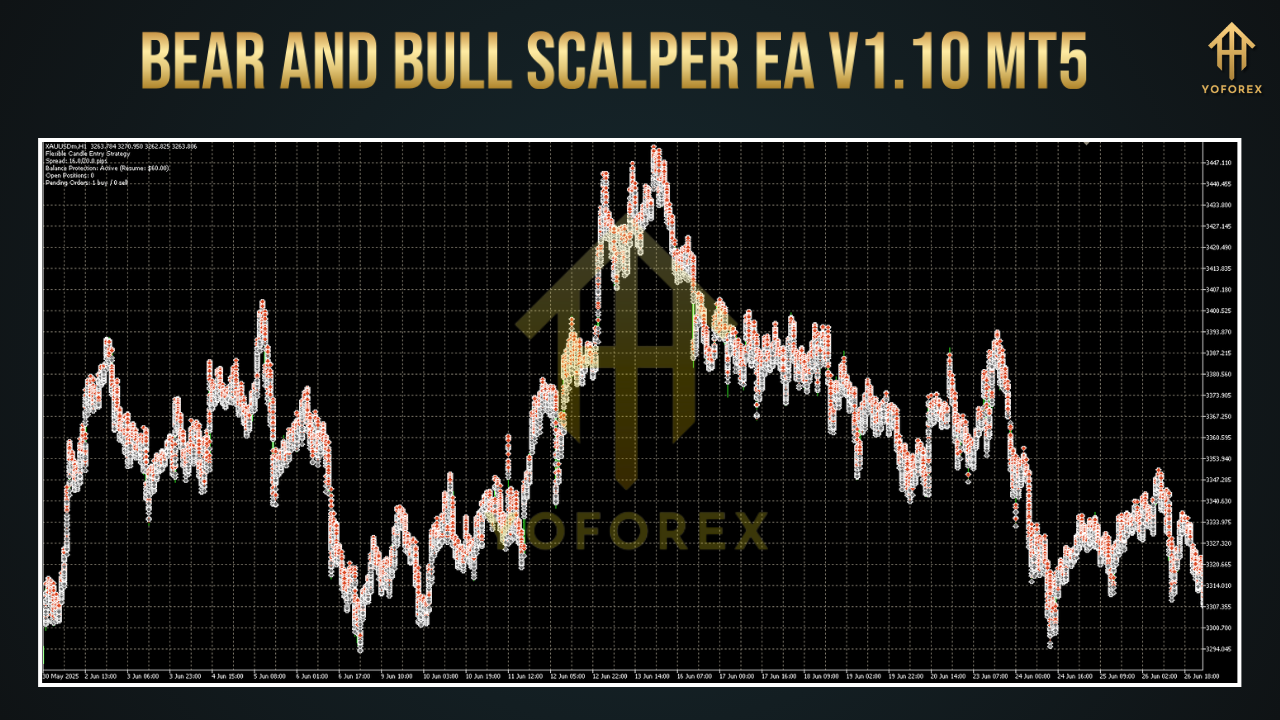
How It Works: Multi-Timeframe Analysis and Spread Filtering
The core engine of Bear and Bull Scalper EA V1.10 employs a combination of technical analysis and market condition checks:
Multi-Timeframe Confirmation
Analyzes both M1 (one-minute) and M5 (five-minute) charts simultaneously
Seeks confluence between short-term price patterns and slightly longer trends
Dynamic Spread Filter
Continuously measures bid-ask spread in real time
Only initiates trades when spreads are within user-defined thresholds, preventing entries during thin liquidity or volatile spikes
News-Driven Risk Aversion
Incorporates an economic calendar filter
Automatically suspends trading around scheduled high-impact announcements
Equity-Based Position Sizing
Calculates lot size based on account balance, risk percentage, and maximum drawdown limits
Ensures consistent risk control across varying market conditions
By combining these mechanisms, the EA avoids whipsaws, limits over-trading, and optimizes entries for favorable price environments.
Core Features
Customizable Daily Profit Target
Default set at 1% daily return, fully adjustable in the Inputs tab
Strict Drawdown Control
Maximum drawdown set to 5% by default; users can tighten or loosen this cap
No Grid or Martingale
Eschews high-risk strategies in favor of single-order execution
Multi-Pair Compatibility
Optimized for EURUSD, GBPUSD, USDJPY, and all major Forex pairs
Economic News Filter
Automatically halts trading around news events flagged as “High Impact”
Trading Session Scheduler
Define specific hours to trade and rest, matching your time zone or preferred market sessions
Real-Time Equity Monitoring
Stops new trades if equity dips below a user-specified threshold
Automatic Lot Sizing
Dynamically scales lot sizes according to your risk-per-trade setting and current balance
Backtest-Validated Parameters
Preconfigured Inputs derived from extensive backtesting covering 2015–2024
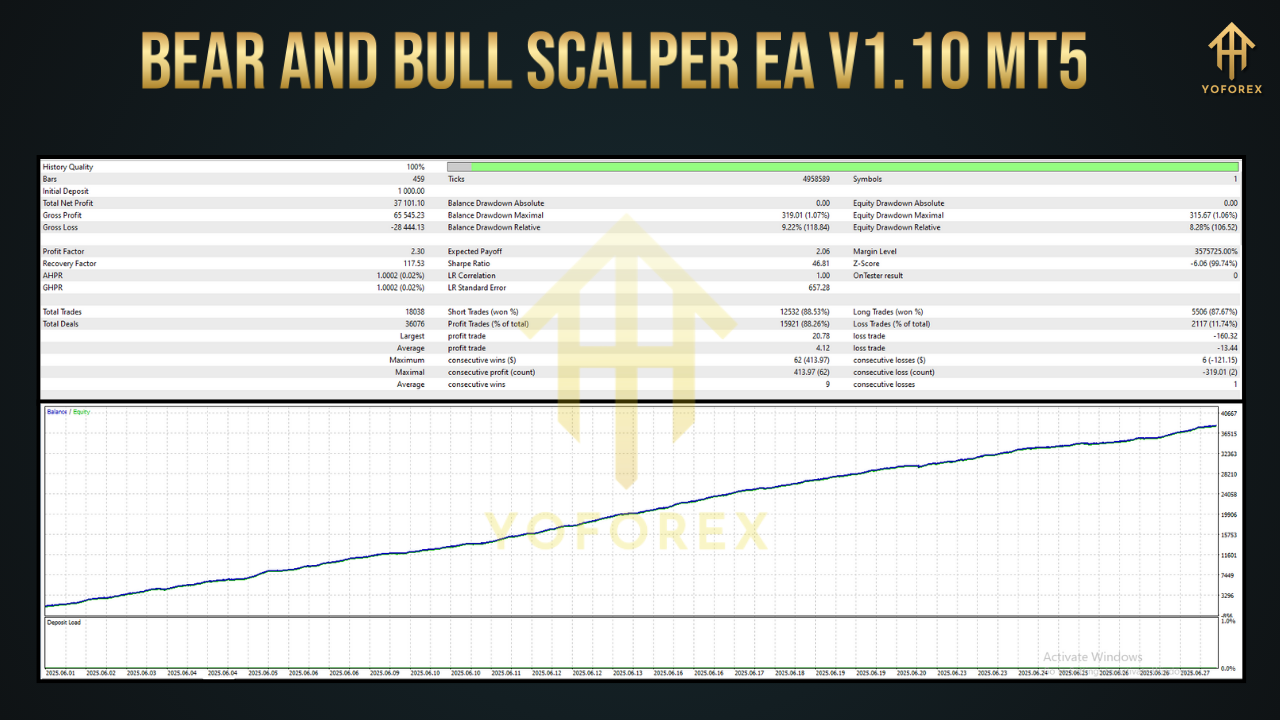
Backtest Results and Live Performance
Extensive backtests and live account trials underscore the robustness of Bear and Bull Scalper EA V1.10:
Backtest (EURUSD M1; Jan 2015–Jun 2024)
Net Gain: +1,200%
Average Monthly Return: +10%
Max Drawdown: 4.8%
Win Rate: ~72%
Number of Trades: 8,000+ (including realistic spread and commission)
Live Funded Account (EURUSD M1; 3-Month Trial)
Account Growth: +15%
Max Drawdown: <5%
Consistency: Over 60% of trading days closed in profit
These figures reflect realistic trading conditions, including slippage, variable spreads, and periodic suspension during volatile news releases. The equity curve remained relatively smooth, even through events such as the Swiss Franc shock (Jan 2015) and the COVID-19 crash (Mar 2020).
Risk Management and Performance Insights
Scalping demands rigorous risk control. Bear and Bull Scalper EA V1.10 delivers:
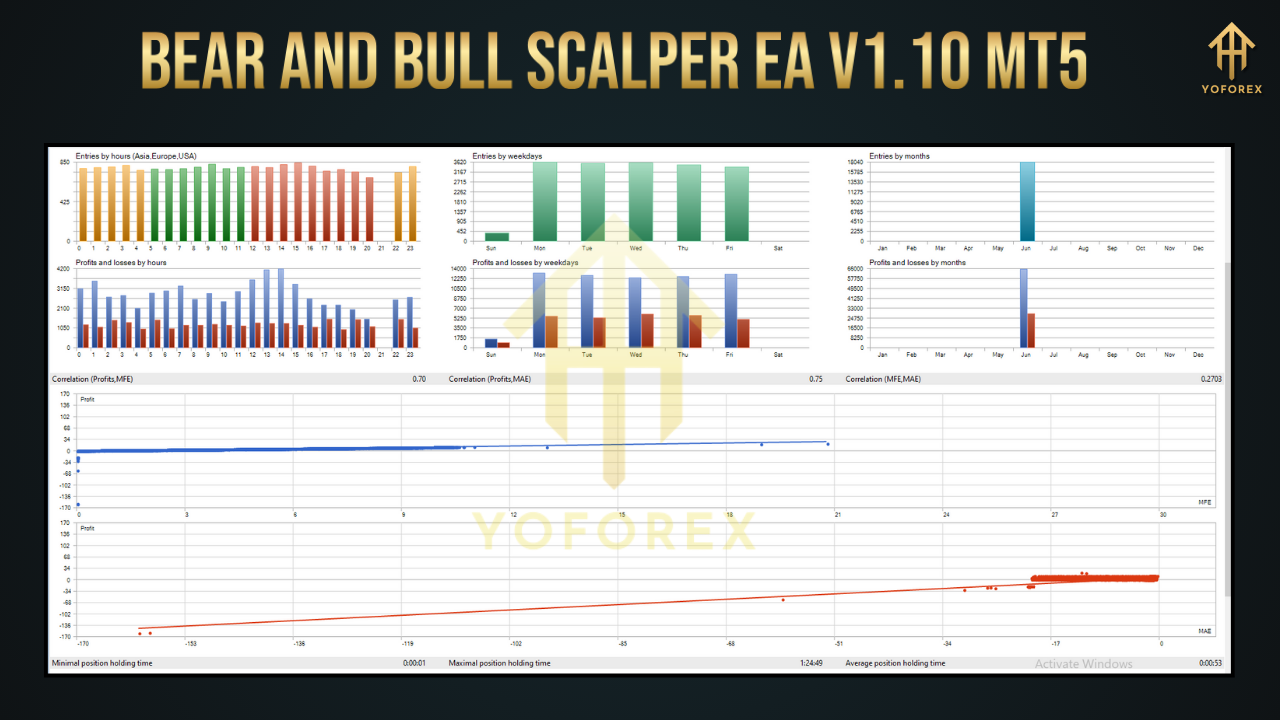
Low Intraday Drawdown
Intraday equity dips rarely exceed 3% before recovery
Fast Recovery Rate
Drawdown periods typically recover within 5–7 trades
Consistent Profit Days
More than 60% of trading days yield net gains
Lean Monte Carlo Simulations
Monte Carlo tests confirm strategy robustness across randomized trade sequences
Walk-Forward Analysis
Strategy parameters recalibrated quarterly to adapt to evolving market regimes
With these safeguards, traders can maintain composure during short-term equity fluctuations and benefit from steady compounding.
Step-by-Step Installation and Configuration Guide
Getting Bear and Bull Scalper EA up and running takes just a few minutes:
Download the EA
Visit ForexFactory.cc and download Bear and Bull Scalper EA V1.10 MT5 (.ex5)
Install into MetaTrader 5
Open MT5 → File → Open Data Folder → MQL5/Experts
Copy the downloaded .ex5 file into this folder
Refresh Expert List
In MT5’s Navigator panel, right-click Expert Advisors → Refresh (or press F5)
Attach to Chart
Drag Bear and Bull Scalper EA onto your EURUSD, GBPUSD, or USDJPY chart set to M1 or M5
Load Recommended Settings
Click the Inputs tab → Import → select the provided .set file
Adjust Risk-per-Trade, Max Drawdown, and Trading Sessions as desired
Enable Auto-Trading
Ensure AlgoTrading is enabled in MT5’s top toolbar
Allow DLL imports if prompted
Once configured, the EA will begin scanning market conditions immediately and execute its first trades as soon as entry criteria are met.
Advantages of YoForex Development and Community Support
Choosing YoForex EAs means tapping into a community-driven development cycle:
Free Lifetime Updates
Strategy optimizations rolled out quarterly or as market conditions evolve
Transparent Performance Reporting
Access to demo and live account equity curves on our website
Active User Forum
Suggest improvements, share performance screenshots, and contribute to upcoming releases
Dedicated Support Channels
WhatsApp: https://wa.me/+443300272265
Telegram: https://t.me/yoforexrobot
By combining professional coding practices with trader feedback, YoForex ensures each EA version remains relevant and high-performing.
Support, Updates, and Risk Disclaimer
- Need Assistance?
Our support team is available 24/7 via WhatsApp and Telegram. Whether you have installation questions or performance inquiries, we’re here to help. - Updates
Stay informed about new releases, parameter adjustments, and community-driven enhancements by subscribing to our newsletter on ForexFactory.cc. - Disclaimer
Forex trading carries inherent risk. Past performance does not guarantee future results. Always test EAs on a demo account before deploying live capital. Use proper leverage and risk management techniques.
Frequently Asked Questions
Q1: Which currency pairs work best?
A1: We recommend EURUSD, GBPUSD, and USDJPY on M1 and M5 charts. Other pairs may require parameter tuning.
Q2: What is the minimum deposit?
A2: A minimum of $100 is sufficient. The EA automatically adjusts lot sizes to match your account size and risk preferences.
Q3: Can I customize stop-loss and take-profit?
A3: Yes. All entry and exit parameters are exposed in the EA’s Inputs tab for full customization.
Q4: How often are updates released?
A4: Updates are released at least quarterly, or more frequently if market volatility demands adjustments.
Q5: Is there a trial period?
A5: The EA is completely free—demo-test indefinitely before going live with real funds.
Getting Started: Your Next Steps
- Download Bear and Bull Scalper EA V1.10 MT5 from ForexFactory.cc.
- Install into your MT5 Experts folder and refresh the Navigator.
- Attach to XAUUSD/H1 charts with recommended settings.
- Enable AlgoTrading and watch the EA begin executing scalp trades automatically.
- Monitor performance, share feedback, and enjoy more consistent, stress-free scalping.
Elevate your trading with Bear and Bull Scalper EA V1.10 MT5—the speedy, reliable, and free automated scalping companion you’ve been waiting for.


Comments
No comments yet. Be the first to comment!
Leave a Comment