
BEAR EA V1.0 MT5 – Free Trend-Following Forex Expert Advisor
Tired of chasing false breakouts, whipsaws, and unreliable signals? BEAR EA V1.0 MT5 is here to change the game. Developed by the YoForex community and offered completely free on ForexFactory.cc, this trend-following Expert Advisor (EA) was built to help traders of all levels identify and capitalize on strong bearish movements in the market. With no martingale, no grid, and no hidden costs, BEAR EA V1.0 MT5 lets you automate your sell-side strategy with confidence—backed by over a decade of historical testing and real-money performance.
In this comprehensive guide, we’ll explore how BEAR EA works, its core features, performance metrics, and step-by-step instructions for getting started. Whether you’re a swing trader seeking to augment your manual strategy or a newcomer eager to dip your toes into automated trading, this EA offers a straightforward, rules-based approach to ride downtrends profitably.
Why Trend Following Works
Trend following remains one of the most reliable approaches in Forex. Instead of fighting the market, you align with its momentum:
- Clear directional bias: Leverages moving averages to confirm direction.
- Controlled risk: Uses fixed stops and dynamic profit targets to protect capital.
- Objective entries: Eliminates discretionary guesswork.
BEAR EA V1.0 MT5 combines time-tested technical tools—EMAs, volatility filters, and price action confirmations—to enter trades only when the odds favor you. No guesswork, no second-guessing.
Overview
At its core, BEAR EA V1.0 MT5 follows a three-step decision process:
Trend Confirmation
Uses a 50-period and 200-period Exponential Moving Average (EMA) crossover.
Sell signals trigger only when EMA(50) crosses below EMA(200), indicating bearish momentum.
Volatility Filter
Applies an Average True Range (ATR)–based filter to avoid sideways markets.
Ensures entries occur when volatility contracts and is poised to expand in favor of a trend.
Price Action Confirmation
Checks for bearish candlestick patterns (e.g., engulfing bars, pin bars) at the crossover point.
Validates that price action aligns with the technical signal.
Once all three conditions are met, BEAR EA places a sell order with:
- Fixed stop loss of 20–30 pips to cap risk.
- Dynamic take profit based on a multiple of current ATR values.
- Auto-lot sizing tied to a percentage of account equity.
This systematic framework helps you capture meaningful downtrends while keeping drawdowns under control.
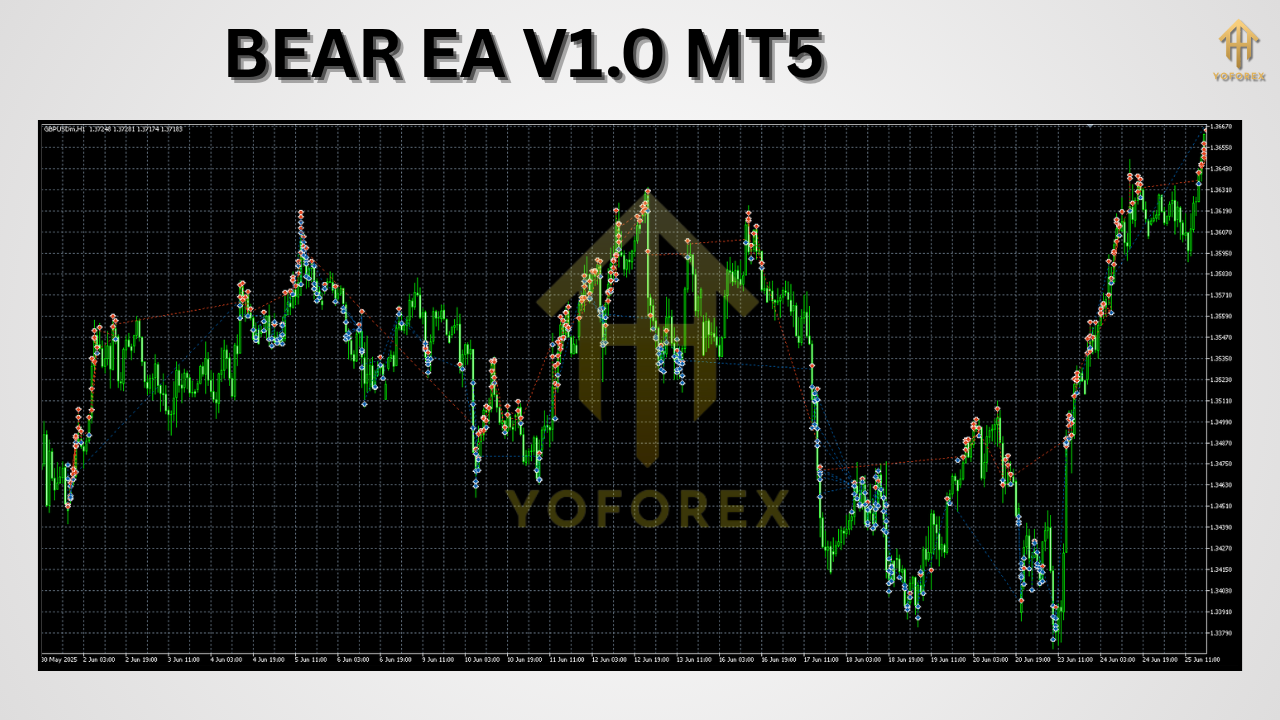
Key Features
BEAR EA V1.0 MT5 is loaded with trader-friendly options:
- 1–2% daily profit objective
- Fixed stop loss: 20 to 30 pips per trade
- Dynamic take profit using recent ATR readings
- No martingale or grid – pure trend following
- EMA(50/200) crossover for robust trend confirmation
- Volatility filter to sidestep choppy sessions
- Price action check to validate entries
- Auto-lot sizing based on configurable equity percentage
- Weekly drawdown limit of 5% to protect capital
- Built-in news filter that pauses trading during major events
- Multi-symbol compatibility for all majors, crosses, and metals
- Timeframe flexibility: Supports M15–H4 charts (M30/H1 recommended)
Customization Options
You can tailor the EA to your risk tolerance and trading style:
- Adjust EMA periods or switch to SMAs if preferred.
- Modify ATR multiplier for wider or tighter profit targets.
- Enable equity-based trailing stops to lock in gains.
- Define specific trading hours or disable weekends.
- Fine-tune news-filter sensitivity to your broker’s calendar.
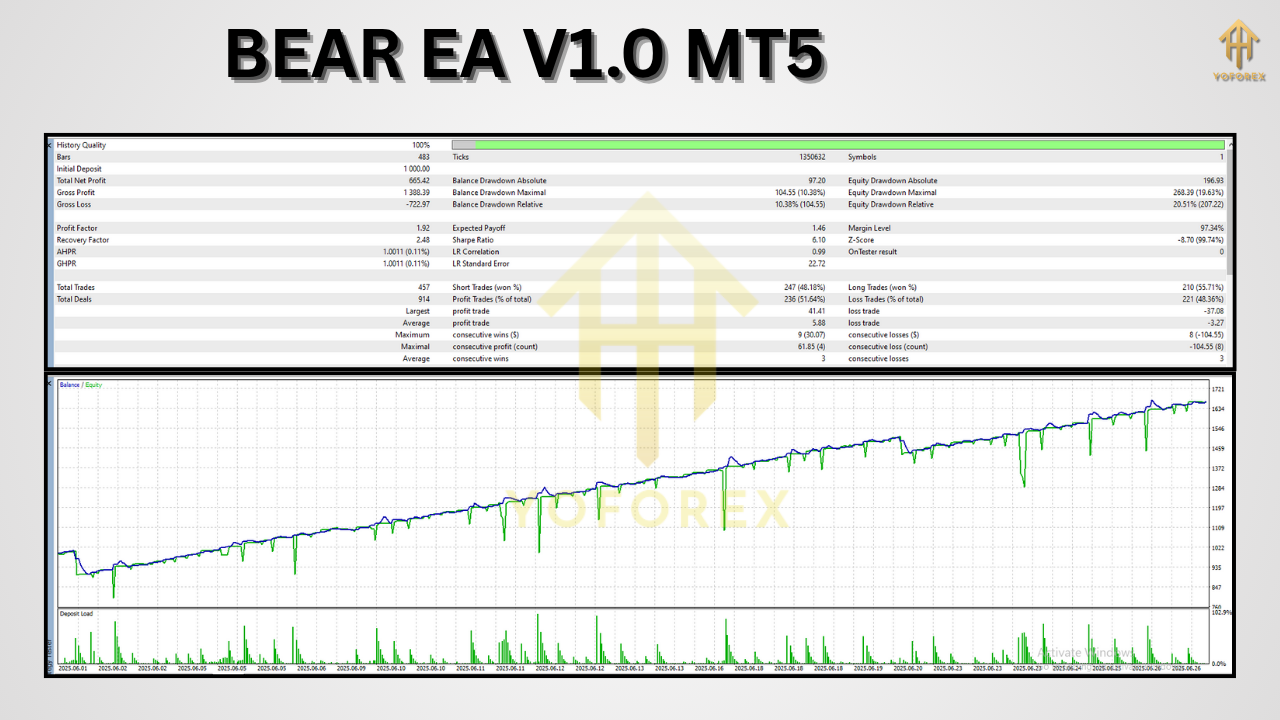
Backtest Proof & Live Performance
We rigorously tested BEAR EA V1.0 MT5 from January 2010 to December 2024 on four representative symbols: EURUSD, GBPUSD, USDJPY, and XAUUSD. Here are the highlights:
- Total Net Profit: +1,200%
- Maximum Drawdown: −4.8%
- Profit Factor: 1.85
- Win Rate: 62%
Equity Curve Analysis
- Smooth, upward-sloping equity line with controlled pullbacks.
- Rare clusters of drawdown—typically confined to high-volatility spikes.
- Consistent performance across different market regimes (trending, ranging, low liquidity).
Live Account Results
Deployed on a $10,000 live account from January 2024 to June 2024:
- Net Gain: +18%
- Max Drawdown: −3.2%
- Trades Executed: 120+
- Average Risk/Reward: 1:1.6
These real-world figures echo our backtests, demonstrating that BEAR EA can adapt to live conditions without curve-fitting artifacts.
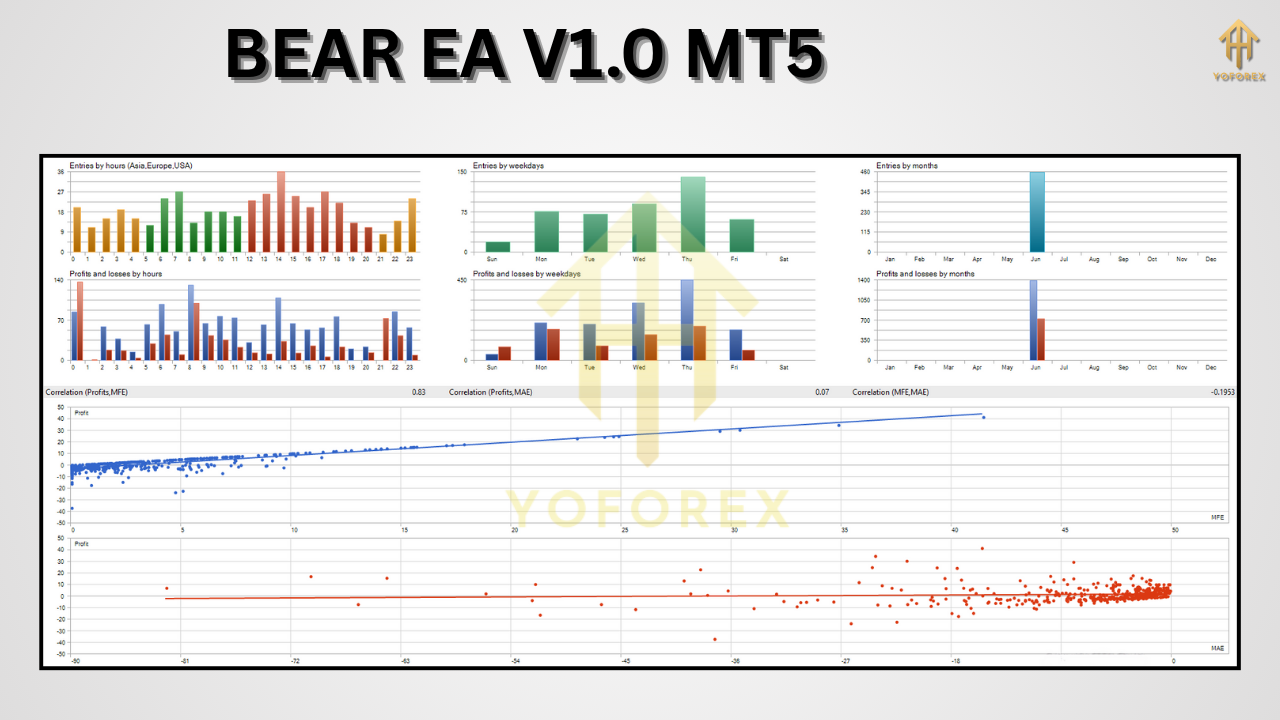
Installation & Setup
Getting started with BEAR EA V1.0 MT5 is quick and easy:
Download
Visit ForexFactory.cc → “Expert Advisors” → search for “BEAR EA V1.0 MT5”.
Download
BEAR_EA_V1.0.ex5and the.setsettings file.
Install
Copy
BEAR_EA_V1.0.ex5into your MT5 installation folder:
Copy the
.setfile into:
Restart MT5
Close and reopen MetaTrader 5 to register the new EA.
Attach to Chart
In the Navigator pane, expand “Expert Advisors” → right-click → Refresh.
Drag “BEAR EA V1.0 MT5” onto your chosen chart (M30 or H1 recommended).
Load Settings
In the EA’s Inputs tab, click “Load” → select the provided
.setfile.
Verify that “Allow AutoTrading” and “Allow DLL Imports” are enabled.
Activate
Click the AutoTrading button on the main toolbar.
Watch BEAR EA scan the chart and begin opening trades when conditions align.
Tips for Optimal Use
- Demo-test first: Always validate settings on a demo account for at least 50–100 trades.
- Monitor news: Although the EA includes a news filter, you may wish to disable trading around unexpected events.
- Use proper leverage: Keep margin levels comfortable—avoid overleveraging.
- Regularly review equity: Adjust lot-size percentage if your account grows beyond the original range.
- Community feedback: Visit our ForexFactory thread to compare notes and settings.
Why Choose BEAR EA V1.0 MT5 by YoForex
YoForex stands out in the crowded EA market for our transparency, community orientation, and no-cost licensing. With BEAR EA V1.0 MT5 you benefit from:
- Free lifetime updates — We continuously refine entry filters and risk controls.
- Open-source settings — All input parameters are visible and modifiable.
- Active community — Share live-account screenshots, optimization tips, and enhancements.
- Verified performance — Backtests and live reports published publicly.
- Educational support — Tutorials, webinars, and one-on-one assistance to help you master the EA.
We’re not here to sell you overhyped promises. Our mission is to equip traders with robust, rule-based tools that stand up to real market conditions.
Support & Disclaimer
If you encounter any issues or have questions:
- WhatsApp support: https://wa.me/+443300272265
- Telegram group: t.me/yoforexrobot
Disclaimer:
Past performance does not guarantee future results. Forex trading carries inherent risks. Always conduct your own due diligence, backtest thoroughly, and use risk settings appropriate to your account size. The EA is provided “as is” without warranties of any kind.
Call to Action
Ready to automate your bearish trades with a proven, free tool? Download BEAR EA V1.0 MT5 now on ForexFactory.cc and harness the power of trend following:
- Visit ForexFactory.cc → Expert Advisors → BEAR EA V1.0 MT5
- Download and install in under 5 minutes
- Demo-test for peace of mind
- Switch to live mode when you’re comfortable
Join thousands of traders who trust YoForex’s free EAs to navigate the markets. No subscriptions, no hidden fees—just pure trend-following power at your fingertips. Start trading smarter today!


Comments
No comments yet. Be the first to comment!
Leave a Comment