
Cherma EA V1.1 MT4 — High-Frequency Scalping for Gold & Majors
If you’ve been hunting for a fast, no-nonsense MT4 expert advisor that can keep up with XAUUSD’s mood swings and still behave on EURUSD and GBPUSD, Cherma EA V1.1 MT4 deserves a spot on your chart. It’s built for high-frequency scalping on M5 and M30, yet flexible enough to stretch to H4 when market conditions slow down. And yep, there’s a twin MT5 version (Cherma MT5) for those who prefer MetaTrader 5—same core logic, same snappy entries—this write-up focuses on the MT4 build.
What makes Cherma tick? Precision entries, disciplined exits, and risk controls that won’t blow your account just coz the market sneezed. It watches micro-structure shifts—momentum bursts, pullback symmetry, volatility compression—and then sneaks in for small, repeatable gains. Short holds. Tight stops. Lots of iterations. That’s the game.
What Is Cherma EA V1.1 MT4?
Cherma EA V1.1 is a scalping-first Expert Advisor designed for:
- Pairs: XAUUSD (Gold), EURUSD, GBPUSD
- Timeframes: M5 and M30 for the core strategy, with an optional H4 mode for calmer sessions
- Style: High-frequency entries, short average trade duration, tight risk parameters
The architecture aims to catch accelerations out of micro-ranges, then peel profits into liquidity pockets while keeping a lid on drawdowns. There’s no reckless martingale; position sizing scales by predefined logic, not by doubling down after losses. The EA also factors in spread, slippage gates, and session filters to avoid trading during dead or chaotic periods.
Who’s it for? Intraday scalpers who want a systematic approach on MT4. If you love the speed of small, consistent trades—and you’re okay with a lot of tiny wins adding up—Cherma fits. If you’re a swing trader only looking for two trades a week, flick the H4 mode on and let it be more selective.
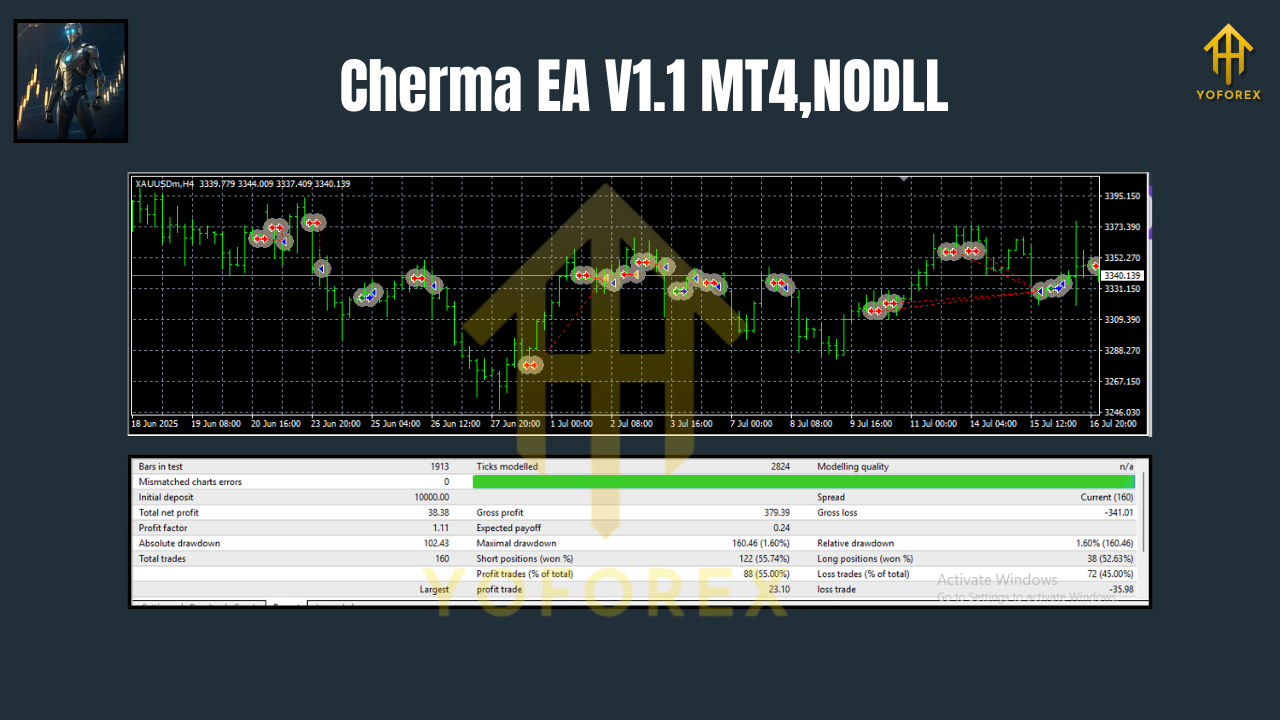
Key Features at a Glance
- + High-frequency scalping logic tuned for M5/M30 on XAUUSD, EURUSD, GBPUSD
- + Optional H4 bias mode for slower sessions or prop-friendly pacing
- + No martingale, no grid, no dangerous averaging into losers
- + Smart stop placement using recent volatility and local structure
- + Dynamic TP logic (partials where supported, or staged exits)
- + Session & news filters (optional)—reduce trades in choppy or illiquid conditions
- + Spread & slippage guards to avoid low-quality fills
- + Built-in equity protection: daily loss cap and max drawdown limits
- + Broker-agnostic design (ECN recommended; low spread helps a lot)
- + Works on Gold and two majors—diversify behavior across assets
- + Clean input panel with sensible defaults and comment tagging for tracking
- + Detailed log events for quick troubleshooting and post-session review
How Cherma EA Finds Its Edge
Under the hood, Cherma blends three ingredients:
- Micro-momentum & volatility pulse
It looks for quick shifts in volatility—compression → expansion patterns—then aligns with the push. - Structure-aware risk
Stops tend to live just beyond micro-structure invalidation (not arbitrary pip counts), which helps keep loss size small when a burst fails. - Smart exits
It’s happy to take the easy win rather than chase “home runs.” Partial scaling (where configured) plus trailing logic during momentum surges help bank more when the market gifts it.
This philosophy fits Gold’s character on M5—lots of mini bursts—yet also adapts to EURUSD/GBPUSD where spreads are tighter and trends can be cleaner during London–NY overlap.
Recommended Symbols & Timeframes
- Primary: XAUUSD (M5, M30)
- Also Good: EURUSD (M5/M30), GBPUSD (M5/M30)
- Selective Mode: H4 for all three symbols when you prefer fewer trades or wider swings
Tip: During high-impact news (NFP, CPI, rate decisions), set the EA to pause or widen safeguards. Spreads spike, fills degrade, and slippage can eat performance.
Risk & Money Management (Read This Twice)
Cherma EA V1.1 MT4 is designed to keep risk per trade small and consistent. A few best practices:
- Risk per trade: 0.25%–0.75% for scalping; up to 1% if you’re experienced
- Daily loss cap: 2%–3% is sensible; the EA can stop for the day when hit
- Minimum deposit: Start from $200–$500 per pair if your broker has tight spreads; scale from there
- Leverage: 1:100+ is fine; focus more on spreads & execution than headline leverage
- Pairs simultaneously: Begin with one symbol (e.g., XAUUSD) for a week, then add EURUSD or GBPUSD if your metrics look healthy
Remember, lowering fixed risk per trade generally improves longevity, especially on gold, which can spike hard.
Installation & Setup (MT4)
- Copy files: Place the
Cherma_EA_v1.1.ex4intoMQL4/Experts/(MT4 → File → Open Data Folder). - Restart MT4: Or right-click “Expert Advisors” → “Refresh.”
- Attach to chart: Open an M5 or M30 chart (start with XAUUSD), drag Cherma EA V1.1 onto it.
- Enable Algo Trading: Green play button on top; check “Allow live trading” inside EA settings.
- Load a preset: Use a provided
.setfile where available—good defaults for spread caps, TP/SL logic, and session filters. - Check the panel: You’ll see trade status, spread, and key parameters. If spread > your cap, it will patiently wait.
- Run on VPS: For scalping, low latency matters. A good VPS near your broker’s server helps.
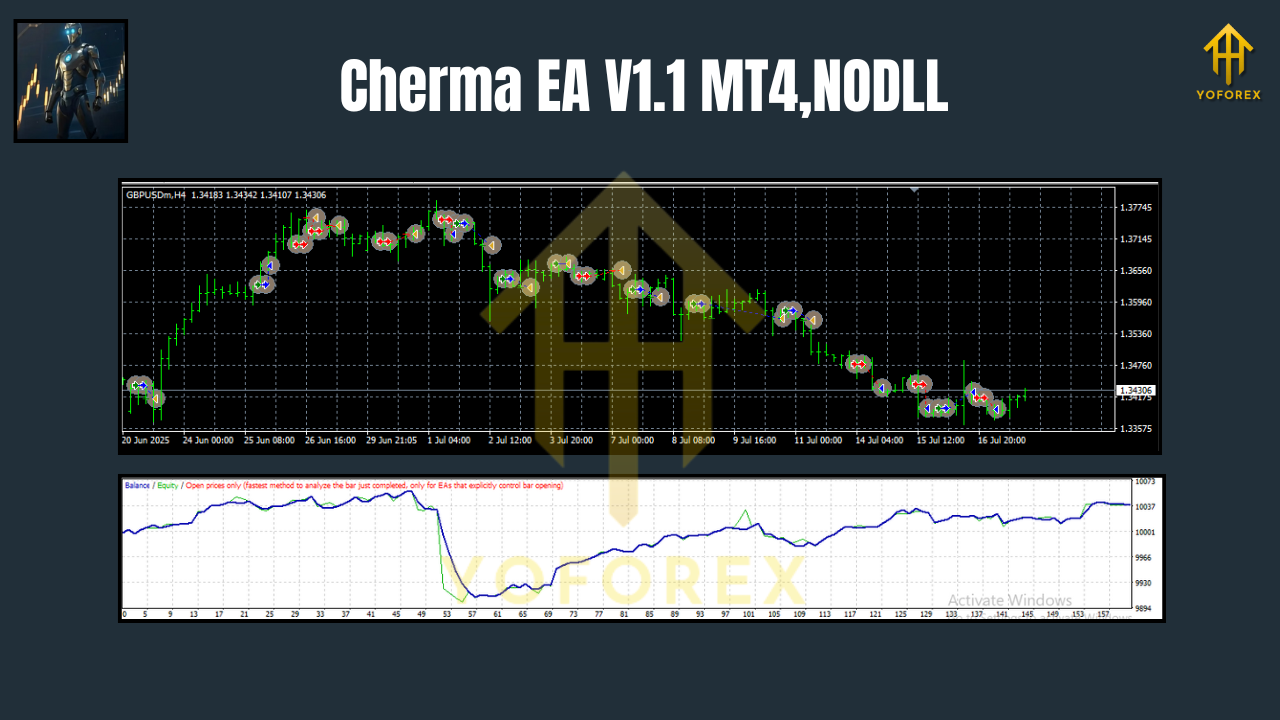
Suggested Parameter Ranges
- RiskPercent: 0.25–0.75
- MaxDailyLoss: 2–3%
- SpreadMax (points): Depend on broker—set near your typical peak spread + a buffer
- TradeSession Filter: On; trade London–NY overlap for best fills
- News Filter: Optional but recommended; pause during red-flag events
These are starting points—forward test and nudge them to your comfort level.
Forward Testing & What to Expect
Scalping performance depends on spreads, latency, and discipline. You should forward test Cherma on:
- Demo for 1–2 weeks to confirm broker conditions and your settings
- Small live afterwards; keep records of average win, average loss, win rate, and net P/L vs. drawdown
Expect a high trade count on M5, with many small wins and the occasional quick stop. That’s normal. The edge comes from consistency, spread control, and cutting the losers before they grow teeth.
Pro Tips for Best Results
- One symbol at a time: Prove it on gold first, then add majors.
- Don’t chase news: Let the dust settle. Post-news momentum often gives cleaner entries.
- Broker quality matters: ECN + raw spreads + fast execution.
- Weekly review: Export trades, tag conditions (session, volatility), and refine.
- Avoid over-tweaking: Small parameter nudges beat constant strategy rewrites.
Final Word
Cherma EA V1.1 MT4 aims to do the simple things right—quick reads of momentum, strict risk, and clean exits—over and over. If you want an MT4 expert advisor that thrives on M5/M30 while still offering an H4 gear, give Cherma a fair forward test. Keep risk tight, let the stats speak, and iterate from there. You’ll like how “boring” consistency feels when it compounds.
Join our Telegram for the latest updates and support


Comments
No comments yet. Be the first to comment!
Leave a Comment