
Continuation EA V1.0 MT4 – M15 Trend Continuation for EURUSD, XAUUSD & US30
If you love catching strong moves and riding them for clean, low-stress profits, a continuation strategy is probably your happy place. Continuation EA V1.0 MT4 is built exactly for that job—it hunts for moments when the market is already moving with momentum and is more likely to push further in the same direction. No crystal balls here, just structured logic that confirms trend health, filters noise, and times entries on M15 so you aren’t glued to the chart all day.
Below, I’ll walk you through what the EA does, how it decides “trend continuation,” the best pairs to run (hello EURUSD, XAUUSD, US30), recommended risk controls, setup steps, and a practical checklist so you can get going without second-guessing every click. Let’s dive in.
What is Continuation EA V1.0 MT4?
Continuation EA V1.0 MT4 is a rules-driven Expert Advisor for MetaTrader 4 that specializes in momentum continuation. Instead of trying to pick tops or bottoms (and getting chopped up in consolidations), it identifies a dominant direction and enters with the flow after a brief pause, micro-pullback, or volatility squeeze.
At a high level, the EA:
- Measures short-term trend against a higher-timeframe bias proxy to avoid countertrend traps.
- Waits for a momentum “refresh” (e.g., a pullback into moving-average value area or a volatility compression) and then triggers only when momentum re-expands.
- Enforces risk first: fixed SL/TP, optional break-even shift, and an ATR-aware trailing logic to lock gains without smothering the trade.
The result? Fewer impulse entries, clearer structure, and a trading rhythm that’s designed to ride follow-through rather than predict it.
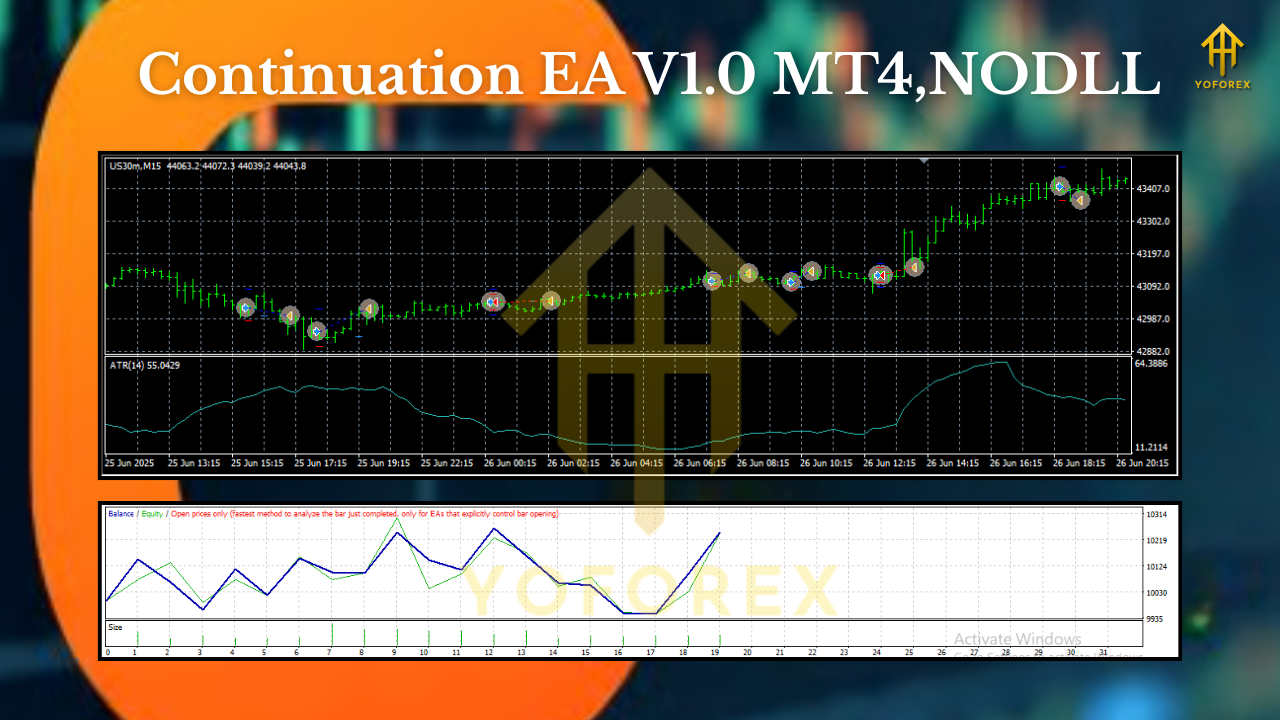
Why M15—and Why EURUSD, XAUUSD, US30?
The M15 timeframe is a sweet spot for continuation setups: you get multiple quality signals per session without the ultra-noise of M1/M5. It’s fast enough for day trades and calm enough for structured risk management.
- EURUSD – Highly liquid, cleaner intraday trends during London/NY overlap; spreads are typically tight.
- XAUUSD (Gold) – Momentum king. When gold trends, it often really trends; the EA’s pullback-and-burst logic shines here.
- US30 (Dow Index) – Great for volatility expansion plays; continuation moves after New York open are frequent, but manage position size conservatively due to point value.
Pro tip: Run each symbol in its own chart with symbol-specific risk parameters. Markets move differently—your risk controls should too.
How the Strategy Works (Plain English)
Trading jargon aside, here’s the heartbeat of Continuation EA:
- Bias Filter: Determine if the market is broadly bullish or bearish using a blend of moving averages and recent swing structure. If the bias isn’t clear, skip.
- Setup Zone: Wait for price to pull back toward an average (or compress volatility), instead of chasing extended candles.
- Trigger: When momentum resurges in the direction of the bias (e.g., a candle body break, ATR expansion, or signal confluence), the EA fires.
- Risk & Management: Place a protective stop at a logical invalidation point (often ATR-based), set a take-profit relative to recent range behavior, and trail only if the move breathes.
This “bias → pullback → trigger → manage” loop is simple on paper, but the EA does the grunt work—measuring, filtering, and timing—so you can focus on portfolio-level decisions.
Key Features You’ll Actually Use
- True trend-continuation logic (no bottom-picking, no revenge trading).
- M15-optimized timing for a balanced signal cadence.
- Symbol profiles tuned for EURUSD, XAUUSD, US30.
- ATR-aware stops that adapt to volatility.
- Configurable RR: choose fixed TP/SL (e.g., 1.5R, 2R) or a hybrid with trailing.
- Break-even bump after X pips or X×ATR to reduce downside after initial move.
- Session filters so you can restrict trading to London/NY or custom windows.
- Spread guard (skip entries if the spread widens beyond your limit).
- News pause window (optional) to avoid entries right into scheduled spikes.
- No martingale, no grid—risk stays linear and sane.
Suggested Parameters (Starting Point)
These are baseline suggestions. Always forward-test on demo and tune to your broker conditions.
Common
- Risk per trade: 0.5%–1% (gold/indices lean toward lower side)
- Max simultaneous trades per symbol: 1
- Spread filter: set to your broker’s typical spread × 1.5
EURUSD (M15)
- SL: 1.2–1.6 × ATR(14)
- TP: 1.8–2.5 × ATR(14) or trail after +1.0 × ATR
- Sessions: London + first half of NY
XAUUSD (M15)
- SL: 1.6–2.0 × ATR(14)
- TP: 2.5–3.5 × ATR(14); consider step-trailing after +1.5×ATR
- Sessions: London/NY overlap preferred
- Note: Reduce lot size due to higher volatility
US30 (M15)
- SL: 2.0 × ATR(14) (or a refined structure stop beyond pullback low/high)
- TP: 3.0 × ATR(14); trailing once move matures
- Sessions: NY cash open + first 2–3 hours
- Note: Keep position sizes conservative; point value can ramp P&L fast
Risk Management & Drawdown Control
The fastest way to kill a good strategy is oversized risk. Continuation EA is built to respect risk, but you still drive the car:
- Keep per-trade risk small. Continuation edges play out over a series of trades.
- Avoid correlated exposure. Running EURUSD and Gold long simultaneously can double risk when USD drives both.
- Use a daily loss cap. Pause trading after a set drawdown (e.g., 2–3%) to protect mental capital.
- VPS + solid broker. Continuation triggers benefit from stable execution; a decent VPS and low-spread broker are worth it.
Installation & Setup (Step-by-Step)
- Copy files: Place the EA file (
.ex4/.mq4) intoMQL4/Expertsinside your MT4 data folder. - Restart MT4: Or refresh the Navigator panel so the EA appears under Experts.
- Attach to chart: Open M15 charts for EURUSD, XAUUSD, US30 and attach the EA to each one you want to trade.
- Enable algo trading: Make sure AutoTrading is green and “Allow live trading” is ticked in EA settings.
- Load presets (optional): If you have symbol-specific
.setfiles, load them for a clean start. - Check filters: Confirm spread limit, session times (broker server time vs your local), and news filter if you use one.
- Run on demo first: At least 2–3 weeks of forward data helps you tune RR and trailing.
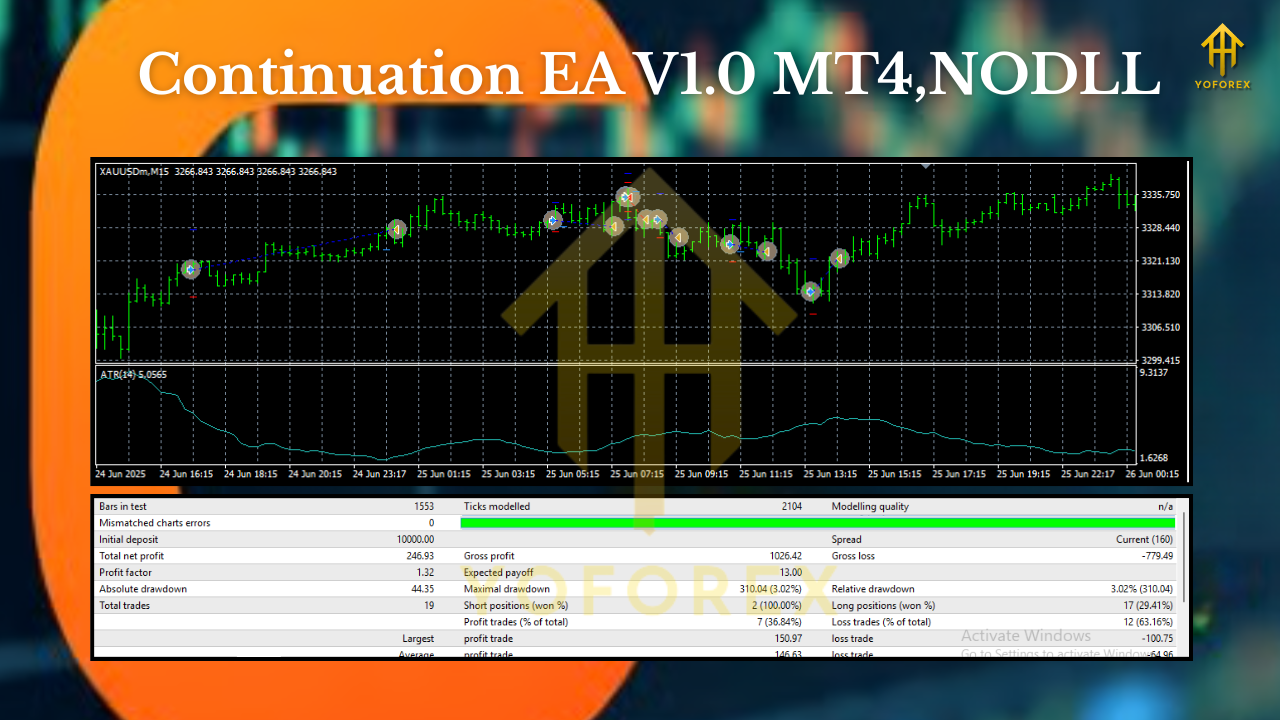
Workflow Tips (That Save You Headaches)
- Don’t over-optimize. Continuation logic is robust; “perfect” curve-fits won’t hold.
- Let losers be small. You’ll likely see clusters of small losses during chop—totally normal. The winners pay for them.
- Respect the calendar. Major FOMC/NFP days? Either shrink risk or pause around the release.
- Review weekly. Mark up 5–10 trades per symbol: Was the bias clean? Did you let winning trades breathe?
Example Use Cases
- London trend days on EURUSD: Series of pullback-continuations that stack nicely when the dollar’s trending.
- Gold breakout weeks: XAUUSD often compresses then explodes; the EA waits for that re-expansion instead of guessing.
- US30 NY open: Directional thrust after the bell can produce textbook continuation legs—just size down.
Final Thoughts
Continuation EA V1.0 MT4 isn’t trying to be a “win-every-trade” unicorn. It’s the opposite: a disciplined, trend-friendly engine that stacks a modest edge by entering with momentum, protecting the downside, and letting winners breathe. If you want a methodical way to harvest M15 trends on EURUSD, XAUUSD, and US30, this EA gives you a clear, repeatable framework—without gimmicks.


Comments
No comments yet. Be the first to comment!
Leave a Comment