
DBR-RBD Indicator MT4 – Potent Breakout and Reversal Signal Tool
In the fast-paced world of forex trading, timing is everything. The ability to spot breakout and reversal setups quickly can drastically improve your win rate. This is where the DBR-RBD Indicator MT4 (Drop-Base-Rally / Rally-Base-Drop) comes in—a powerful tool that combines two of the most significant concepts in price action trading: breakouts and reversals.
Designed specifically for the MetaTrader 4 platform, this indicator equips traders with real-time visual signals, flexible alert options, and dynamic charting tools to identify high-probability trades. Whether you’re a scalper, day trader, or swing trader, the DBR-RBD Indicator can be a valuable part of your trading arsenal.
What is the DBR-RBD Indicator MT4?
The DBR-RBD Indicator is a dual-purpose MetaTrader 4 tool that identifies:
- Breakout zones (DBR): Areas where price pierces through support or resistance levels with momentum, signaling potential trend continuation.
- Reversal patterns (RBD): Candlestick formations such as pin bars, engulfing candles, and double-bar reversals that indicate the likelihood of a trend change.
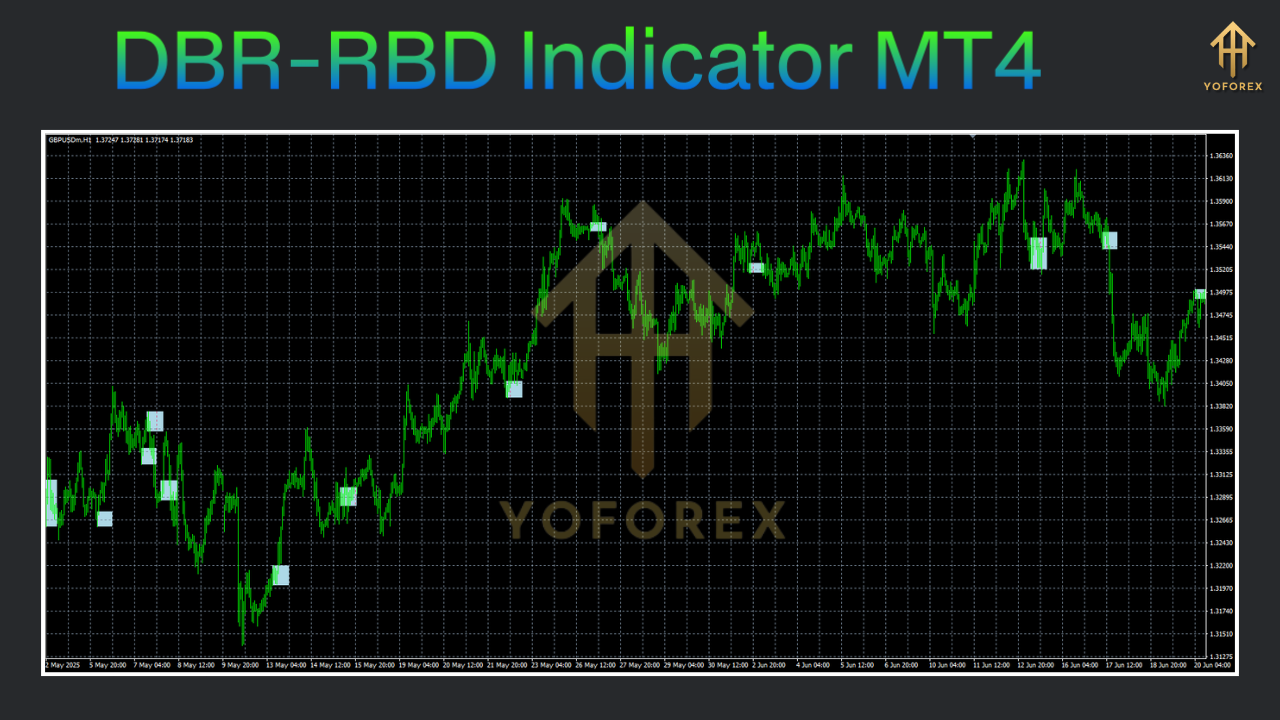
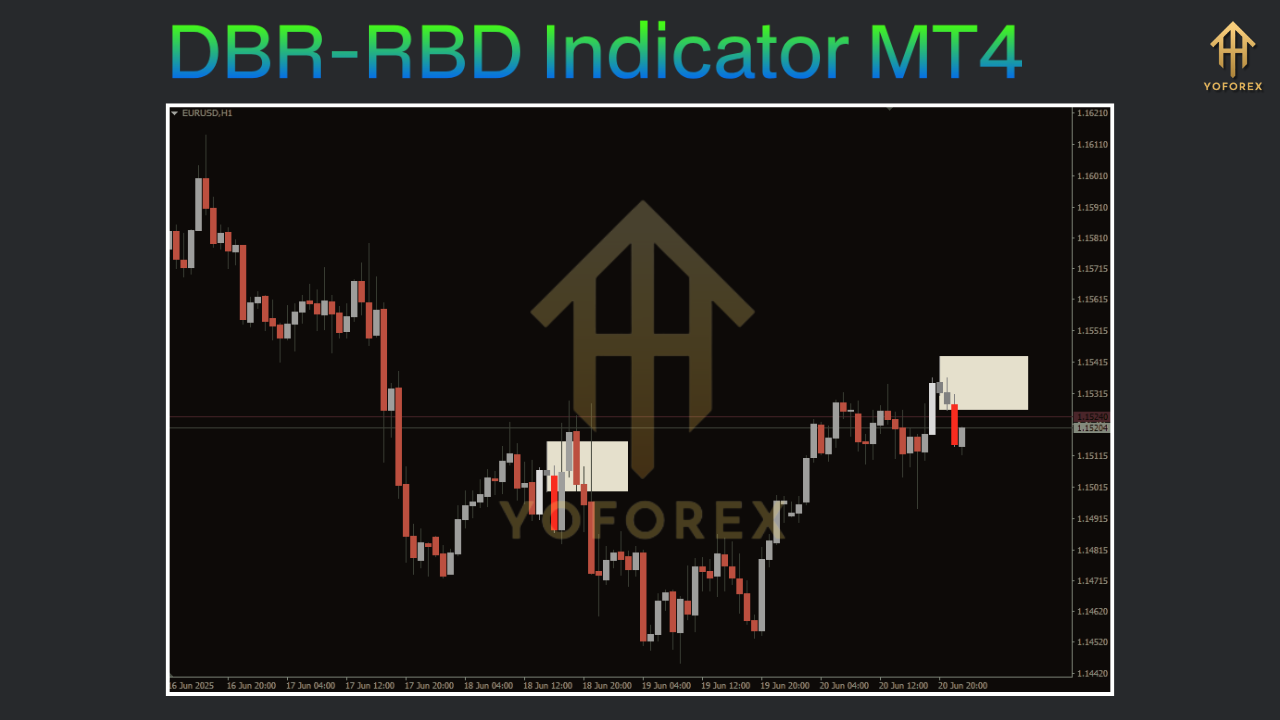
The combination of these elements ensures that you don’t fall into the trap of false breakouts or premature reversals. The tool highlights trade setups directly on the chart using colored arrows and zones and comes with alert mechanisms like popup messages, emails, and push notifications.
How the DBR-RBD Indicator Works
At its core, the indicator analyzes price movement based on average ranges and candlestick patterns. Here's a breakdown of its methodology:
1. Dynamic Range Detection
- Calculates the average range (high to low) over a configurable number of bars.
- This range becomes the threshold for identifying significant price movement.
2. Breakout Identification (DBR)
- When price closes beyond the range boundary (multiplied by a user-defined factor), a breakout signal is generated.
- A DBR signal suggests that momentum is strong enough to potentially start a new trend.
3. Reversal Pattern Recognition (RBD)
- Simultaneously scans for reversal patterns like:
Double-bar reversals
Pin bars
Engulfing candles
Morning and evening stars
- These patterns often signify a trend is losing steam.
4. Signal Confirmation
- A trade signal is more reliable when a breakout is followed by a valid reversal pattern within a short time window.
- This dual validation helps avoid false breakouts and whipsaws.
Key Features
- Breakout + Reversal System: Merges two proven trading concepts to provide high-quality trade entries.
- Adjustable Parameters: Customize lookback periods, range multipliers, and reversal types for any trading style or timeframe.
- Visual Cues: Arrows and shaded zones for easy chart interpretation.
- Real-Time Alerts: Get notified via popup, email, or push notification.
- Multi-Timeframe Panel: Monitor multiple charts and signals from one window.
- Auto Support/Resistance Levels: Automatically plots recent swing highs/lows for improved stop-loss and take-profit planning.
- Trading Session Filters: Focus only on high-liquidity periods (London, New York, Tokyo).
- Backtest Support: Track historical signals for performance validation.
Benefits
- Increased Accuracy: Filters out noise by requiring dual confirmation.
- Better Risk Control: Uses clearly defined zones for placing logical stop losses.
- Efficient Workflow: Saves time by highlighting the most promising trade setups.
- Flexible Usage: Works well on all timeframes—from M1 scalping to daily swing trades.
- Emotion-Free Trading: Relies on objective chart data, not subjective guesswork.
- MT4 Compatibility: Runs smoothly on most broker platforms without lag.
Installation Instructions
Follow these steps to install and activate the DBR-RBD Indicator on MetaTrader 4:
Download the .ex4 File
Get the indicator file from your vendor or provider.
Open MT4 Data Folder
In your MetaTrader 4 terminal, go to:
File→Open Data Folder.
Place the File in the Indicators Folder
Navigate to
MQL4→Indicatorsand paste the .ex4 file there.
Restart MT4
Close and reopen the platform to activate the new indicator.
Attach to a Chart
Open the
Navigatorpanel, locate “DBR-RBD Indicator MT4,” and drag it onto your chart.
Configure Settings
Tweak input parameters such as range multiplier, reversal types, and alert preferences before clicking “OK.”
Configurable Settings and Parameters
The indicator comes with a range of customizable options to suit different trading preferences:
- RangeLookbackPeriod (Default: 20)
Number of bars to calculate the average high-low range.
Lower values = more signals, Higher values = smoother detection. - RangeMultiplier (Default: 1.5)
Multiplier for breakout threshold.
Use a higher value for volatile markets to reduce false breakouts. - ReversalPatternType
Choose one or more from:
DoubleBar
Engulfing
PinBar
- SessionFilter
Limit signals to:
All
London
New York
Tokyo
- AlertMode
Options:
Popup
Email
Push Notification
None
- MaxSignalsPerBar (Default: 1)
Restricts the number of signals per candle for cleaner analysis. - ShowSupportResistance (True/False)
Enables/disables automatic drawing of swing levels. - MultiTFPanel (True/False)
Toggle multi-timeframe dashboard on or off.
Trading Strategies Using DBR-RBD Indicator
Here are four effective strategies that utilize the indicator’s strengths:
1. Breakout Continuation Strategy
- Timeframe: H1 or H4
- Setup:
Look for a DBR breakout above resistance (long) or below support (short).
Confirm that no reversal pattern negates the move.
- Entry: On the breakout candle close.
- Stop Loss: Below the breakout candle low (long) or above the high (short).
- Take Profit: Next support/resistance or minimum 2:1 R:R ratio.
2. Reversal Rejection Strategy
- Timeframe: M15 or M30
- Setup:
Identify an RBD reversal arrow at a support or resistance zone.
- Entry: On candle close confirming the reversal.
- Stop Loss: Slightly beyond the candle wick.
- Take Profit: Prior swing level or use a trailing stop.
3. Multi-Timeframe Confirmation
- Timeframes: H4 for trend direction, H1 for entries
- Setup:
Use H4 to determine the broader trend.
Take trades only when both H4 and H1 signals align.
- Benefit: Adds additional layer of confirmation, reducing risk.
4. Session-Based Scalping
- Timeframe: M1 or M5
- Session: Focus on London and New York
- Setup:
Trade DBR breakouts during active trading hours.
Use small stop losses and targets (1x–1.5x ATR).
- Tip: Use volume overlay to confirm real-time momentum.
Optimization Tips for Better Performance
- Adjust by Currency Pair
Use a higher range multiplier for volatile pairs like GBPJPY, and a lower one for more stable pairs like USDCHF. - Combine with Volume Tools
Add a volume indicator to verify that breakouts are supported by real buying/selling pressure. - Don’t Chase Every Signal
Quality matters more than quantity. Stick to your strategy and avoid overtrading. - Backtest Extensively
Use MT4’s built-in strategy tester or export logs for performance review.
Conclusion
The DBR-RBD Indicator MT4 delivers a balanced approach to technical analysis by merging breakout detection with reliable reversal signals. This synergy helps traders catch real moves with fewer false entries. Its user-friendly design, adjustable settings, and alert system make it suitable for all levels of traders.
Whether you're scalping five-minute charts or swing trading daily candles, this indicator offers the precision and adaptability needed to enhance your trading decisions. Install it today, fine-tune the parameters to match your trading style, and start capturing profitable opportunities with greater confidence.


Comments
No comments yet. Be the first to comment!
Leave a Comment