
EA Sengkuni V1.0 MT4 – Multi-Pair Trend Automation for H1–M30
Looking for a clean, disciplined Expert Advisor that doesn’t overcomplicate entries and still respects risk? EA Sengkuni V1.0 MT4 is designed to trade four liquid symbols—GBPUSD, EURUSD, USDJPY, and AUDCAD—on H1 to M30 timeframes. It focuses on trend alignment and disciplined risk handling, aiming to give you a rules-based trading edge without the late-night chart watching. In this post, you’ll learn what the EA does, how it operates, the best-practice setup, and practical risk tips so you can deploy it with confidence on a demo first and then consider going live.
What Is EA Sengkuni V1.0 MT4?
EA Sengkuni V1.0 MT4 is a trend-following Expert Advisor that scans momentum across the supported pairs and looks for pullback entries in the direction of the prevailing move. The goal is consistency: fewer but higher-quality trades, logical stop placement, and an adaptive exit plan. It’s engineered to work on the H1, M45, and M30 charts, giving you flexibility to choose a speed that fits your personal workflow and broker conditions.
Why these four pairs?
GBPUSD & EURUSD: Highly liquid, good response to London/NY overlapping sessions, typically tighter spreads.
USDJPY: Distinct momentum phases, often benefits from mechanical trend logic.
AUDCAD: Commodity-sensitive cross that can diversify the portfolio versus USD majors.
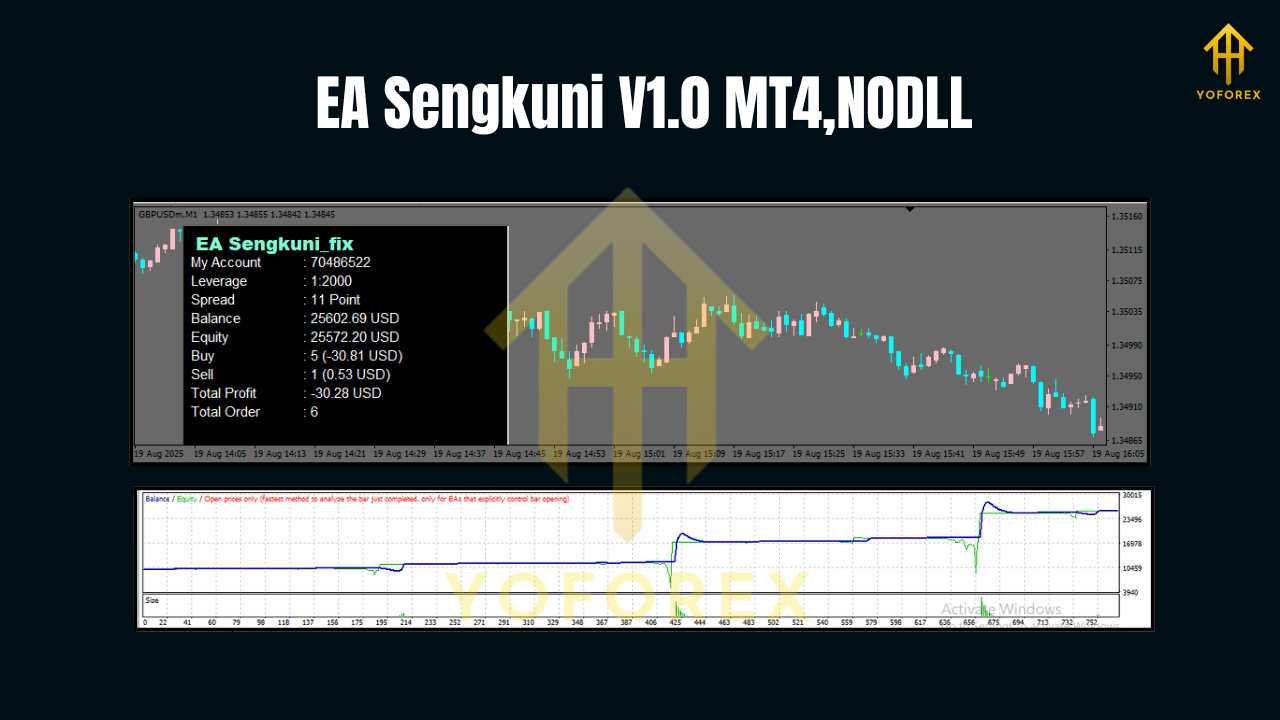
How EA Sengkuni Finds Trades
At its core, the EA combines three simple but powerful elements:
- Trend Filter: Confirms broader direction using higher-timeframe structure so it avoids fighting the main move.
- Pullback Logic: Waits for price to retrace into a value zone—think recent moving-average cluster or a dynamic support/resistance pocket—before arming entries.
- Momentum Confirmation: Uses a volatility check (e.g., ATR window) or candle strength to validate that momentum is re-engaging with the trend, minimizing entries during chop.
This sequence helps reduce random whipsaws, especially on M30 where intraday noise can trick many robots into sub-par fills.
Risk Management & Position Handling
EA Sengkuni’s philosophy is “plan the exit first.” Key behaviors you can expect:
- Hard Stop Loss (mandatory): Each trade is placed with a predefined SL based on recent structure or a fraction of ATR—no naked exposure.
- Take Profit Options: Static TP for consistency or an optional trailing logic to let winners run when volatility expands.
- Break-Even Step (optional): Once price moves a defined distance in your favor, the EA can shift stops to break-even to reduce downside.
- Daily Trade Guard: You can cap daily trades or daily loss to maintain account health during rough patches.
- News Pause (optional): If you prefer, schedule a manual pause around major news; the EA’s measured style already reduces “over-trading” into events, but pausing is a prudent extra step if your broker widens spreads.
Pro tip: With trend systems, the equity curve often grows in “stair steps.” Avoid tinkering mid-drawdown—let the plan play out within your pre-defined risk limits.
Supported Pairs & Timeframes
- Pairs: GBPUSD, EURUSD, USDJPY, AUDCAD
- Timeframes: H1, M45, M30 (H1 is the baseline for calmer execution; M30 for more opportunities if spreads are competitive.)
If you’re new to automation, start with H1 on one or two pairs, then gradually expand once you’re comfortable with the metrics.
Recommended Settings & Broker Tips
- Account Type: ECN/RAW or low-spread standard account.
- Leverage: 1:100 to 1:500 (choose what your jurisdiction allows; higher leverage ≠ higher lot size—position size should still be conservative).
- Initial Risk per Trade: 0.5%–1% for most accounts; 2% max only if you fully understand risks.
- Lot Sizing: Use fixed fractional or balance-based scaling; avoid martingale/anti-martingale experiments unless you backtest thoroughly.
- Min Deposit (practical): $200–$500 for meaningful data without emotional pressure.
- VPS: Recommended for uptime and stable latency, especially if your local PC isn’t always on during London/NY sessions.
- Spread Filter: Enable to avoid trading during off-hours or abnormal volatility.
How to Install & Launch on MT4
- Download & Save the EA file (
.ex4): Place it in File → Open Data Folder → MQL4 → Experts. - Restart MT4: Or right-click Experts in the Navigator and hit Refresh.
- Attach to Chart: Open GBPUSD, EURUSD, USDJPY, or AUDCAD on H1/M30, then drag EA Sengkuni V1.0 from Navigator → Experts onto the chart.
- Allow Live Trading: Check “Allow live trading” in the EA settings and ensure AutoTrading is enabled at the top of MT4.
- Load Inputs: Set risk percent, TP/SL method, trailing/BE options, spread filter, and daily guard rules. Save your template so you can replicate across symbols quickly.
- Run on Demo First: Let it trade through a full week including news cycles. Note average trade duration, hit rate, and drawdown behavior before going live.
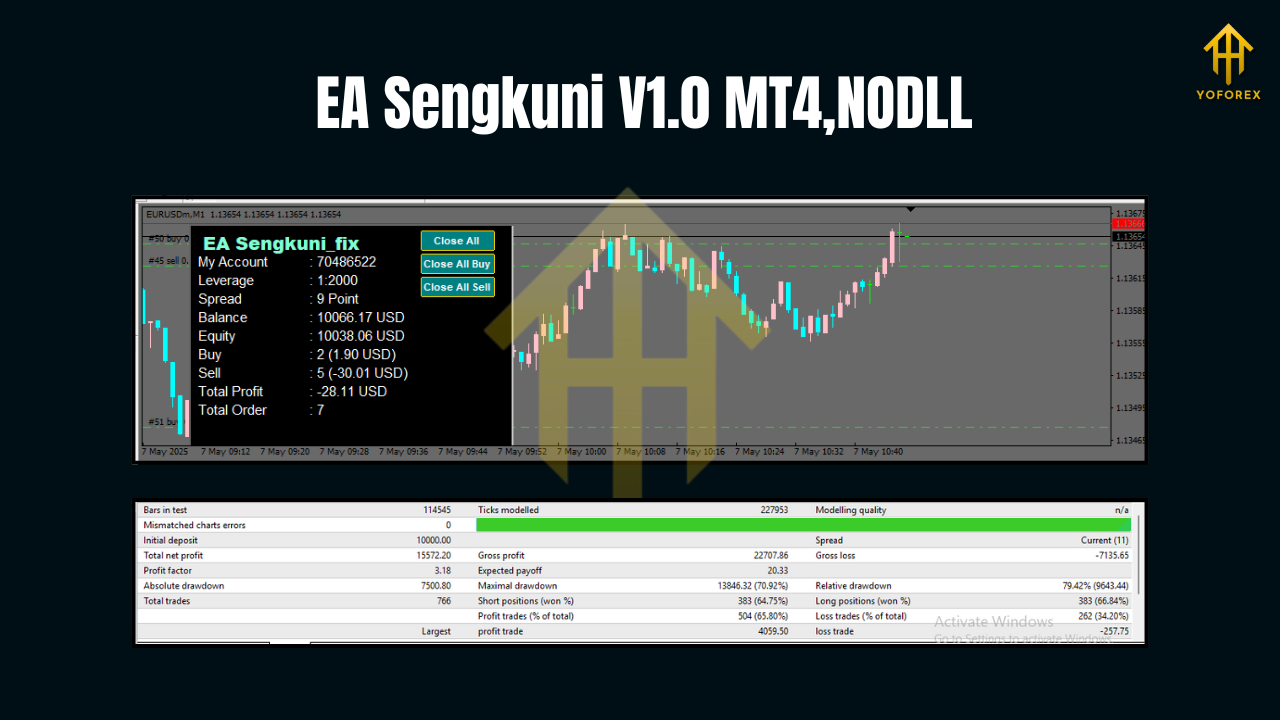
Backtesting & Optimization Tips
- Modeling Quality: Use high-quality tick data if possible (99% modeling) to understand slippage/spread sensitivity.
- Sample Period: Test at least 2–3 years per pair; include volatile months to stress test.
- Walk-Forward Check: Optimize on one period, validate on a separate out-of-sample period to avoid curve-fit illusions.
- Portfolio View: Evaluate combined results of GBPUSD, EURUSD, USDJPY, AUDCAD—correlations matter. Sometimes one pair zigzags while another trends, smoothing the equity curve.
- Risk Sensitivity: Re-run backtests with different risk % (0.25%, 0.5%, 1.0%) and different spread assumptions. If performance craters with modest spread changes, reduce reliance on M30 or skip that pair during off-hours.
Best Practices for Day-to-Day Use
- Set a Daily Loss Cap: Automation is still trading; protect the account from outlier sessions.
- Track KPIs Weekly: Win rate, average R multiple, average adverse excursion (AAE), and max drawdown.
- Respect Session Quality: Most activity flows during London/NY; consider a trading window if your broker widens spreads during Asia.
- Avoid Over-tuning: Resist the urge to adjust settings after a handful of losing trades. Make changes only after you have statistically meaningful data (e.g., 30–50 trades per pair/timeframe).
Stay News-Aware: If you dislike event risk, pause an hour around top-tier releases (CPI, NFP, rate decisions).
Who Is EA Sengkuni For?
- Swing-minded intraday traders who want fewer, higher-probability trades on H1/M30.
- Portfolio builders seeking multi-pair diversification without micromanaging charts.
- New EA users who prefer a transparent, rule-driven approach over complex grid/martingale systems.
Final Word
EA Sengkuni V1.0 MT4 aims to keep your process structured: identify trend, wait for a sensible pullback, confirm momentum, and manage risk with discipline. Deployed correctly—on the right pairs, with sensible spreads and a conservative risk model—it can become a steady component in your broader trading toolkit. Start on demo, collect data, then scale up thoughtfully. That’s how you give any robot a fair chance to prove itself.
Join our Telegram for the latest updates and support


Comments
No comments yet. Be the first to comment!
Leave a Comment