
FMM Ultimate Pro Scalper EA V1 MT4 – The Fast Scalper Built for $100 Accounts & Prop Challenges
Sick of EAs that promise the moon but choke the minute spreads widen? Same. That’s why FMM Ultimate Pro Scalper EA V1 (MT4) leans into what scalpers actually need: speed, tight risk, and a clean logic that reacts on every new candlestick. It’s designed for short-term, high-frequency style trading, works on any currency pair and any timeframe, and—yep—can start from a $100 minimum deposit. Whether you’re a retail trader looking to grow a small account or pushing through prop-firm rules, this EA is built to keep things nimble and disciplined.
In plain words: it scans each fresh candle, detects complex candlestick patterns, and makes quick, calculated decisions. No gimmicks, no dangerous martingale—just structured scalping with risk controls that don’t blow up when volatility spikes. If you’ve been burned by over-optimized magic settings before, you’ll like how straightforward this one feels… coz it’s made to be used, not babysat.
What Makes FMM Ultimate Pro Scalper Different?
At its core, the EA tries to do one thing exceptionally well: turn short bursts of momentum into consistent, bite-sized gains while staying cautious about drawdowns. It’s a new-bar analyzer—that means it only evaluates when a new candle opens, reducing the noise and over-triggering common with tick-chasing bots. The strategy compares recent candle bodies/wicks, range expansions, and rejection shapes to filter fake moves and catch favorable micro-trends.
While the marketing phrase “high frequency” gets thrown around a lot, here it simply means the EA is capable of placing multiple trades in active sessions if conditions align. You still control the throttle: lot sizes, max concurrent trades, and time filters are all configurable, so you can tune it for a quiet $100 account—or amp it up for funded-account targets (within your prop-firm rules, of course).
Time Frame: Any (M1–H1 common for scalpers; M5/M15 are sweet spots for a balance of signals and costs)
Pairs: Any (focus on majors/crosses with low spreads, e.g., EURUSD, GBPUSD, USDJPY, XAUUSD if costs are competitive)
Minimum Deposit: $100 (with conservative lot sizing)
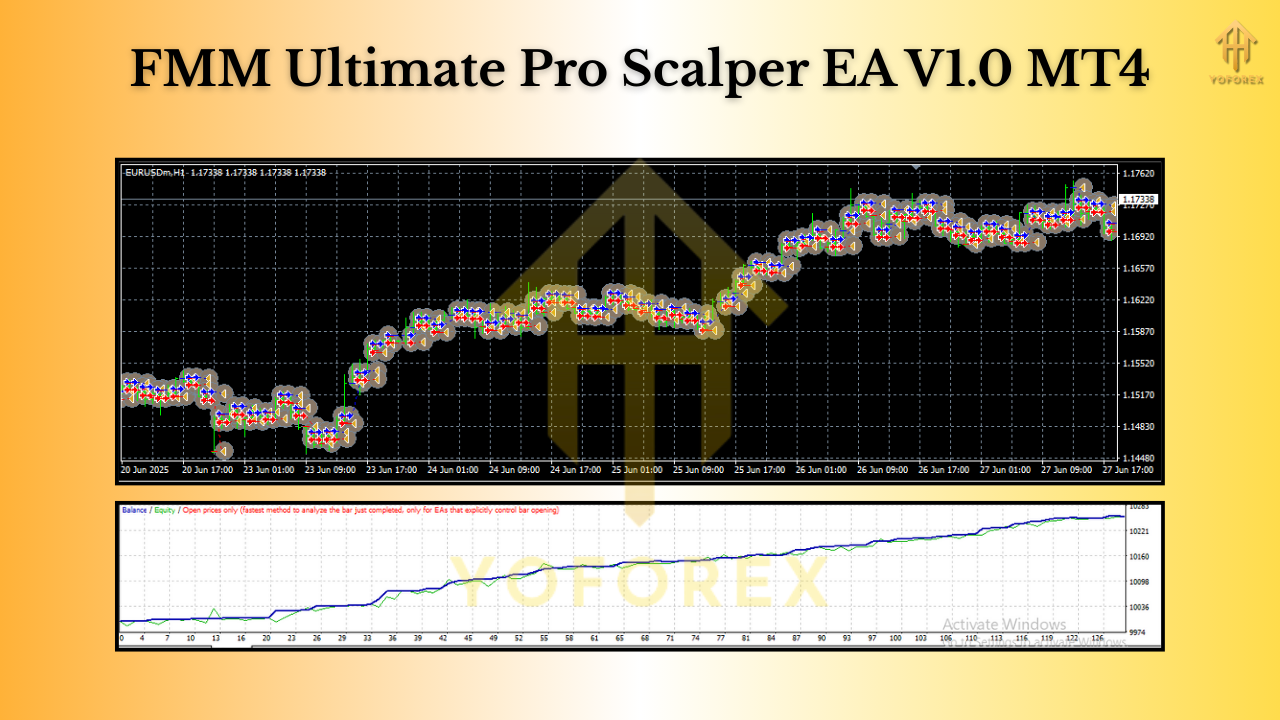 Key Features You’ll Actually Use
- New-Bar Logic: Evaluates signals at the open of each new candle to cut noise and whipsaw entries.
- Pattern-Aware Entries: Reads candlestick combinations (engulfing, pin-rejections, range breaks) with volatility checks.
- Any Pair / Any Timeframe: Use majors for lowest costs; try M5–M15 for a clean balance of frequency vs. spread.
- $100 Start-Friendly: Micro-lot compatible; keep risk at 0.5–1% per trade on small accounts.
- Prop-Firm Ready Controls: Daily loss cap, max concurrent trades, equity guard—tune it to your firm’s rules.
- No Martingale / No Grid by Default: Pure, rules-based scalping with optional scale-in logic (off by default).
- Spread & Slippage Filters: Avoids bad fills in news spikes and rollover windows.
- Session Filters: Target London/NY overlap, or your preferred sessions.
- News Avoidance (Manual/Time Filter): Block trading around scheduled events with your own time windows.
- Hard Stop-Loss / Take-Profit: ATR-aware sizing to align stops with current volatility.
- VPS-Friendly: Low-latency execution recommended for the fastest brokers.
How the Strategy Thinks (Without Overcomplicating It)
- Detects Context: On each new candle, the EA checks recent candle sizes, wick proportions, and range expansion vs. prior bars.
- Confirms Momentum: It looks for micro-breakouts or sharp rejections (think quick continuation after a pullback).
- Volatility Alignment: If ATR or instantaneous range is too low/high, it tightens or skips entries.
- Precision Risk: Sets fixed SL/TP in points or ATR-multiplied bands. You can enable breakeven and partials if you like.
- Capital Protection: If you hit a daily drawdown or max loss threshold, the EA stands down—simple as that.
The result? Short trades, tight stops, and fast exits. You won’t sit in a position for hours hoping it turns; this bot aims to snap in, snatch a few pips, and get out. When markets are dead or spreads widen, it naturally slows down because filters kick in.
Recommended Setup (So You Don’t Overthink It)
- Broker & Costs: ECN-style, raw-spread account if possible. Commission + spread combined should be tight (especially for M1–M5).
- VPS: Use a stable, low-latency VPS near your broker’s servers.
- Pairs to Start: EURUSD, GBPUSD, USDJPY; add XAUUSD once you see how it behaves on your broker.
- Timeframes: M5 or M15 for most users; M1 if you have top-tier execution and very low costs.
- Lot Size: Start at 0.01 per $100–$300, scale up only after stats look solid.
- Risk Per Trade: 0.5–1% for small accounts; 0.25–0.5% for prop challenges.
- Sessions: London or London–NY overlap for best flows; avoid the last 10–15 minutes before/after major news.
Suggested Inputs (example):
- Max Concurrent Trades: 2–4
- SL/TP: ATR-based (e.g., SL = 1.2×ATR, TP = 1×ATR, with trailing after +0.8×ATR)
- Spread Filter: Enable, e.g., max spread 15–20 points (adjust to symbol)
- Slippage: 2–5 (broker-dependent)
- Daily Loss Stop: 2–4% (prop-firm friendly)
- Trading Hours: Enable (session windows)
- News Pause Window: User-set minutes around scheduled events (manual block)
Prop-Firm Usage Tips (Keep Those Rules Safe)
- Daily Drawdown Guard: Turn on the EA’s daily equity limit so it stops trading once you’re down ~1.5–2.5% (match your firm).
- Stop After Win Streak: Consider halting for the day after 2–3 net winners; compounding good days is underrated.
- Consistency Over Size: Prop firms love stable equity curves—use smaller lots and let time work for you.
- Avoid Red-News Gambling: If the firm flags news trading, block those windows; let the EA work when spreads are sane.
- Journal Everything: Log trades, spreads, and session notes to refine filters on your next attempt.
Installation & Quick Start (MT4)
- Download the EA file and copy it into MT4 → File → Open Data Folder → MQL4 → Experts.
- Restart MT4 (or right-click Experts in Navigator and hit Refresh).
- Drag FMM Ultimate Pro Scalper EA V1 onto your chart.
- In the Common tab, tick Allow live trading; in Inputs, load or adjust your preferred settings.
- Confirm auto-trading is enabled (top toolbar), and watch the journal for any warnings.
- Start on demo. Move to live only after you’re confident with your broker’s costs and slippage.
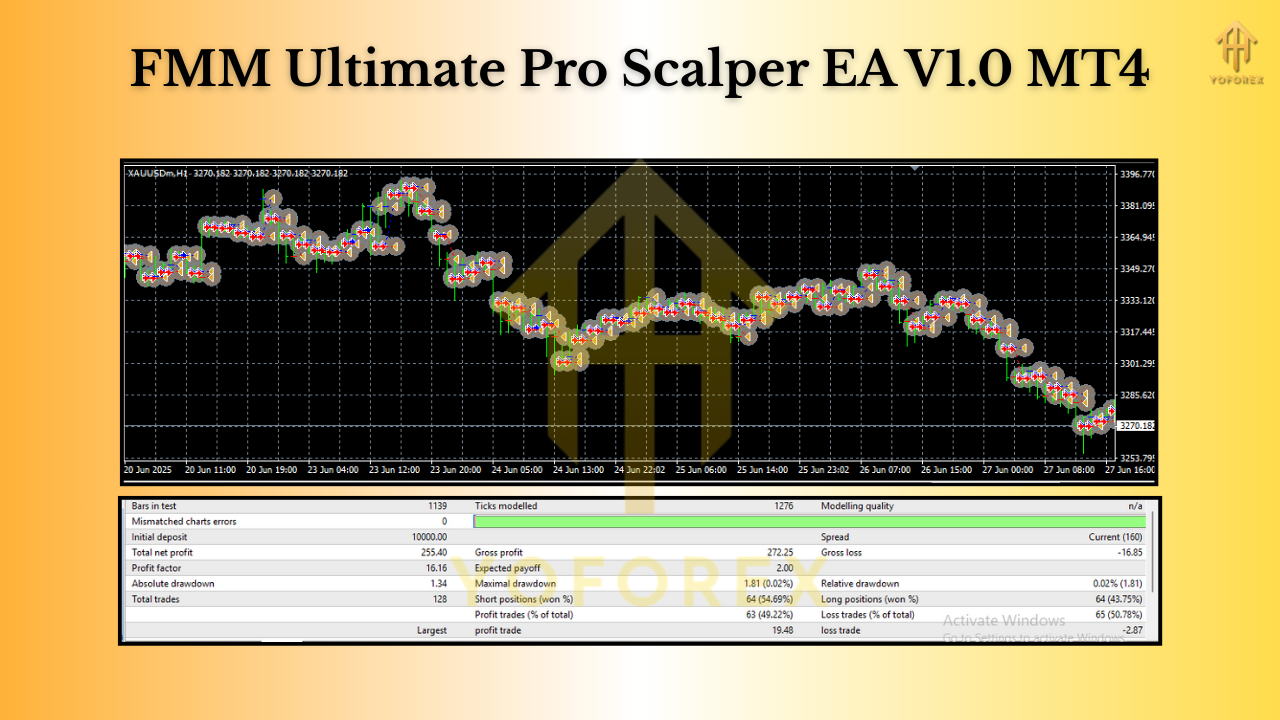
Risk Management That Doesn’t Get in Your Way
Good scalping is 80% cost control and 20% entries—hot take, but it’s true. This EA keeps risk front and center: fixed stops, spread checks, trading windows, and hard daily limits. You can also enable breakeven once price moves in your favor and trailing to squeeze a bit more out of momentum pops. If conditions aren’t right, it simply won’t force trades. That restraint is a feature, not a bug.
Who Is It For?
- Small Account Traders who want controlled, rules-based scalping from $100 without martingale drama.
- Prop-Firm Candidates who need a consistent, low-drawdown approach that respects daily loss rules.
- Busy Traders who prefer automation to tick watching—but still want transparent logic they can tune.
If you fall into any of those buckets, FMM Ultimate Pro Scalper EA V1 is honestly a neat fit.
Final Thoughts
No EA is magic. But if you want a fast, disciplined scalper for MT4 that can work on any pair/timeframe, respects prop-firm constraints, and starts from $100, this one ticks the right boxes. Start simple, keep risk tight, monitor costs, and let the stats guide your tweaks. That’s how small accounts and challenges get over the line.
Join our Telegram for the latest updates and support


Comments
No comments yet. Be the first to comment!
Leave a Comment