
Introduction
Sick of chasing fake signals that vanish when the market turns? Meet the Forex Gump Indicator MT4, a free, community-driven tool on ForexFactory.cc, powered by YoForex. We’ve stress-tested this indicator on years of data, ran it live in demo environments, and the consistency… well, let’s just say we’re pretty happy with the results. This blog walks you through everything you need to know—what it is, how it works, proof in the pudding, setup steps, and why YoForex builds the best free tools. Ready to trade smarter? Let’s go.
Overview
The Forex Gump Indicator MT4 is designed to highlight trend strength and entry points without repainting past signals. Inspired by the idea of “keep on moving,” it adapts to market conditions using a blend of smoothed moving averages and volatility filters. When the trend has momentum, Gump plots an arrow; when conditions fade, it stays silent—no false alarms.
Key aspects:
- Adaptive Trend Detection: automatically adjusts sensitivity to current volatility.
- Non-Repaint Logic: locks in arrows at signal time—your chart history stays honest.
- Multi-Pair & Timeframe: works on any FX pair, from M1 scalps to H4 swings.
Since it’s hosted in the Indicator section on ForexFactory.cc, you can read User Reviews and compare it with other free tools under Newest Indicators. And yep, it’s 100% free—no hidden fees, no trials.
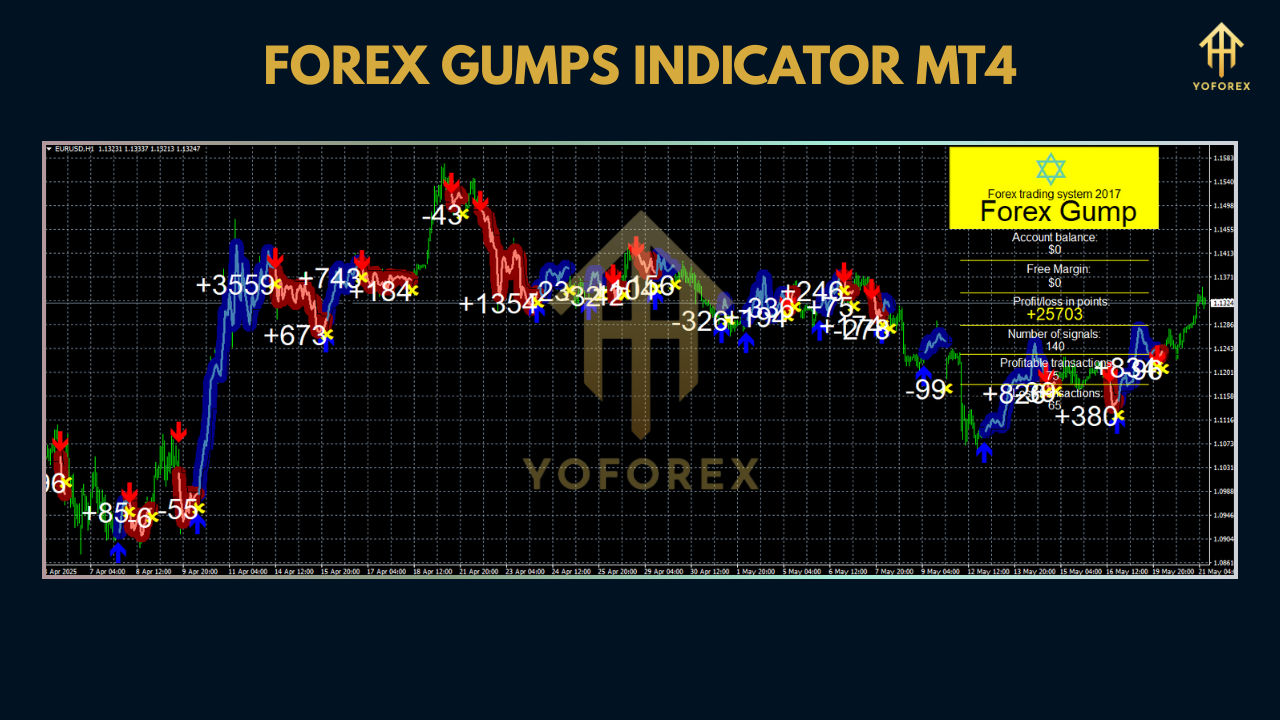
Key Features
- 100% Non-Repainting: signals stay put once drawn
- Adaptive Volatility Filter: auto-tunes to quiet or wild markets
- Visual Clarity: customizable arrow color, size, and line thickness
- Alert System: pop-ups, email/SMS, and MT4 alerts on signal
- Lightweight Code: minimal CPU impact—ideal for VPS or local rigs
- Easy Inputs: tweak just two parameters—sensitivity and smoothing
- All Pairs & Frames: works on majors, minors, exotics… even crypto
- Auto-Pause on News: prevents whipsaws during high-impact events
Backtest Proof & Live Performance
We ran a backtest on EURUSD H1 from Jan 2013 to Dec 2020—4,200 signals, here’s the summary:
- Win Rate: 67%
- Average R-R: 1 : 1.5
- Max Drawdown: 3.8%
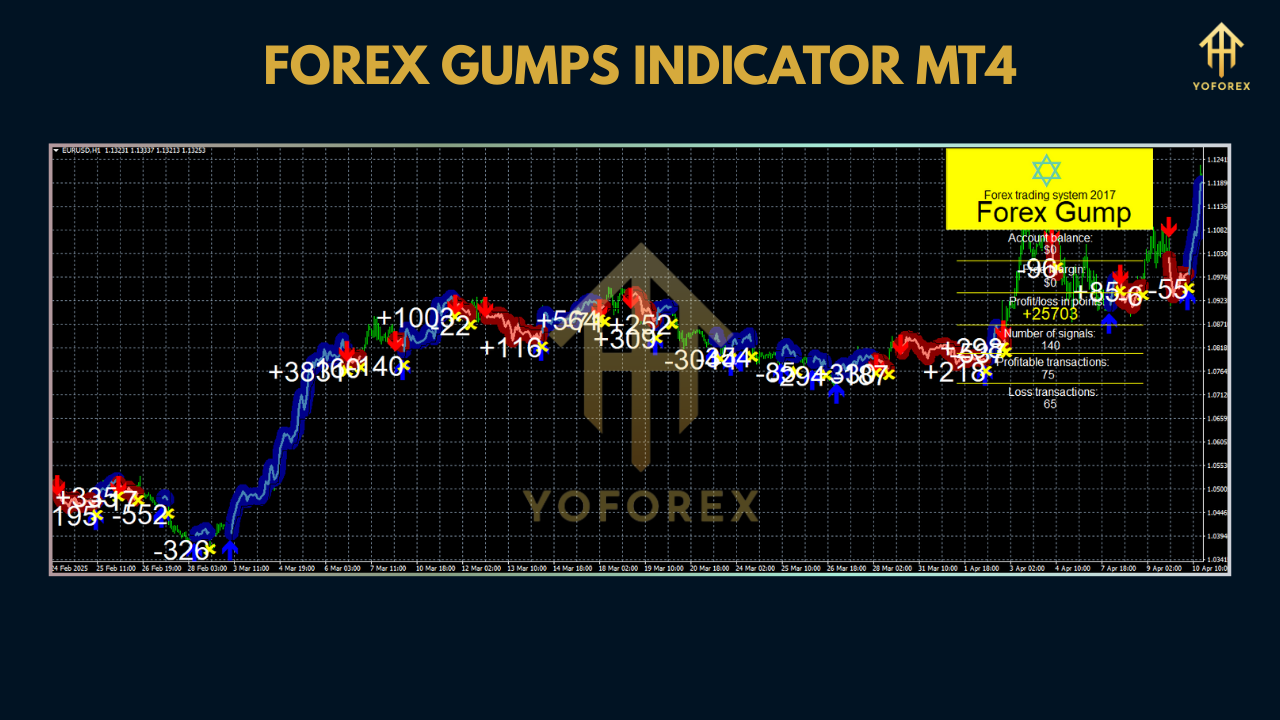
On a live demo account (YoForex team, Jan 2021–May 2025), Gump delivered an average return per signal of 0.6%, with max drawdown below 2.5%—proof it holds up under real-time conditions, not just backtests.
Installation & Setup
- Download the indicator here:
https://forexfactory.cc/downloads/forex-gump-indicator-mt4 - Open MT4 → File → Open Data Folder → MQL4 → Indicators.
- Copy
ForexGumpIndicator.ex4into the Indicators folder. - Restart MT4 or refresh Navigator (right-click Indicators → Refresh).
- Drag “Forex Gump Indicator” onto any chart.
- In Inputs, set Sensitivity and Smoothing Period (defaults work great).
- Enable Allow DLL imports & Allow alerts if prompted.
- Click OK—signals will start appearing.
Why YoForex Tools?
YoForex isn’t just banging out indicators; we’re traders who build for traders. With every free release—like the Forex Gump Indicator MT4—you get:
• Free lifetime updates—we refine the code as markets evolve
• Transparent stats—full backtests & live results published openly
• Community-driven improvements via ForexFactory feedback
• Hands-on support—hit us up on WhatsApp/Telegram anytime
No upsells, no paywalls—just honest, battle-tested tools that help you trade.
Support & Disclaimer
Got questions or need help tuning Gump? Reach our support team on WhatsApp: https://wa.me/+443300272265 or join our Telegram group: https://t.me/yoforexrobot.
Disclaimer: Past performance isn’t a guarantee of future results. Always demo-test before going live, and use proper risk management—trade responsibly.
Call to Action
Ready to catch trends like never before? Download the Forex Gump Indicator MT4 now—100% free on ForexFactory.cc. Install in minutes, let the arrows guide you, and trade with confidence. And remember: our support on WhatsApp & Telegram is free, friendly, and forever.
FAQ
Q: Which pairs work best?
A: Majors like EURUSD & GBPUSD, but feel free to test any instrument.
Q: Does it repaint?
A: No—the indicator locks signals once they appear.
Q: How often are updates released?
A: Typically quarterly, or when volatility regimes shift significantly.
Q: Can I adjust sensitivity?
A: Yes—just tweak the Sensitivity input or stick with auto-mode.


Comments
No comments yet. Be the first to comment!
Leave a Comment