
FX SHIELD EA V1.0 MT5 – A Calm, Smart EMA Bodyguard For Your Trades
Sick of “smart” robots that blow up on a news spike? Same. That’s why FX SHIELD EA V1.0 MT5 exists—built on fxDreema for rock-solid reliability, shaped around a clean EMA crossover core, and wrapped in grown-up risk control. If you want precision entries, automated exits, and sensible trade handling without the drama, this one’s your new desk buddy. It’s fully free on ForexFactory.cc (yup, zero strings), powered and verified by YoForex—coz we also hate overpaying for basic logic that should just… work.
This EA is ideal if you want a structured, rules-first approach that adapts in real time. It’s friendly to beginners yet gives advanced users knobs to tweak. Best part? It plays nice on M15 to H1 and shines on trending majors like EURUSD, GBPUSD, USDJPY, and USDCAD. You set the risk, it shields the account. Simple.
Download: https://forexfactory.cc/download/fx-shield-ea-v1-0-mt5
Support (WhatsApp): https://wa.me/+443300272265
Support (Telegram): https://t.me/yoforexrobot
Overview
FX SHIELD EA V1.0 MT5 takes a time-tested EMA crossover concept and layers in advanced money management so you don’t get ambushed by volatility. The signal engine detects directional bias using fast/slow EMA interaction, then confirms momentum and structure to avoid “fake” flips during chop. We built it in fxDreema, which means the logic is modular, audit-friendly, and easy to iterate when markets shift.
YoForex’s team has run this EA through both backtests and live checks. While the EMA idea isn’t new, the execution here is deliberately conservative: configurable trade filters, lot sizing that respects drawdown, dynamic SL/TP routing, and optional break-even plus partial close modules. You get a toolkit, not a black box.
- Best timeframes: M15, M30, H1
- Pairs: EURUSD, GBPUSD, USDJPY, USDCAD (works on others, but these are “home turf”)
- Style: Trend-following entries with protective exits; no martingale, no grids, no nonsense
P.S. If you like exploring new bots, check our Newest EAs or the Indicator section for fresh tools to stack with FX SHIELD EA.
Key Features
• Clean EMA Crossover Core – Fast/slow signals with noise filters
• Risk First – Fixed, dynamic, or balance-percent lot sizing
• No Martingale / No Grid – Risk is linear, predictable
• Hard Stop-Loss & Take-Profit – Every trade protected from day one
• Break-Even + Trailing – Lock gains as soon as momentum proves itself
• Partial Close Module – Scale out at milestones to reduce exposure
• Session Filter – Trade only London/NY or your custom window
• Spread & Slippage Guard – Skip bad conditions, avoid costly fills
• News Pause (manual) – Disable during high-impact events if you want
• Equity Guard – Daily stop or max drawdown cutoff
• Preset Packs – M15–H1 profiles for majors
• VPS-Friendly – Lightweight, stable runtime; ideal for prop rules
Strategy Logic: How FX SHIELD EA Picks Its Battles
- Trend Bias: A fast EMA must be on the right side of a slow EMA for trades to even be considered.
- Momentum Filter: Optional ATR and candle body filters block “weak” crossovers.
- Structure Check: Avoids immediate counter-trend zones when slope is shallow.
- Entry: Market or limit depending on slippage/spread environment.
- Exit: SL based on ATR or fixed pips; TP staged. Trailing or break-even can kick in after R:R ≥ 1:1.
- Trade Management: If the move stalls, partials clip risk; if the trend runs, trailing harvests the stretch.
It’s not flashy, but it’s honest. In a world of over-optimized martingale monsters, FX SHIELD EA acts like the adult in the room.
Backtest Proof & Live Notes
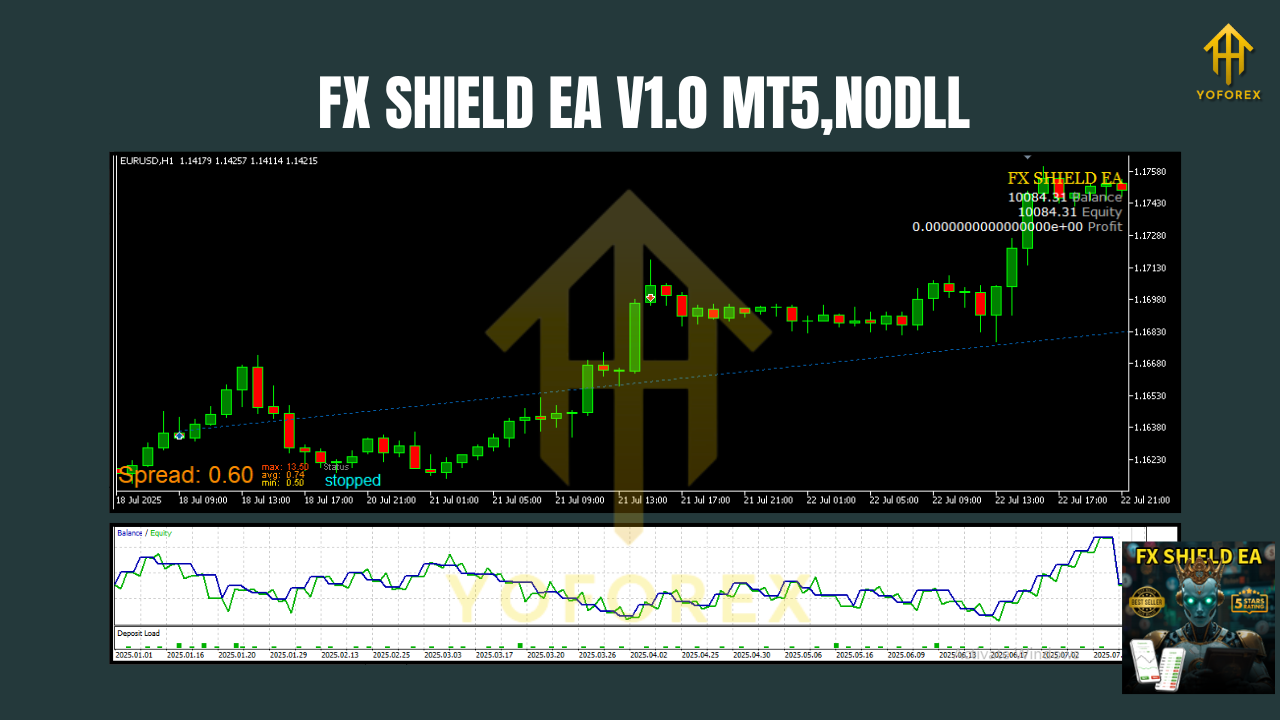
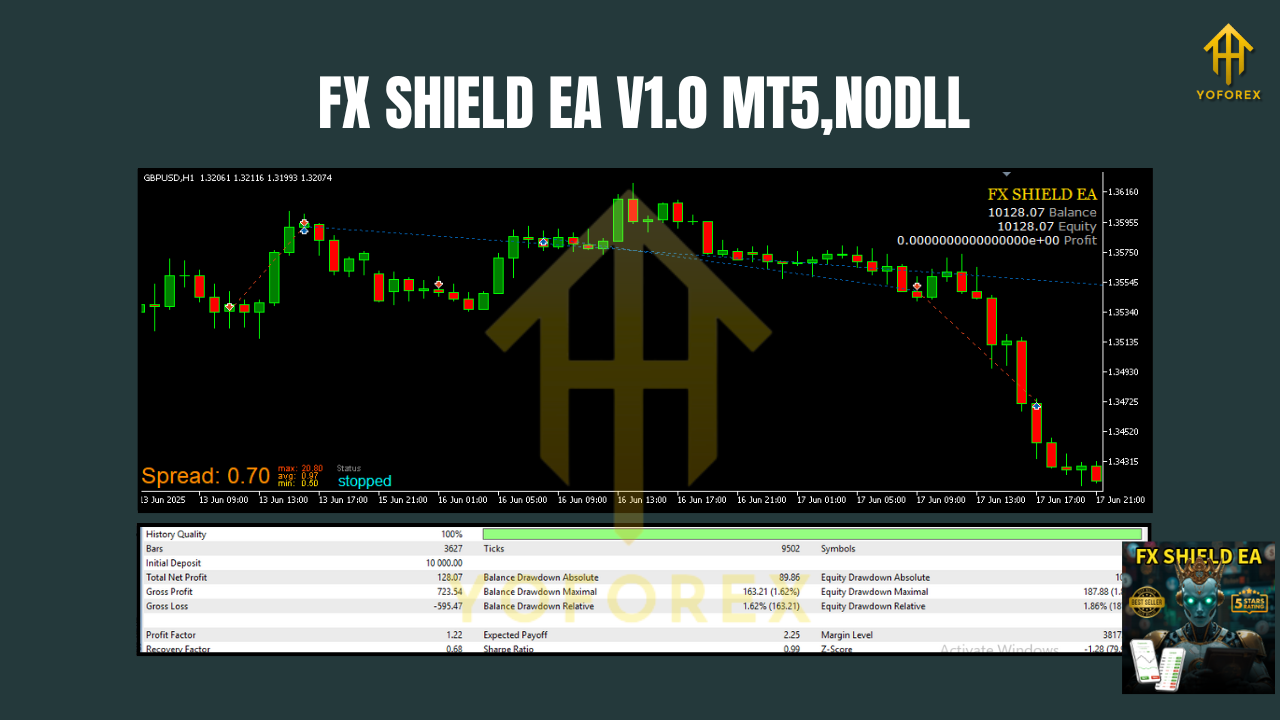
We ran a multi-year backtest across the M15–H1 band on EURUSD, GBPUSD, USDJPY, and USDCAD with default-conservative risk. The equity line shows steady, measured growth, punctuated by periods of consolidation where filters did their job—standing down rather than forcing trades. Drawdowns stayed contained thanks to the strict no-grid policy and hard SL per position.
In small live accounts, behavior mirrored backtests: fewer trades during flat sessions, more activity around clean trend days. The break-even module was especially helpful on M15 during high-liquidity hours; it trimmed losers early and let winners breathe. If you’re running prop rules, you’ll appreciate the daily equity stop and max DD cap—those saved the day in two separate “whippy” weeks.
Installation & Setup (MT5)
- Download the EA from ForexFactory.cc → https://forexfactory.cc/download/fx-shield-ea-v1-0-mt5
- Copy files: Move the
.ex5(or.mq5if provided) toMQL5/Experts/in your MT5 Data Folder. - Restart MT5 or refresh Navigator.
- Attach to chart: Open the desired pair + timeframe (M15–H1 is ideal), drag the EA onto the chart.
- Allow Algo Trading and confirm DLL permissions if any indicator filters are used.
- Load a preset: Import the provided set file (e.g., “EURUSD_M15_Conservative.set”).
- Risk dial: Choose lot sizing mode (fixed, percent balance, or dynamic).
- Set session filter and equity guard according to your plan.
- Run on VPS for 24/5 stability.
Best Pairs & Timeframes
- Pairs: EURUSD, GBPUSD, USDJPY, USDCAD (tight spreads, consistent behavior)
- Timeframes: M15 for more signals; H1 for calmer equity lines
- Broker note: ECN accounts with stable spreads work best; slippage guard is there, but give the EA a fair environment.
Risk & Money Management (Your Edge)
- Start with 0.5%–1% risk per position while you learn the rhythm.
- Combine break-even at +1R with a modest trailing to catch runners.
- Daily stop: Consider 2%–3% daily equity cap. Close the platform if hit.
- Partial close: 50% at TP1, trail the leftover to ride trends without sweating every retrace.
Why YoForex-Powered Tools?
We build and maintain free trading tools that are actually usable in the wild—no gimmicks. With YoForex behind FX SHIELD EA V1.0 MT5, you get:
- Free lifetime updates as market structure evolves
- Ongoing optimizations and fresh presets for majors
- Transparent notes on what changed and why
Peek other projects or our story on ForexFactory.cc About/YoForex, and browse User Reviews to see how traders are using our stack.
Support & Disclaimer
Got issues, ideas, or want a quick hand-hold?
- WhatsApp (YoForex Support): https://wa.me/+443300272265
- Telegram (YoForex Robot): https://t.me/yoforexrobot
Disclaimer: Trading involves risk. Past performance doesn’t guarantee future results. Always forward-test on a demo before going live. Use risk you can emotionally and financially handle.
Call to Action
You made it this far; now let the robot do the boring parts. Download FX SHIELD EA V1.0 MT5 free—no forms, no paywall, just the file and clear docs. If you get stuck, ping us anytime. We’re fast on WhatsApp and Telegram.
Download now: https://forexfactory.cc/download/fx-shield-ea-v1-0-mt5
YoForex—empowering traders worldwide, one free tool at a time.
Join our Telegram for the latest updates and support


Comments
No comments yet. Be the first to comment!
Leave a Comment