
In forex trading, consistency is often about knowing when not to trade just as much as knowing when to enter. The Golden Time Zone Trading EA V1.6 MT4 is designed around this principle, restricting trades to hours that historically deliver the highest activity and liquidity. Instead of chasing signals 24 hours a day, this EA filters the market for time windows where the odds of success are better.
This blog will take you through everything you need to know about this EA: how it works, why session trading is powerful, its features, setup recommendations, and the right way to manage risks.
What Is Golden Time Zone Trading EA V1.6 MT4?
The Golden Time Zone EA is an automated Expert Advisor for MetaTrader 4. Its purpose is simple: target the “golden hours” of trading, typically during the London session and the London–New York overlap.
By focusing only on these periods, the EA aims to:
- Catch stronger price moves.
- Avoid dead zones with low liquidity.
- Provide structure and discipline for intraday traders.
Version 1.6 comes with improvements in volatility filters and execution logic, giving traders more control and precision compared to earlier versions.
Why Session Trading Is Effective
The forex market operates globally, but activity follows predictable cycles. The two most important are:
- London Session (approx. 8:00–16:00 GMT): High participation from European banks and institutions.
- London–New York Overlap (approx. 12:00–16:00 GMT): The most liquid window of the day, when both continents are active.
During these hours, spreads tighten, news releases occur, and market moves are clearer. By focusing only on these windows, Golden Time Zone EA avoids wasting trades in low-volatility conditions.
Core Features of Golden Time Zone EA V1.6
- Customizable Session Filters – Choose exact start and end times based on your broker’s server.
- No Martingale/Grid – Each trade uses fixed SL and TP, avoiding dangerous recovery tactics.
- Multi-Asset Use – Works on pairs like GBPUSD, EURUSD, and XAUUSD (Gold).
- Improved Volatility Logic – Updated in v1.6 for better market detection.
- Risk Controls – Includes spread filter, stop loss, and take profit.
- User Friendly – Straightforward setup that doesn’t require advanced coding.
Recommended Settings
- Chart Timeframes: M15 or H1
- Pairs: GBPUSD, EURUSD, XAUUSD
- Minimum Deposit: $300+
- Leverage: At least 1:200
- Broker Type: ECN/STP with tight spreads
- Hosting: Reliable VPS for 24/5 uptime
- Lot Sizing: Risk 1–2% of balance per trade
How the EA Works
The EA’s logic runs through several stages:
- Time Zone Check – It only activates within your defined golden hours.
- Signal Scan – Monitors for breakout or momentum-based opportunities.
- Trade Execution – Places trades with strict stop loss and take profit.
- Exit Strategy – Positions are closed either at TP/SL or before liquidity fades outside the session.
This structure ensures that the system doesn’t keep trades running into quiet, unpredictable hours.
Advantages of Golden Time Zone EA
- Selective Trading – Avoids low-liquidity traps.
- Built-In Risk Control – SL/TP for each trade.
- Beginner-Friendly – Straightforward to set up.
- Adaptable – Traders can define their own session windows.
- Ideal for Gold – Captures volatility in XAUUSD during overlaps.
Limitations You Should Know
- Time Misalignment – Wrong GMT offsets with your broker can reduce accuracy.
- Holiday Sessions – Performance drops when banks are closed.
- Execution Dependency – Needs a reliable VPS and good broker conditions.
- News Spikes – While volatility is useful, sudden news can cause slippage.
Testing and Performance
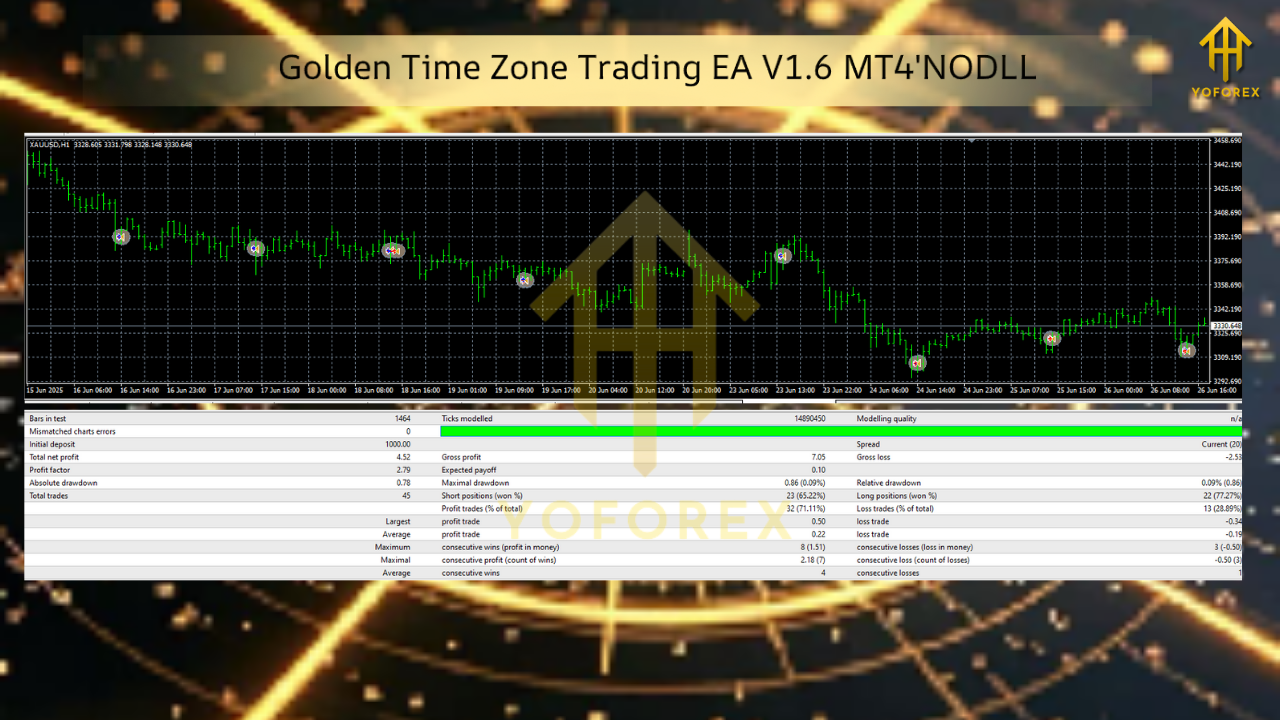
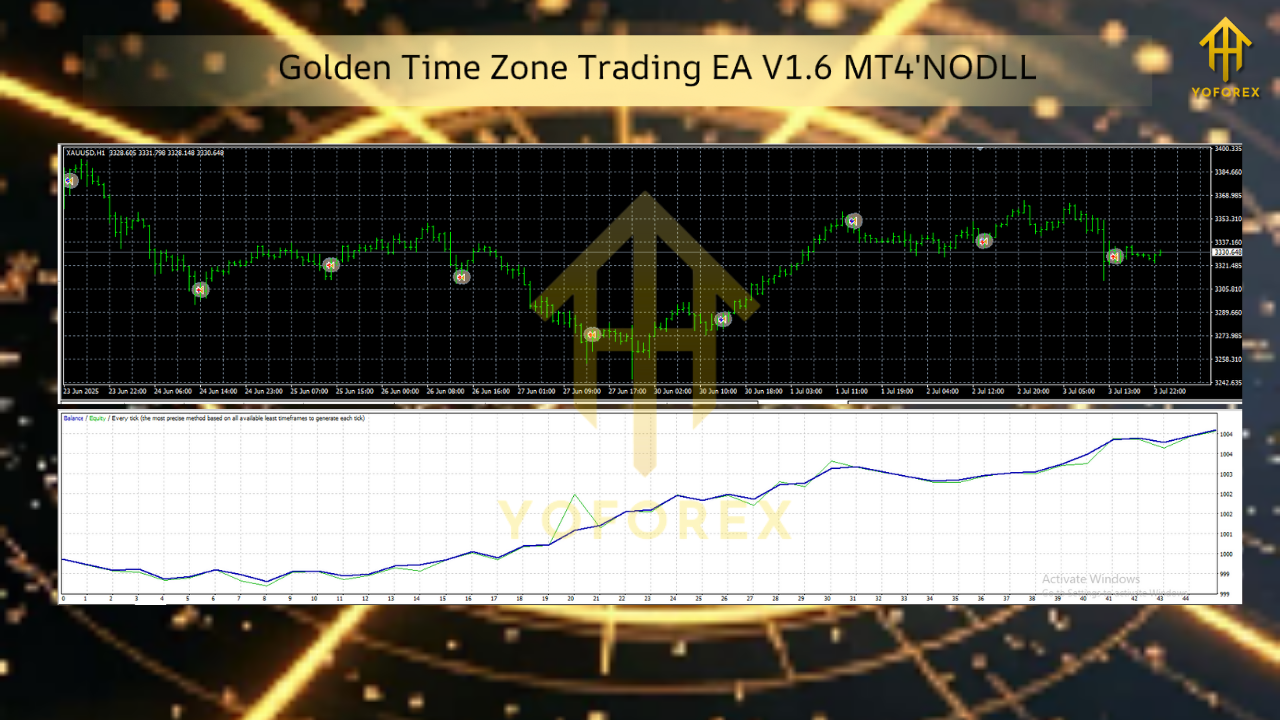
Backtests from 2019–2024 suggest good results on major pairs and Gold when aligned to London–New York overlap. However, as with any EA, backtests alone are not enough.
Forward testing on a demo account is crucial because:
- Spreads can widen in live markets.
- Broker execution speed affects outcomes.
- Economic news may create whipsaws that backtests cannot simulate.
Start with demo trading, then move to live with small lot sizes before scaling.
Risk Management Tips
- Keep Risk Low: 1–2% per trade.
- Use VPS Hosting: Prevent downtime during golden hours.
- Monitor Major News: Pause trading on high-impact days (e.g., NFP).
- Avoid EA Overlap: Don’t run multiple golden-hour robots simultaneously.
- Scale Slowly: Increase lot sizes only after consistent forward testing.
How It Differs From Other EAs
Many robots use breakout boxes or constant scalping. Golden Time Zone EA V1.6 stands out by combining time-based filtering with volatility checks. It doesn’t just place trades at arbitrary ranges—it ensures the session is active before executing.
This makes it more adaptable to changing market conditions while maintaining disciplined entries and exits.
Who Should Try This EA?
Golden Time Zone Trading EA V1.6 MT4 is a good choice for:
- Intraday traders focused on London/NY overlaps.
- Gold scalpers seeking structured volatility trades.
- Beginners looking for an EA with simple setup.
- Risk-averse traders who avoid martingale/grid logic.
It may not be ideal for swing traders or those who prefer 24-hour trading coverage.
Conclusion
The Golden Time Zone Trading EA V1.6 MT4 is designed for traders who believe timing is just as important as strategy. By narrowing focus to the most liquid hours of the trading day, it reduces random noise and provides a framework for consistent intraday trading.
With careful demo testing, proper broker selection, and solid risk management, this EA can be a valuable addition to your trading toolkit.


Comments
No comments yet. Be the first to comment!
Leave a Comment