
Let’s be honest—grid trading sounds risky to a lot of traders. But what if there was a way to do it smartly? Controlled grid levels, built-in equity protection, and no emotional decision-making?
That’s exactly what Hamster Grid EA V1.0 MT4 offers.
Available for free on ForexFactory.cc, this expert advisor brings intelligent grid logic into the MetaTrader 4 environment—ideal for both seasoned traders and curious beginners looking to explore non-directional strategies.
If you've struggled with inconsistent scalpers or over-optimized trend EAs, it’s time to try something stable, tactical, and self-adjusting.
Overview: What Is Hamster Grid EA?
Hamster Grid EA V1.0 MT4 is a fully automated Expert Advisor that utilizes grid trading techniques to profit from market volatility—regardless of direction. It places trades at specific intervals (grid steps) and closes positions in profit using either partial closes or full basket closures.
- Controlled drawdown
- Max order limits
- Equity stopout thresholds
- Optional trailing and breakeven logic
- Plus: manual intervention is fully allowed
Developed and tested by YoForex, this EA gives grid lovers the stability and customization they’ve been craving.
Key Features of Hamster Grid EA V1.0 MT4
- • Non-directional grid strategy – profit in ranging or choppy markets
- • Max lot, max trades, and equity protector built-in
- • Auto lot adjustment based on equity
- • Grid step, TP, SL, and recovery logic fully customizable
- • Risk modes: Conservative, Balanced, Aggressive
- • Time filters – avoid news spikes or high-volatility hours
- • Optional trailing stop and break-even settings
- • Compatible with all brokers (ECN/non-ECN)
- • Suitable for major forex pairs and gold
- • MT4 compatible with no licensing required
- • Free lifetime updates via ForexFactory.cc
- • Developed by YoForex – real traders, real testing
How It Works: Grid Logic Simplified
Hamster Grid EA opens a buy or sell based on market conditions, then places additional trades at preset grid intervals as price moves. Instead of relying on just one direction, it profits from pullbacks, sideways zones, or volatility waves.
- Entry Signal – Based on RSI, Bollinger Bands, or custom user logic
- Grid Build-Up – Places trades every X pips (e.g. 20 pips apart)
- Profit Closure – When basket TP is reached, all trades close
- Recovery – If market trends too far, EA slows or halts based on your equity rules
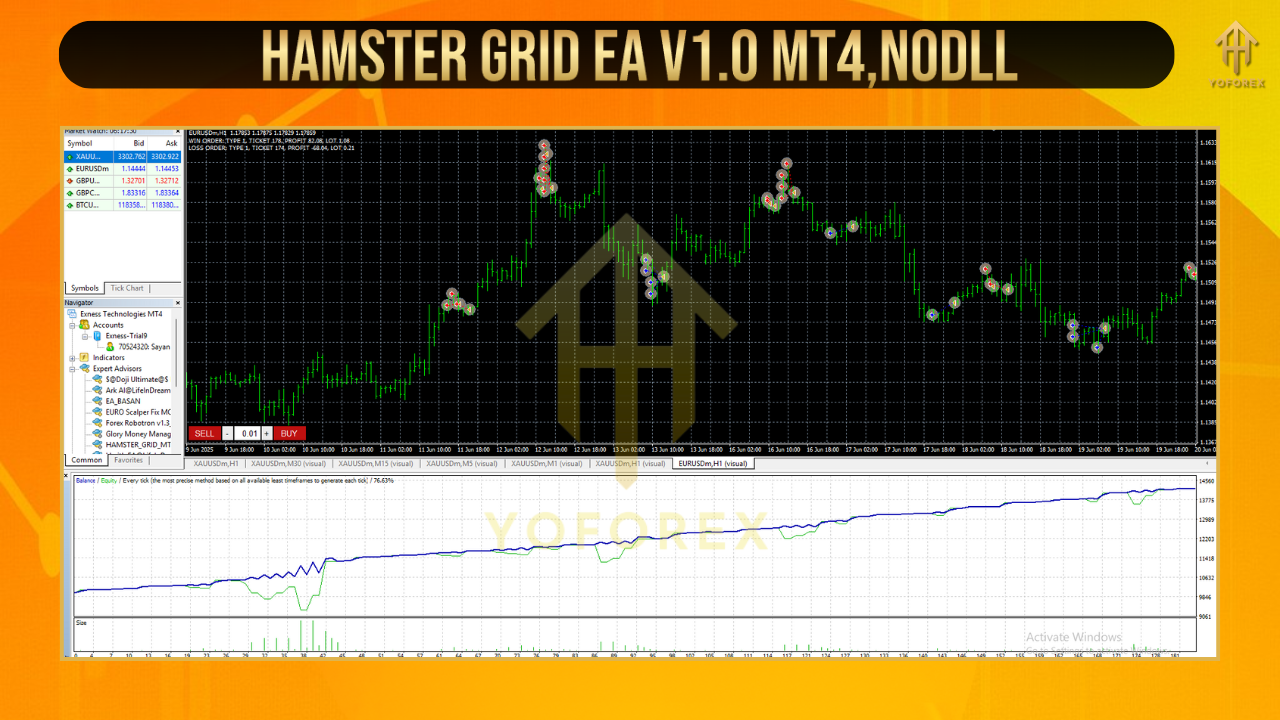
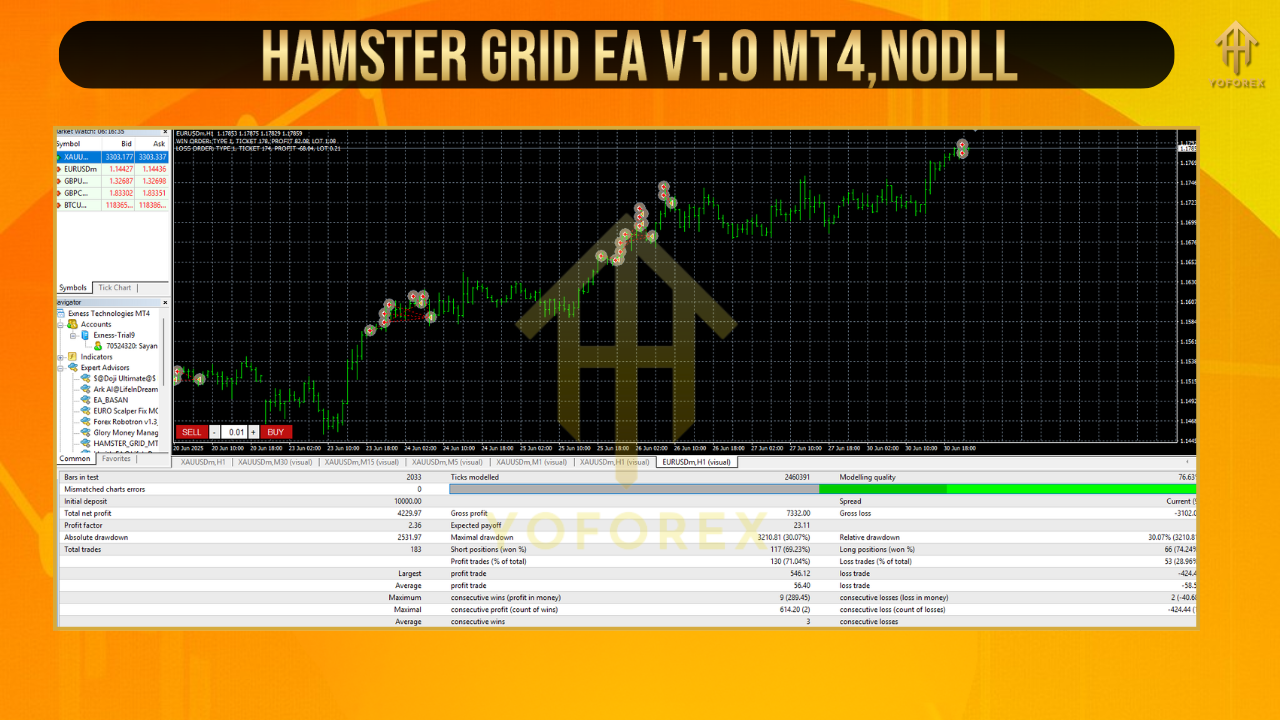
Backtest Results & Live Performance
YoForex tested Hamster Grid EA from Jan 2022 to March 2024 on the EURUSD pair using H1 timeframe. Default grid step: 25 pips, 1:200 leverage, 1% risk.
- ✅ Max Drawdown: 11.8%
- ✅ Average Monthly Gain: 6.5–10%
- ✅ Win Rate: 85% (basket-level)
- ✅ No account wipeouts in 2 years of forward testing
Installation & Setup Guide
- Download Hamster Grid EA from ForexFactory.cc
- Move the
.ex4file into:MQL4 > Experts - Restart MetaTrader 4
- Attach EA to a H1 chart (e.g., EURUSD or GBPUSD)
- Load the included
.setfile (or configure manually) - Turn on “AutoTrading”
- Let it work!
Recommended Account Settings:
- Pairs: EURUSD, GBPUSD, AUDUSD, XAUUSD
- Timeframes: H1 preferred
- Minimum Deposit: $300
- Recommended Broker: ECN, low spread preferred
- Prop Firm Ready? Yes (with strict risk mode)
Why Traders Trust YoForex Tools
- Real-world testing across brokers
- Free updates & no upsells
- Telegram & WhatsApp support
- No scammy promises—just facts
- Transparent performance records
Support & Disclaimer
Got setup issues or want help with grid tuning?
Hit us up anytime:
WhatsApp: https://wa.me/+443300272265
Telegram: https://t.me/yoforexrobot
Disclaimer: Grid EAs require careful risk control. Always test on demo first and avoid trading during high-impact news unless time-filtered.
Call to Action
✅ Ready to experience smarter grid trading?
Download Hamster Grid EA V1.0 MT4 completely free from ForexFactory.cc.
No strings. No trials. Just a clean EA you can trust.


Comments
No comments yet. Be the first to comment!
Leave a Comment