
NanoScalp AI EA V1.0 MT5 – The AI-Guided Scalper Built for Real-World Markets
Sick of chasing signal groups that promise the moon and vanish when spreads widen? If you’ve been hunting for a clean, disciplined scalper that actually respects risk while catching those micro-moves all day long… say hello to NanoScalp AI EA V1.0 MT5. It’s designed for MetaTrader 5 and tuned for the most traded instruments—GBPUSD, EURUSD, and XAUUSD—across H1, H4, M30, M15, M5, and M1. Whether you prefer calmer higher-timeframe signals or rapid-fire entries on the lower frames, this EA adapts to your flow without the drama.
Btw, NanoScalp isn’t trying to be a flashy martingale machine. It’s built for precision, latency-aware execution, and risk-first logic—because profits that stick are better than wild equity swings that freak you out mid-week. Powered by YoForex, it follows a rules-based approach that blends AI-assisted signal filtering with battle-tested trade management. In short: simple to run, surprisingly smart under the hood.
What Is NanoScalp AI EA V1.0 MT5?
NanoScalp AI EA V1.0 MT5 is an automated trading system for MetaTrader 5 that targets small to medium momentum bursts and mean-reversion bounces—depending on market context. It fuses volatility mapping (to gauge how far price can realistically travel before mean reversion), micro-trend detection (so you’re trading with a short-term push, not against it), and spread/latency checks (to avoid entries that are mathematically unattractive after fees).
Because the EA supports H1, H4, M30, M15, M5, and M1, you can run multiple charts with different profiles—e.g., an M1 “fast mode” on XAUUSD during London session and an H1 “swing scalp” on EURUSD around New York. That modularity lets you shape the system to your personality and the broker conditions you’re dealing with.
Supported pairs: GBPUSD, EURUSD, XAUUSD
Timeframes: H1, H4, M30, M15, M5, M1
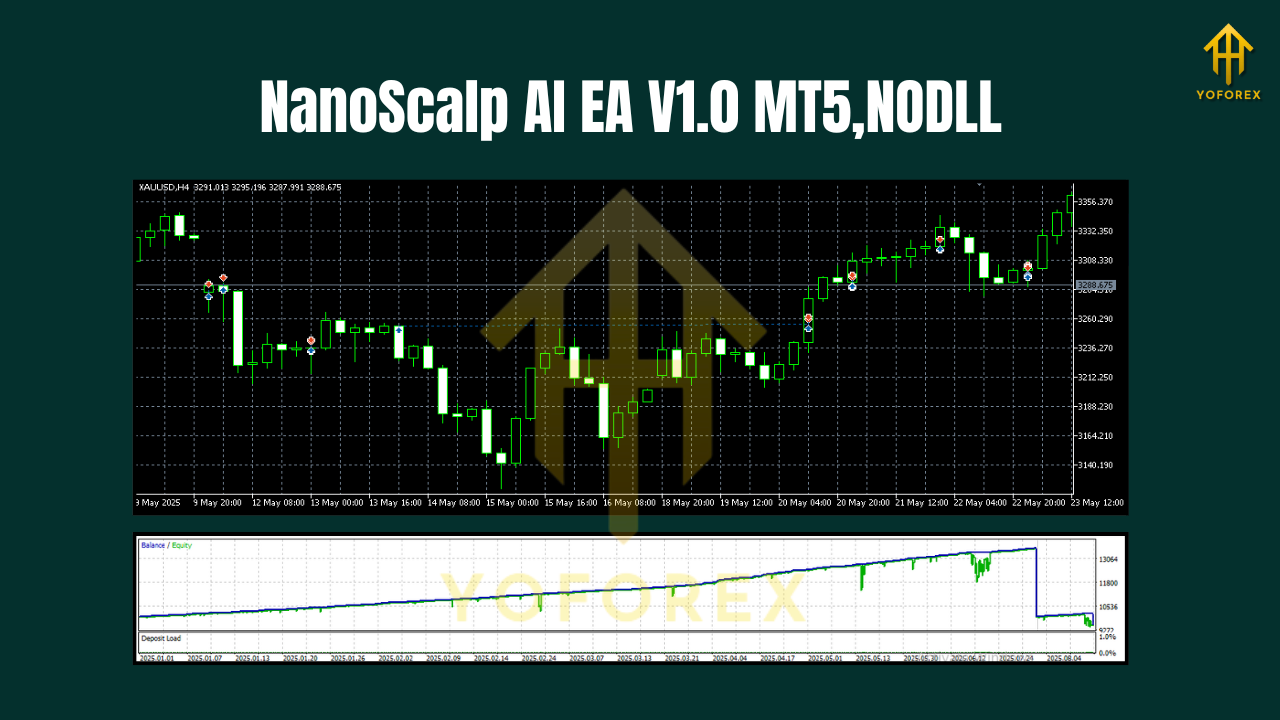
Key Features
• AI-assisted entry filter that scores setups across momentum, volatility, and micro-structure, so you avoid low-quality signals.
• Multi-timeframe support (H4 → M1) with profile-based risk presets for each chart.
• No martingale, no grid—position sizing is fixed or proportional, not suicidal.
• Dynamic SL/TP calibrated by current volatility (ATR/true range blend).
• Spread & slippage guard to skip entries when conditions are hostile.
• Session filters to focus on London/NY volatility and skip dead zones if you want.
• Break-even & partial close logic for locking in green on explosive pushes.
• News-aware pause option (manual calendar input or your own workflow) to step aside before high-impact events.
• Low CPU footprint so you can run multiple charts on a modest VPS.
• Broker-agnostic design (ECN preferred), works with 1:100 to 1:500 leverage.
• Clear logs & comments so you know why it took—or skipped—a trade.
• YoForex-tuned defaults so you’re not guessing on day one.
How NanoScalp Thinks
At a high level, NanoScalp AI EA V1.0 MT5 tries to answer three questions before it presses the button:
- Is the current push strong enough to justify a scalp?
It looks at short-range momentum, the steepness of the last impulse, and how price reacts at micro-levels. - Is volatility friendly or chaotic?
The EA estimates expected move size vs. cost to trade (spread + slippage) and only fires if the math makes sense. - Is risk comfortably boxed in?
Stop placement uses volatility-aware levels, not fixed pips that ignore the market’s mood; TP and partials are aligned with current expansion potential.
Result? Fewer random stabs, more qualified trades, and smoother equity when you run it the way it’s intended.
Recommended Use (pairs, timeframes, and profiles)
- XAUUSD (Gold):
• M1/M5 (“Fast Mode”): Great during London/NY overlap; use tighter risk and allow partials.
• M15/M30 (“Balanced”): Solid for steadier intraday flows. - GBPUSD / EURUSD:
• M5/M15: Good blend of frequency and follow-through.
• H1/H4: “Calm mode” for traders who want fewer, higher-quality signals and less chart noise.
Tip: Start with one pair + one timeframe for two weeks. Observe behavior, then scale to a second chart. Don’t slap it on six charts day one, coz you’ll lose visibility and discipline.
Installation & Quick Setup (MT5)
- Copy files: Place the EA file (.ex5) into
MQL5/Expertsin your MT5 data folder. - Restart MT5: Or right-click “Experts” in the Navigator and choose Refresh.
- Attach to chart: Open your chosen symbol/timeframe (e.g., XAUUSD M5), drag NanoScalp AI EA V1.0 onto the chart.
- Allow algo trading: Check “Allow algorithmic trading,” then ensure the main MT5 Algo button is enabled.
- Select a profile: Choose a risk preset (Conservative / Moderate / Fast) or set your own lot sizing and max trades.
- Set filters: Optional—session times, news pause, and spread limit in points.
- Save template: Once configured, save as a chart template so you can replicate settings quickly.
Pro tip: Use a VPS close to your broker’s server for lower latency—especially if you plan on M1–M5 scalping.
Risk Management That Doesn’t Fight You
NanoScalp is opinionated about risk (in a good way). You get volatility-aware SL, dynamic TP, break-even, and optional partials. If spreads spike or slippage turns ugly, entries are skipped. That discipline keeps equity drawdowns from spiraling. For sizing, start with 0.5%–1% per trade on lower timeframes; go even lighter if you’re running multiple charts. The EA is not a grid/marti monster—respect that design and it respects your account.
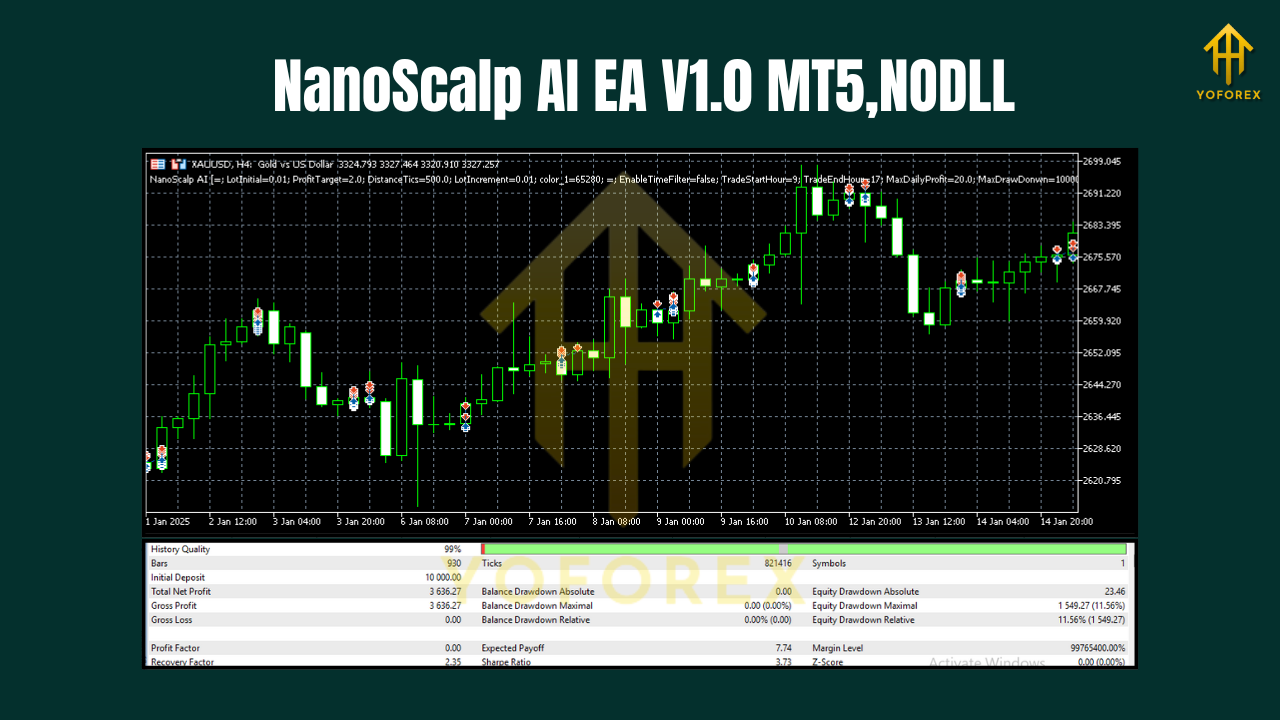
Backtesting & Forward-Testing Tips
- Use real-tick or high-quality tick data with variable spreads to mimic live conditions.
- Match your broker settings (GMT offset, stop level, commission mode).
- Test by session: Run separate tests for London, NY, and Asia to see where your pair shines.
- Walk-forward check: Don’t over-optimize on one chunk; re-validate settings over a later unseen period.
- Shadow live: After a solid backtest, run NanoScalp AI EA V1.0 MT5 on a demo parallel to your live chart for at least one to two weeks. When fills and behavior look consistent, go live with conservative size first.
Remember: the goal isn’t the prettiest curve in Strategy Tester—it’s robust behavior when spreads widen and price whips.
Broker, Spread, and Execution
Scalpers live and die on costs and execution. You’ll want:
- ECN or RAW accounts with low spreads on GBPUSD, EURUSD, and especially XAUUSD.
- Consistent commission model (per lot) you can factor into backtests.
- Tight stop levels & fast execution to reduce slippage on lower timeframes.
- Stable VPS (1–5 ms if possible) to your broker’s matching engine.
If your broker routinely prints “weird” spikes on gold, consider using the EA’s spread filter and avoid peak-news minutes.
Support (YoForex)
Got questions or want a once-over on your settings? Ping our team:
WhatsApp: https://wa.me/+443300272265
Telegram: https://t.me/yoforexrobot
We’re happy to help you dial in timeframes, risk, and sessions so NanoScalp behaves the way you expect.
Final Thoughts & Next Steps
If you’ve been craving an EA that trades small edges well instead of chasing unicorns, NanoScalp AI EA V1.0 MT5 is a strong pick. It’s methodical, scalable across timeframes, and built around risk—so you’re not glued to the screen sweating every candle. Start light, observe, and scale only when you’ve got a feel for your broker’s “personality.”
Join our Telegram for the latest updates and support


Comments
No comments yet. Be the first to comment!
Leave a Comment