
Ninja FX EA V6.04 MT4 — precision risk control for steady, repeatable trades
Sick of EAs that look flashy on screenshots but crumble the moment spreads widen or volatility spikes? Same here. Ninja FX EA V6.04 MT4 was built for the real world—variable spreads, slippage, sideways chop, news shocks—so you don’t need to babysit every candle. It focuses on precision entries, strict risk control, and consistency across multiple markets and sessions. If you’ve been stuck tweaking indicators all night and second-guessing entries by morning, this one’s meant to give you your time back… and some sanity.
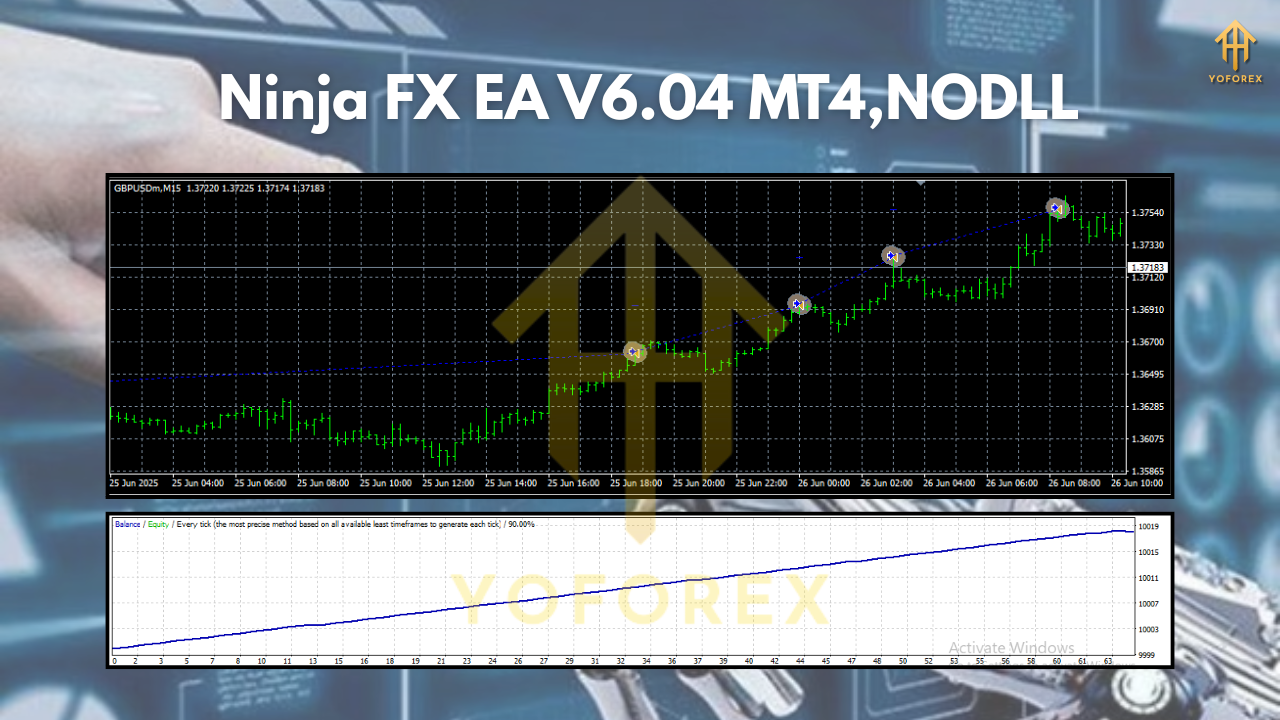
Designed for MetaTrader 4, Ninja FX MT4 operates on H1 to M30 time frames and supports a surprisingly flexible list of symbols: GBPUSD, EURUSD, BTCUSD, AUDCAD, NZDCAD, and US30. That mix lets you diversify behavior—majors for liquidity, crosses for opportunity, crypto for momentum bursts, and an index for session-driven swings. You’ll still need to manage risk (coz every EA needs that), but the logic here aims to keep losers contained and let winners breathe.
Overview
Ninja FX EA V6.04 MT4 is an automated trading system for MetaTrader 4 that blends momentum confirmation with a volatility/context filter. In simple words: it tries to trade when the market is actually moving, not just because a line crossed another line. The EA reads trend bias from higher-timeframe structure, combines it with current-timeframe confirmation, and then checks volatility and session filters before allowing an entry. The intent is to avoid low-quality trades during dead hours or right into a whipsaw.
Supported time frames: H1, M30
Supported pairs & symbols: GBPUSD, EURUSD, BTCUSD, AUDCAD, NZDCAD, US30
A big part of its design is risk control. You can set a fixed lot or use percent risk per trade, add a maximum daily loss cap, and (if you want) switch on a trade pause after a streak of losers. The EA is not dependent on martingale or grid amplification; instead, it leans on clean entries with asymmetric risk-to-reward. It’s happier taking fewer but higher-quality setups than spraying orders all over the chart.
Under the hood, there’s also a session awareness component. For example, US30 tends to move most during the New York session; EURUSD/GBPUSD wake up around London; BTCUSD can run when traditional markets close but crypto keeps humming. Ninja FX tries to place trades where that natural rhythm is more likely to deliver follow-through.
Key Features
• Multi-market coverage: Runs on GBPUSD, EURUSD, BTCUSD, AUDCAD, NZDCAD, US30 for diversified behavior.
• Timeframe flexibility: Optimized for H1 to M30—clear structure with enough signals for swing-scalp hybrids.
- Risk-first design: Choose fixed lot or % risk per trade; set daily loss caps and max trades/day.
• Volatility & session filter: Helps avoid entries in low-energy chop and focuses on higher-probability windows. - Trade quality focus: No dependency on martingale/grid; aims for asymmetric R:R and cleaner exits.
• Dynamic SL/TP options: ATR-based or fixed stops; optional breakeven & trailing once price moves your way. - Spread guard & slippage cushion: Skip trades when spreads blow out; keep execution realistic.
• News-aware mode (optional): Pause near high-impact events so you’re not guessing into a spike. - Dashboard clarity: On-chart status showing symbol, timeframe, risk %, and session filter states.
• Prop-friendly settings: Easy to align with drawdown rules and daily loss limits (always confirm your firm’s rules). - Minimal inputs to tune: Most defaults work out of the box; advanced users can fine-tune filters.
• Error handling & logs: Flags unusual broker conditions so you can spot execution issues quickly.
How Ninja FX EA V6.04 MT4 Chooses Setups
At a high level (no secret sauce revealed), Ninja FX EA stacks three layers:
- Directional Bias: A higher-timeframe check (e.g., H4/H1 context for H1/M30 entries) to avoid counter-trend noise.
- Entry Confirmation: Momentum/structure confirmation—think break-and-retest logic, not just a single indicator flash.
- Environment Filters: Spread, volatility (ATR), session window, and optional news timing so entries aren’t taken in dead zones or right into landmines.
If all three align, the EA places a trade with your configured SL/TP. The default philosophy is cut losers quickly and let trailing/partial exits work the winners when they run.
Best Symbols & When They Shine
- GBPUSD/EURUSD: Solid during London and London-New York overlap; spreads are usually reasonable.
- US30 (Dow): Comes alive near New York cash open and on macro headlines; pairs well with the EA’s session filter.
- BTCUSD: Volatile; good for momentum bursts but requires wider SL and conservative % risk. Weekend trading is your call—crypto doesn’t sleep, but you might want it to.
- AUDCAD/NZDCAD: Attractive on days with commodity-linked momentum; spreads vary by broker so use the spread guard.
Installation & Setup (MT4)
- Add the EA to MT4: In MetaTrader 4, go to File → Open Data Folder → MQL4 → Experts and paste the Ninja FX EA V6.04 MT4 (.ex4/.mq4) file there. Restart MT4.
- Enable AutoTrading: In MT4’s top bar, click AutoTrading so it’s green; also allow DLL imports if your build requires it.
- Attach to a chart: Open the symbol/timeframe you want (e.g., GBPUSD H1) and drag Ninja FX EA V6.04 MT4 from the Navigator → Experts panel onto the chart.
- Load or set inputs: Choose risk %, max trades/day, spread limit, session filter, news pause (optional), and SL/TP or trailing preferences.
- Repeat for other charts: For each symbol/timeframe you want to trade (EURUSD H1, US30 M30, BTCUSD M30, etc.), open a new chart and attach the EA with tailored inputs.
- Final check: Look for the on-chart status panel. If you see live ticks and the EA reads “ready,” you’re set.
Tip: Start with one or two symbols for a week before going multi-chart. This helps you see how Ninja FX behaves in your broker’s conditions.
Risk Management (Read This Twice)
- % Risk/Trade: Many traders stick to 0.25%–0.75% per position on majors; 0.10%–0.40% on BTCUSD/US30 due to volatility.
- Daily Loss Cap: Consider 1%–2% max. When hit, let the EA pause for the day—no revenge trading.
- Position Limits: Cap total concurrent trades (e.g., 2–3) so you’re not overexposed across correlated markets.
- Trailing & Partial: Use breakeven + trailing to defend equity once price moves your way; partial TP can smooth equity curves.
- Broker Reality: High spreads during rollovers or news? The EA’s spread guard helps, but if execution is consistently poor, switch to a better broker or a VPS close to the server.
Optimization Notes
You don’t need to be a quant to get mileage out of Ninja FX, but a few tweaks go a long way:
- Time Windows: Align session filters with each symbol’s prime hours (e.g., US30 near NY open).
- ATR-Based Stops: ATR multiples often adapt better than fixed pips across markets/time.
- Symbol-Specific Risk: Use a lower risk on BTCUSD/US30 than on EURUSD/GBPUSD.
- Forward First: After any backtest, do forward demo at least 2–3 weeks to check slippage/spread behavior live.
Who Is Ninja FX EA V6.04 MT4 For?
If you want a hands-off assistant that prefers fewer, better setups and respects your risk limits, you’ll vibe with this EA. It’s not a “flip $100 into $10k in a week” kind of system (nothing real is). Instead, it’s for traders who appreciate consistency, structure, and capital preservation—with room to scale when performance stabilizes.
Final Thoughts & Call-to-Action
Ninja FX EA V6.04 MT4 won’t do magic—but it will give you structure, safer entries, and a repeatable way to trade majors, crosses, crypto, and an index from H1 to M30. That combo is rare. Start light, dial in the risk, let the session/volatility filters do their job, and focus on process over drama. You’ll likely sleep better.
If you’re ready to tidy up your trading routine and let a disciplined EA handle the grind, set Ninja FX up on a couple of charts today. Run a full week on demo, review the logs, then scale in carefully. Consistency beats hype—every time.


Comments
No comments yet. Be the first to comment!
Leave a Comment