
PortfoliosPro BREAKOUT EA V1.0 MT4 — Trade Clean Session Breakouts With Tight Risk
Breakouts are exciting… until they’re not. Price spikes, spreads widen, and before you know it you’ve chased a wick. If you’ve felt that, you’re not alone. PortfoliosPro BREAKOUT EA V1.0 (MT4) was built to keep the good part of breakouts—clear levels, decisive momentum—while cutting the noise. It watches your charts on EURUSD, GBPUSD, and XAUUSD (Gold), waits for a properly formed range during key sessions, and then executes with pre-defined, transparent risk rules. No FOMO, no over-management, just a structured plan that fires when your criteria are met.
If you’re running a $200+ account and prefer M15 or H1 for balanced signal quality, this EA fits right in. You’ll get strategic entries, protective stop losses, profit-locking logic, and optional filters that help you avoid messy conditions (think: high spread or red-flag news). In short: it’s a disciplined breakout assistant that happens to be fast.
What Is PortfoliosPro BREAKOUT EA?
PortfoliosPro BREAKOUT EA V1.0 is an automated MT4 Expert Advisor focused on session breakouts. It defines a “box” (range) based on the prior session or a configurable time window, then prepares orders above and below that box. When price breaks with momentum confirmation, the EA commits—placing stops beyond the opposite boundary and managing the trade with a logical, rules-first approach.
Under the hood, it’s not trying to be clever with repaints or curve-fitting. The engine is intentionally simple, reliable, and transparent:
- Identify a high-quality, recent range.
- Confirm breakout conditions (spread, volatility, candle body, or volume proxy).
- Place trades with fixed risk (or dynamic lot sizing).
- Manage the exit via targets, trailing, and time-based failsafes.
That’s it. Because consistency > complexity, especially with breakouts.
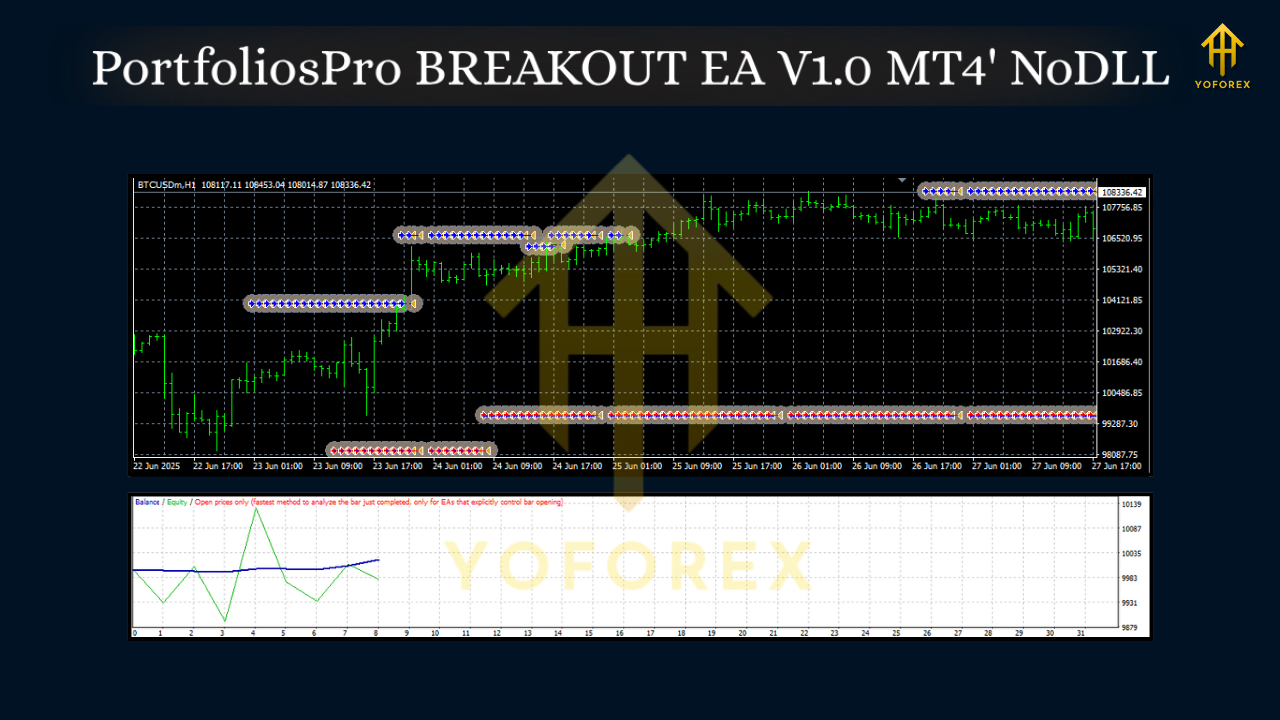
How It Works (In Plain English)
- Session/Window Box:
You define the lookback window (e.g., last 2–4 hours around the London or NY open). The EA draws an internal “box” using recent highs/lows. - Pending Orders:
It arms buy stop/sell stop levels a few points beyond the box edges—your “go/no-go” lines. - Filters That Actually Matter:
- Spread filter: avoids paying too much just to get filled.
- ATR/volatility gate: ensures breakouts aren’t happening in dead water.
- Min body/impulse candle: confirms there’s genuine push, not a random tick.
- Optional news pause: halts trading during scheduled high-impact events.
4. Protective Risk:
Every trade has a hard stop beyond the opposite side of the box, with a tunable buffer. No martingale, no grid.
5. Profit Handling:
- Static TP: classic 1.5R–2.5R targets.
- Partial take profit: scale out at 1R, let the rest trail.
- ATR or structure-based trailing: trail behind swing points or a multiple of ATR.
- Time stop: if price chops around too long, exit and move on.
Key Features You’ll Like
• True session breakout logic (London/NY windows)
• Pairs: EURUSD, GBPUSD, XAUUSD (Gold)
• Timeframes: M15, H1 (sweet spot for signal quality)
• Minimum deposit: $200 (1:100–1:500 leverage suggested)
• Fixed-risk position sizing (risk % per trade; no martingale)
• Spread & slippage guards to avoid low-quality fills
• ATR-aware entries to filter out fake nudges
• Partial TP + smart trailing for smoother equity curves
• Daily trade cap to prevent over-trading on volatile days
• Time-based exit & Friday cutoff (close before weekend if you want)
• Equity protection (daily loss stop, max open risk)
• Clean logs & on-chart panel to see what it’s doing and why
Suggested Markets, Timeframes & Deposit
- EURUSD (M15/H1): tighter spreads, consistent sessions; great for starting out.
- GBPUSD (M15/H1): punchier moves; keep risk % a touch lower until you’re comfy.
- XAUUSD (M15/H1): biggest momentum but also biggest whips; use stricter filters and smaller risk per trade.
Minimum deposit: $200 is the floor; the EA will still respect your risk % and lot size constraints. If you’re targeting prop-style drawdowns (e.g., daily 2%), consider $500–$1,000+ for better breathing room.
Recommended Starter Settings (Tweak as You Learn)
- Risk per trade: 0.5%–1.0% on EURUSD/GBPUSD; 0.25%–0.75% on XAUUSD
- Box window: 2–4 hours pre-session; e.g., 06:00–08:00 UTC (London) or 12:30–14:30 UTC (NY)
- Entry buffer: 3–6 points beyond the box on FX; 50–150 points on Gold (broker digits vary)
- Stop loss: other side of the box + small buffer (1–1.5× ATR(14) on M15/H1 works well)
- Take profit: 1.8R–2.2R static, or partial 50% at 1R, trail the rest with ATR(10) × 1.5
- Max trades per day: 1–2 per pair (keeps you out of chop)
- Spread filter: dynamic—block if current spread > average × 1.3 (or set a hard max)
- News filter: pause within ±15–30 minutes of high-impact news on your traded pair
Preset feel:
- Conservative: Risk 0.5%, 2.0R TP, ATR trail, daily loss stop 2%.
- Balanced: Risk 0.8%, partial at 1R, trail remainder, max 2 trades/day.
- Aggressive (not for small accounts): Risk 1.2%, wider buffer, dynamic TP 1.5–2.5R based on volatility.
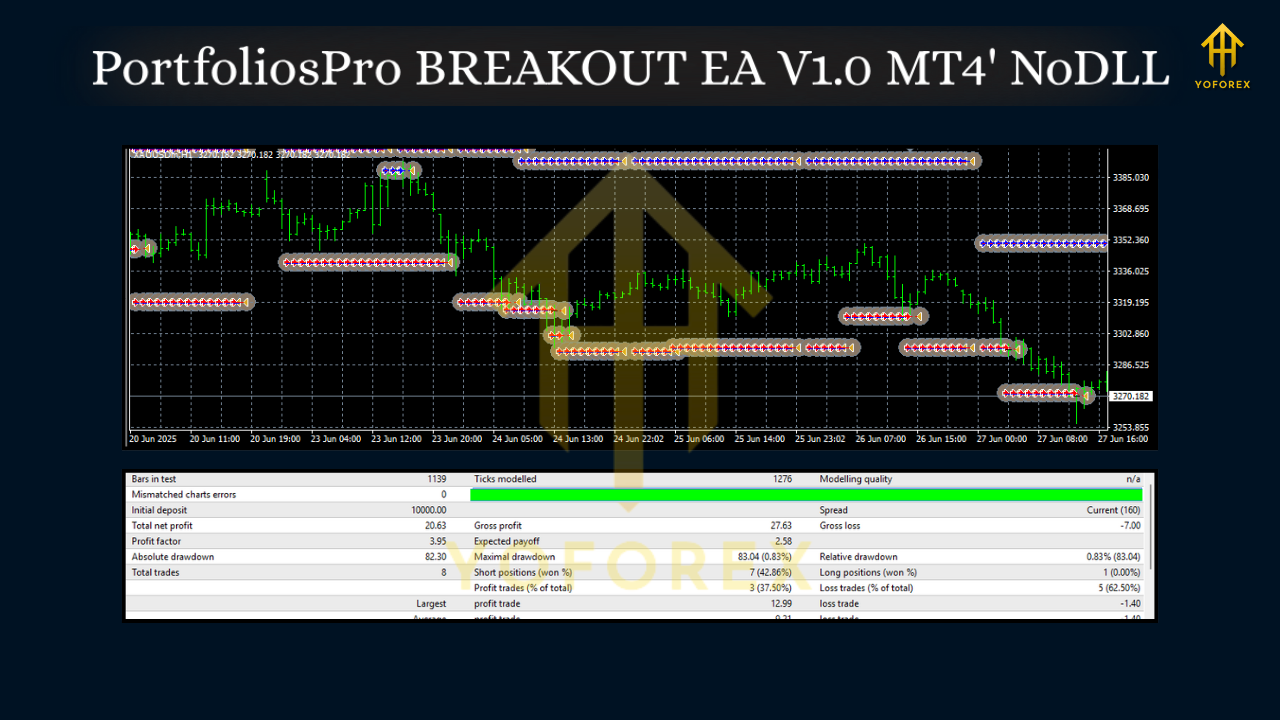
Risk Management That Doesn’t Flinch
Breakouts are streaky—great weeks, slow weeks, and the occasional fakeout storm. The EA’s job is to limit the damage when wrong and press when right. That’s why the defaults lean toward:
- Hard stops (no exceptions)
- Equity-based halts (daily loss stop, max drawdown stop)
- Exposure caps (limit concurrent positions across pairs)
- Friday close logic (option to flatten before weekend)
Want prop-firm-friendly behavior? Try daily loss stop = 2%, max open risk = 1%, and one trade per pair per session. Boring? Maybe. Effective? Often, yes.
Installation & Setup (MT4, quick)
- Copy the file: Put
PortfoliosPro_BREAKOUT_EA.ex4into MT4 → File → Open Data Folder → MQL4 → Experts. - Restart MT4: Or right-click “Expert Advisors” in Navigator and hit Refresh.
- Attach to chart: Open EURUSD/GBPUSD/XAUUSD on M15 or H1, enable Algo Trading, and drag the EA onto the chart.
- Inputs: Set your Risk %, session window, box size, filters, and TP/SL rules.
- Allow live trading: Check “Allow live trading” and (optionally) “Allow DLL imports” if your news/spread filters use them.
- Backtest first: Use MT4 Strategy Tester on your broker’s data to validate slippage/spread behavior.
- Forward test on demo: Run a week or two in real time. Then go micro-lots on live.
Best Practices (So You Don’t Fight the EA)
- Pick one session to start (London or NY) and stick with it for two weeks.
- Don’t change settings daily. Let a coherent sample of trades play out.
- Avoid overlapping pairs that move on the same drivers (e.g., EURUSD & GBPUSD) unless your exposure cap is tight.
- Respect news. If you don’t use a news filter, at least pause around NFP, CPI, FOMC.
- Journal briefly. Track reason for any manual intervention; if you cut winners short, the system can’t show edge.
Final Word
PortfoliosPro BREAKOUT EA V1.0 MT4 won’t magically “predict” the market—no one can—but it does give you a repeatable way to engage one of the market’s oldest edges: the session breakout. With clean filters, hard stops, and sane profit handling, it helps you trade the plan you always meant to follow. Start conservative, gather data, and let the system breathe. You’ll thank yourself after a month of stable, boring discipline—coz boring compounding is kind of the point.


Comments
No comments yet. Be the first to comment!
Leave a Comment