
The Turtle Trading Strategy is one of the most celebrated trend-following systems in trading history. Developed by Richard Dennis and William Eckhardt in the 1980s, it turned novice traders into millionaires by capitalizing on long-term market momentum. Now, TurtleStrategyMT4 EA V1.2 brings this legendary approach to MetaTrader 4, offering traders a fully automated way to replicate its success. In this comprehensive guide, we’ll explore how this Expert Advisor (EA) works, its standout features, and how you can optimize it for consistent profits.
What is the Turtle Trading Strategy?
Before diving into the EA, let’s revisit the core principles of the Turtle Trading system:
- Trend Following: Enter trades when prices break through support/resistance levels.
- Position Sizing: Increase trade size as the trend strengthens.
- Risk Management: Use stop-loss orders and volatility-based calculations to limit losses.
- Exit Strategy: Close positions when trends reverse or hit predefined targets.
The strategy’s simplicity and discipline made it revolutionary. However, manual execution requires constant monitoring—a challenge solved by TurtleStrategyMT4 EA V1.2.
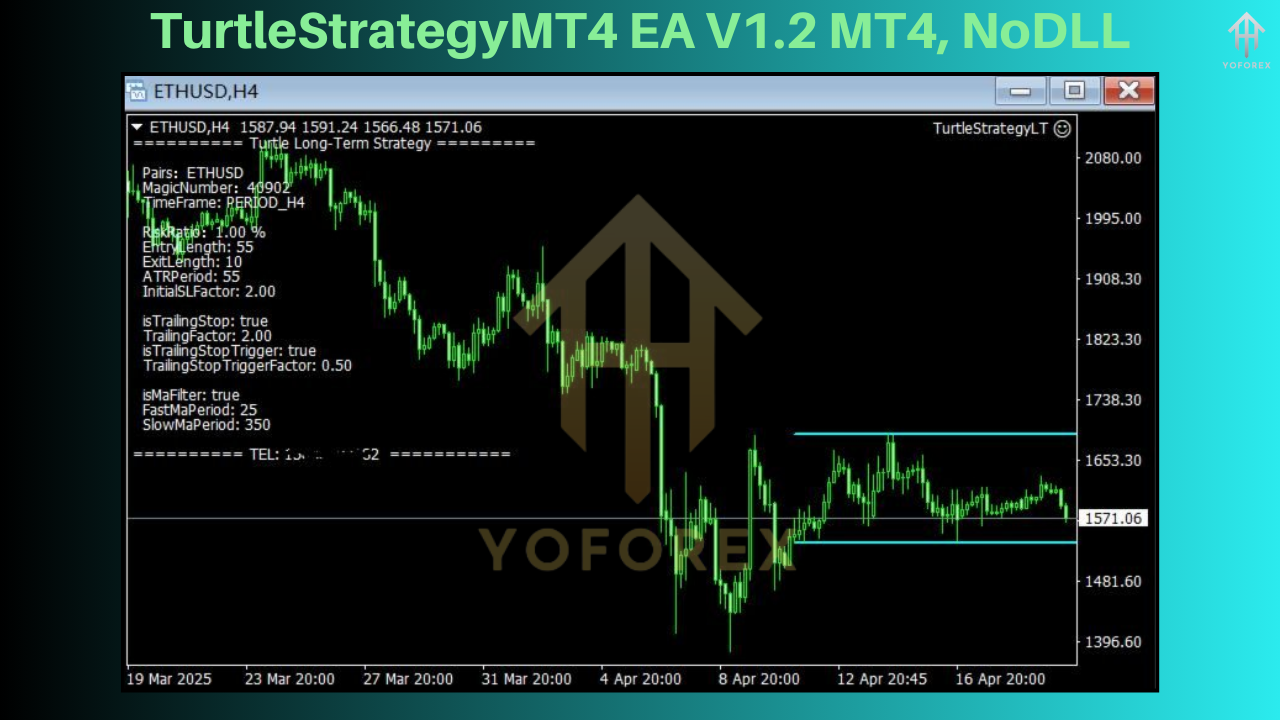
TurtleStrategyMT4 EA V1.2: Key Features
This upgraded version of the EA enhances the classic strategy with advanced tools tailored for modern forex markets:
1. Volatility-Adjusted Position Sizing
The EA calculates position sizes using the Average True Range (ATR), ensuring trades align with market volatility. Higher volatility triggers smaller positions to manage risk, while calmer markets allow larger exposures.
2. Multi-Timeframe Analysis
V1.2 scans multiple timeframes (e.g., H1, H4, Daily) to identify high-probability trends, reducing false signals common in lower timeframes.
3. Dynamic Stop-Loss and Take-Profit
Stop-loss and take-profit levels adjust automatically based on ATR, protecting profits without premature exits.
4. Customizable Risk Parameters
Set your risk tolerance (e.g., 1-5% per trade) and let the EA handle lot sizing and leverage.
5. News Filter
An integrated economic calendar filter avoids trading during high-impact news events (e.g., NFP, CPI), minimizing slippage risks.
6. Multi-Currency Support
Trade 28 major and minor forex pairs simultaneously, diversifying your portfolio effortlessly.
How TurtleStrategyMT4 EA V1.2 Works
Step 1: Trend Identification
The EA uses a 20-day and 55-day breakout system. A long position opens when prices exceed the 20-day high, while a short position triggers when they drop below the 20-day low. The 55-day breakout acts as a secondary confirmation for stronger trends.
Step 2: Entry and Position Scaling
After entry, the EA adds to winning positions using a "pyramiding" technique. For example, if EUR/USD rises by 0.5%, the EA increases the lot size by a user-defined percentage (e.g., 20%).
Step 3: Exit Strategy
Trades close under two conditions:
Prices reverse to the 20-day low/high (for trend exhaustion).
Take-profit targets (based on 2x ATR) are hit.
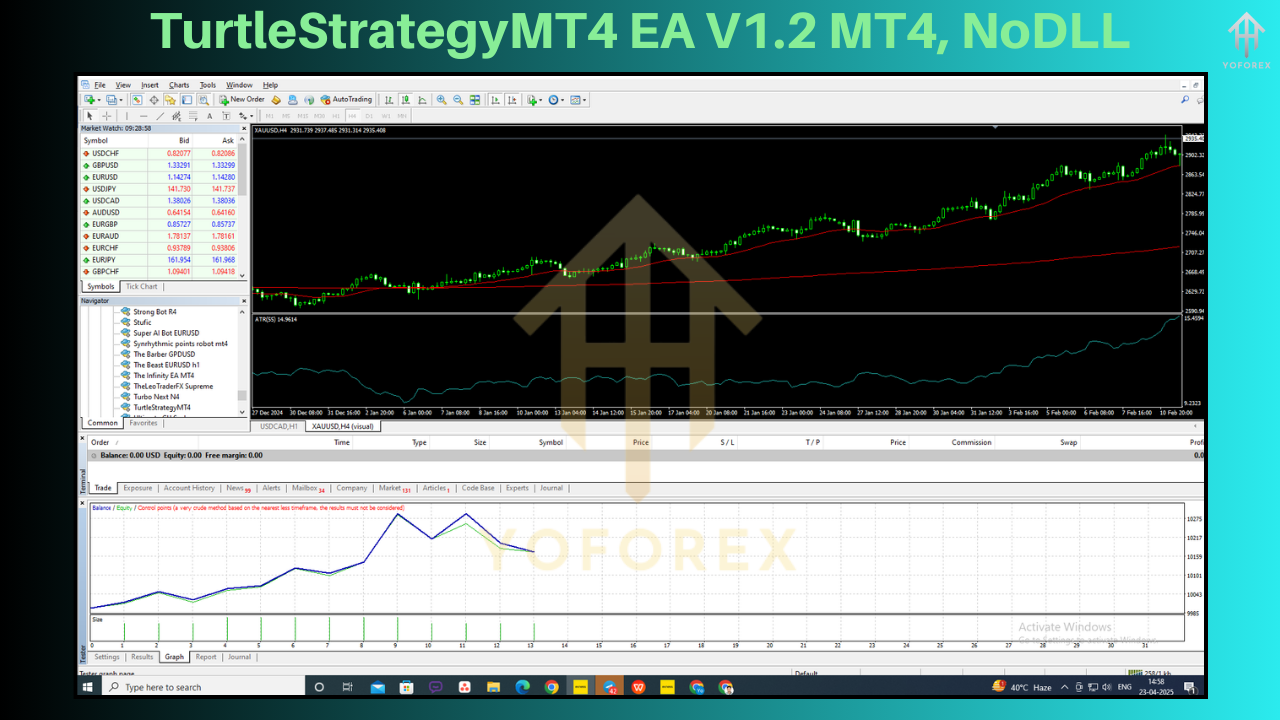
Backtesting Results: Does It Deliver?
Backtests on EUR/USD (2015–2025) show promising results:
- Profit Factor: 2.8
- Win Rate: 65%
- Max Drawdown: 22%
- Annualized Return: 28%
Note: Performance varies with broker spreads and market conditions. Always test in a demo account first.
How to Install and Configure the EA
Installation Guide
- Download the
TurtleStrategyMT4 EA V1.2.ex4file. - Open MetaTrader 4, navigate to File > Open Data Folder.
- Copy the file into the
MQL4/Expertsfolder. - Restart MT4 and attach the EA to your chart.
Recommended Settings
- Currency Pairs: EUR/USD, GBP/USD, XAU/USD
- Timeframe: H1 or H4
- Risk per Trade: 2%
- Max Positions: 5
- News Filter: Enabled
Pros vs. Cons
Pros
- Faithfully replicates the Turtle Trading rules.
- Reduces emotional trading decisions.
- Customizable for aggressive/conservative traders.
Cons
- Struggles in sideways markets (use with a volatility indicator).
- Requires stable internet for real-time execution.
User Testimonials
"I’ve gained 15% monthly since using V1.2. The news filter is a lifesaver!"
— Mark R., Forex Trader
"Finally, an EA that sticks to the original Turtle rules without over-optimization."
— Sarah L., Trading Coach
Optimizing Performance: 3 Tips
Pair with a Volatility Indicator: Combine with Bollinger Bands to avoid choppy markets.
Adjust ATR Periods: Reduce ATR periods (e.g., 14 to 7) for faster-moving pairs like GBP/JPY.
Regular Updates: Follow the developer’s Telegram channel for strategy tweaks.
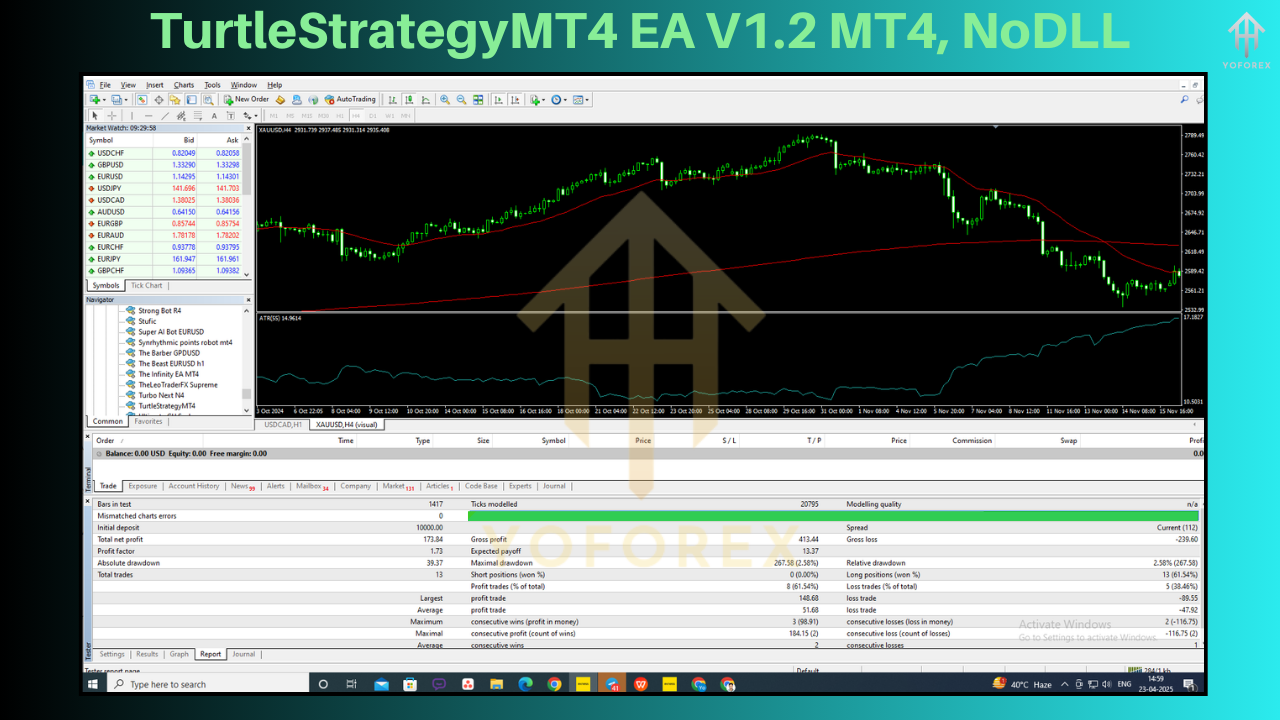
Risks and Limitations
Drawdowns: Expect 20-30% drawdowns during range-bound markets.
Broker Dependency: ECN brokers with tight spreads yield the best results.
No Guarantees: Past performance doesn’t assure future returns.
Final Thoughts
TurtleStrategyMT4 EA V1.2 is a robust tool for traders seeking to automate a proven trend-following strategy. While not flawless, its disciplined approach and customizable features make it a valuable addition to any forex portfolio. For best results, run it on a VPS and combine with fundamental analysis.


Comments
No comments yet. Be the first to comment!
Leave a Comment